
AI Floor Plan Generator
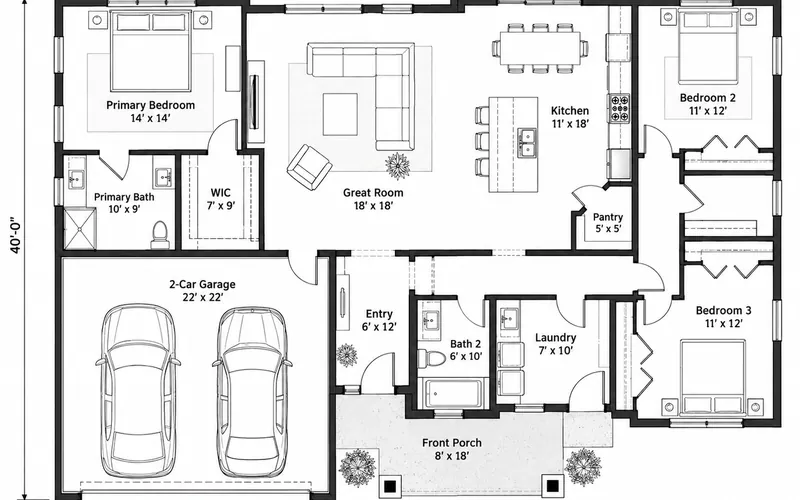
Type "3 bedrooms, open kitchen, 2-car garage, about 1,800 sq ft" and the AI floor plan generator draws a labeled floor plan.
Generate a Floor Plan FreeGenerate a Floor Plan from Text
Describe the layout, set the size and choose a style. The more specific the brief, the closer the plan.
Ranch house
1,800 sq ft · Colored 2D
AI Floor Plan Generator Examples
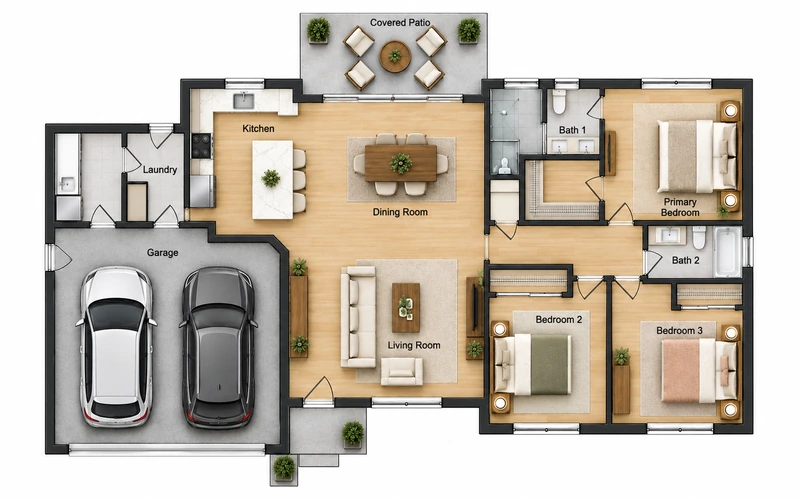
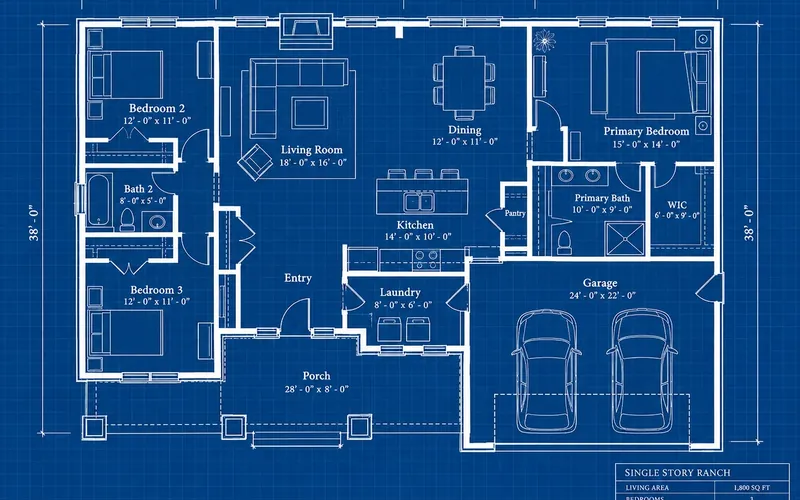
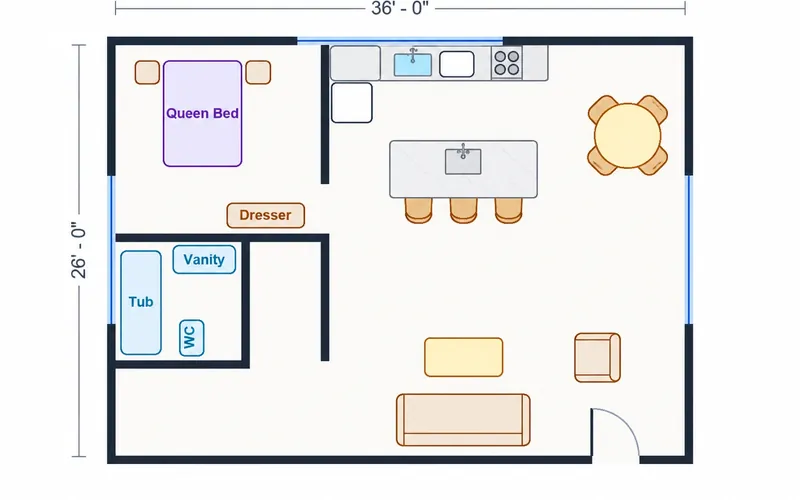
Each plan below started as a two-line description. Use the same settings above, then change the brief to make it yours.
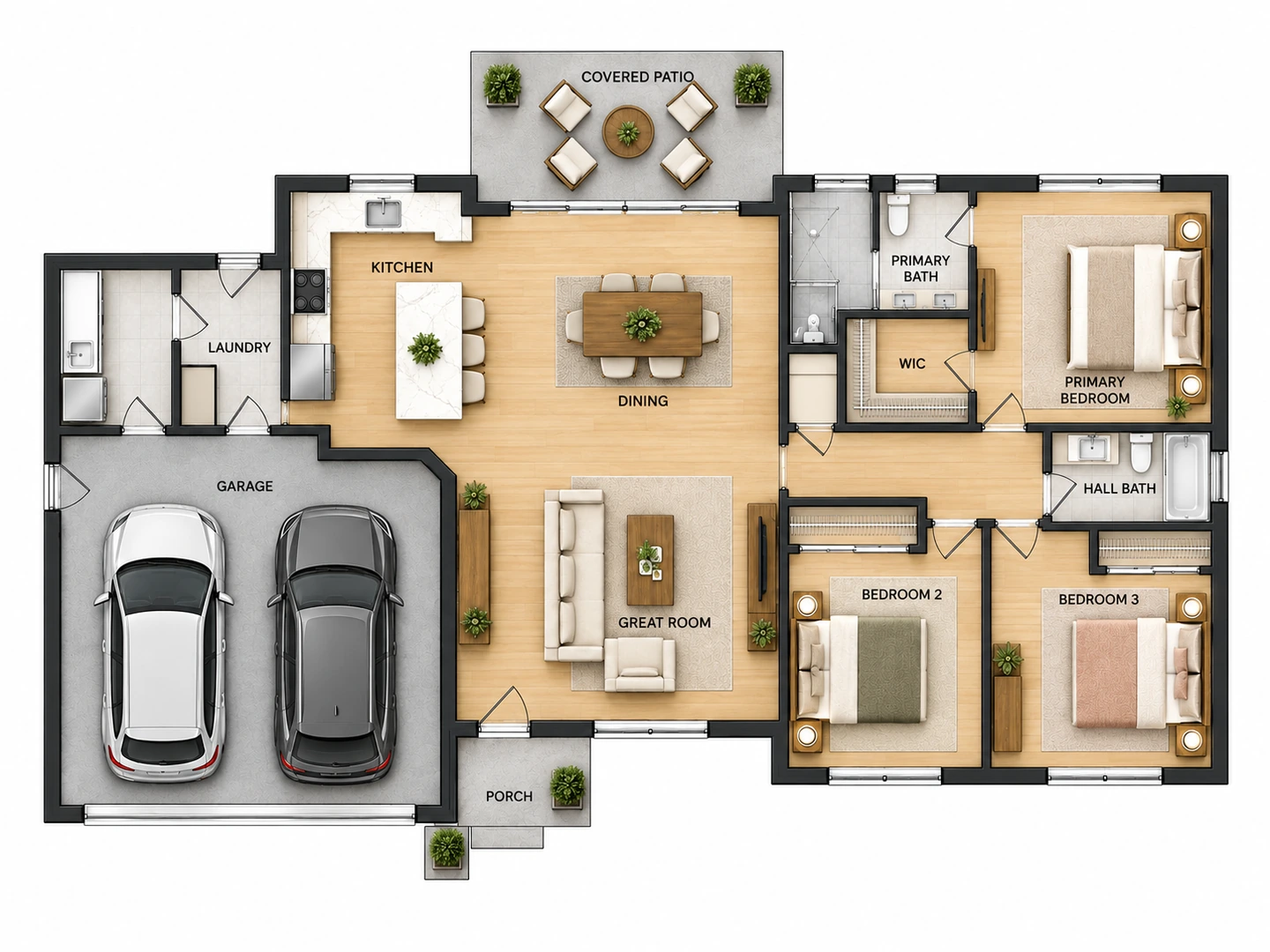
Before After Ranch house brief → colored 2D floor plan
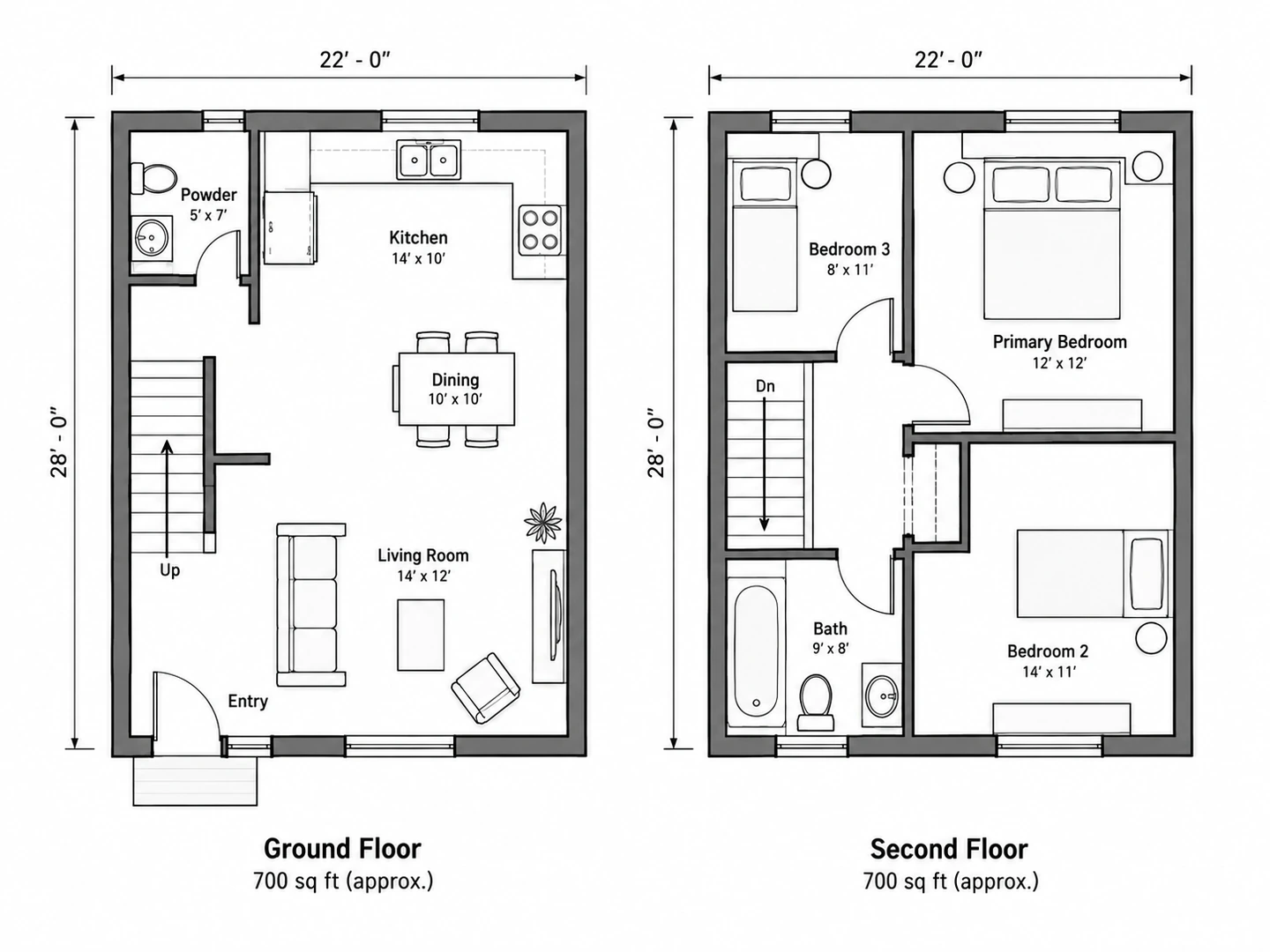
Before After Townhouse brief → technical 2D plans of both floors
Before After Courtyard home brief → 2.5D floor plan
Text to floor plan
What Is an AI Floor Plan Generator?
An AI floor plan generator turns a written description of a space into a floor plan image. Instead of placing walls one by one in drafting software, you describe the rooms, their sizes and how they should connect, and the AI lays them out as a complete plan with doors, windows, furniture and labels.
It is the fastest way to get from "we need three bedrooms and a bigger kitchen" to something you can look at, compare and discuss. The plans are concepts for planning and communication; a designer or builder turns the one you like into measured construction drawings.
- Plain-English briefs, no drafting skills needed
- Imperial (sq ft) or metric (m²) sizing
- 7 output styles from technical 2D to 3D
- Optional sketch upload for a fixed outline
How to Generate a Floor Plan with AI
Write the brief
Pick the plan type, then list rooms, counts and priorities: "3 bedrooms, 2 baths, open kitchen facing the yard, primary suite away from the street".
Set size and style
Enter the total floor area and choose an output style. Add a sketch if the outline or room order is already fixed.
Generate and refine
Compare the plan with your brief. Change one sentence — a bigger kitchen, a second bathroom — and generate again.
Why Use This AI Floor Plan Generator
Briefs, not mouse clicks
Describe adjacency and priorities the way you would to an architect. The generator keeps every room you list, places related rooms together and labels them so the plan is readable at a glance.
Write a briefSized in sq ft or m²
Enter a total floor area and the plan is laid out to roughly that size, with room labels and dimensions in the unit you chose. Leave it blank and the AI picks a sensible size for the plan type.
Set the floor area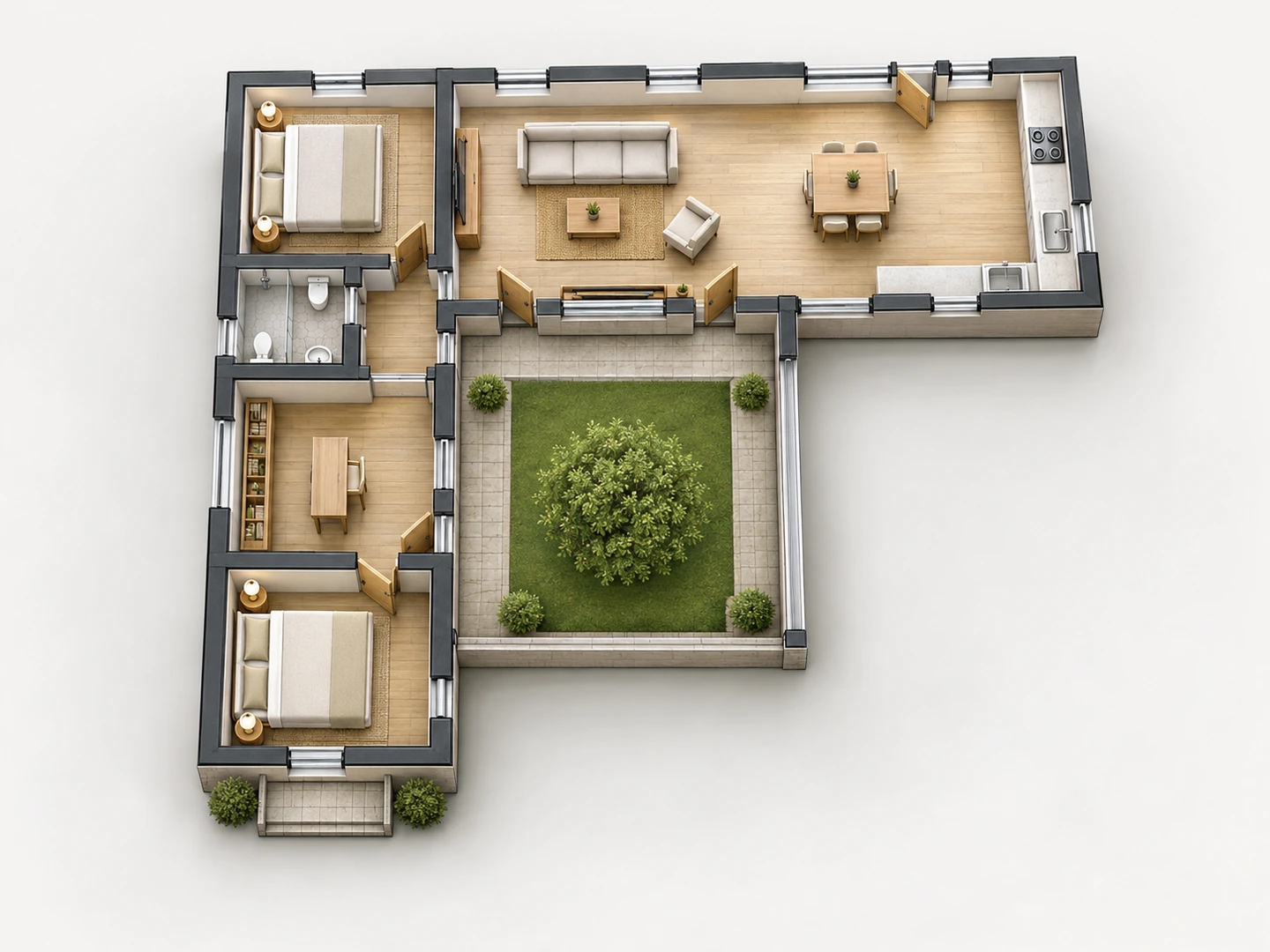
One brief, many presentations
Keep the brief and switch the style: technical 2D for a builder, colored 2D for a listing, 2.5D or 3D isometric for a client who wants to see furniture.
Compare styles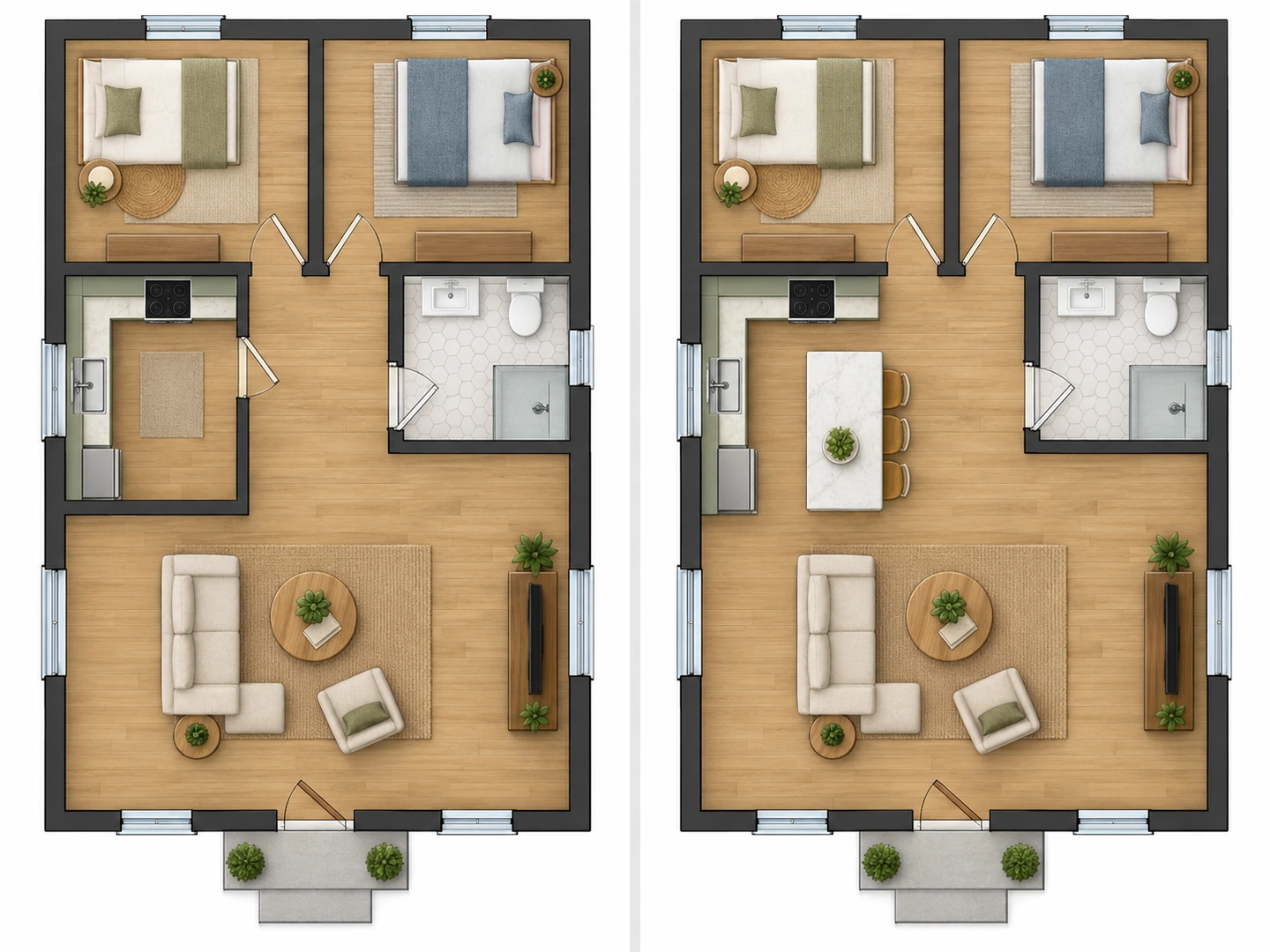
Edit with a sentence
Not quite right? Add "make the kitchen open to the living room" or "move the laundry next to the garage" and generate again. Every version stays in your history.
Refine a planWhich AI Floor Plan Generator Is Right for You?
Pick the starting point that matches what you already have.
1. Only an idea
Use this page: describe the rooms and let the AI propose a layout.
2. A hand sketch
Upload it here, or use the Blueprint Maker for a classic blueprint sheet.
3. A house program
The House Floor Plan page is tuned for bedrooms, baths and garages.
4. One room to furnish
The Room Layout Planner arranges furniture inside a single room.
5. An existing 2D plan
Floor Plan to 3D turns it into a furnished 3D view.
6. Just measurements
The Square Footage Calculator works out room and home areas first.
Who Uses an AI Floor Plan Generator
Homeowners and self-builders
Explore a few layouts for an addition, a remodel or a new build before paying for design hours, then bring the favorite to your architect.
Real estate and property managers
Create a clear illustrative plan for a listing or a unit mix, labeled as a concept rather than a surveyed plan.
Designers, students and small businesses
Sketch office, café or classroom options in minutes for a first client meeting or a class project.
AI Floor Plan Generator FAQ
It is free to try: new accounts get free credits and each plan uses 10 credits. Free runs may wait in a short queue. For more plans, buy a credit pack or subscribe.
Yes. Pick a plan type and describe the rooms; a sketch is optional. Even with an empty notes box, the plan type and floor area are enough for a first layout.
They follow your room list, adjacencies and total area closely enough for planning and discussion. They are images, not measured CAD drawings, so verify dimensions, structure and code requirements with a professional before building.
Choose the 2.5D or 3D Isometric output style for a furnished, walls-up view. To turn an existing 2D plan into 3D, use Floor Plan to 3D.
Room counts, must-have rooms (laundry, office, pantry), which rooms should sit together or apart, the entrance side and anything special like a courtyard or a garage. Short, concrete sentences work best.
Yes. The generator runs in any modern browser on desktop, tablet or phone, and your plans are saved to your account.
Turn Your Description into a Floor Plan
Write two sentences about your space and see the plan in seconds. New accounts get free credits.
Generate a Floor Plan