
Real Estate Floor Plan Maker
Make a real estate floor plan from a measured sketch or an old builder plan, redrawn with room names, dimensions and total living area.
Create a Listing Floor PlanCreate Floor Plans for Real Estate
Choose the property type, upload a measured sketch or an old plan, list the rooms with their sizes and pick a style.
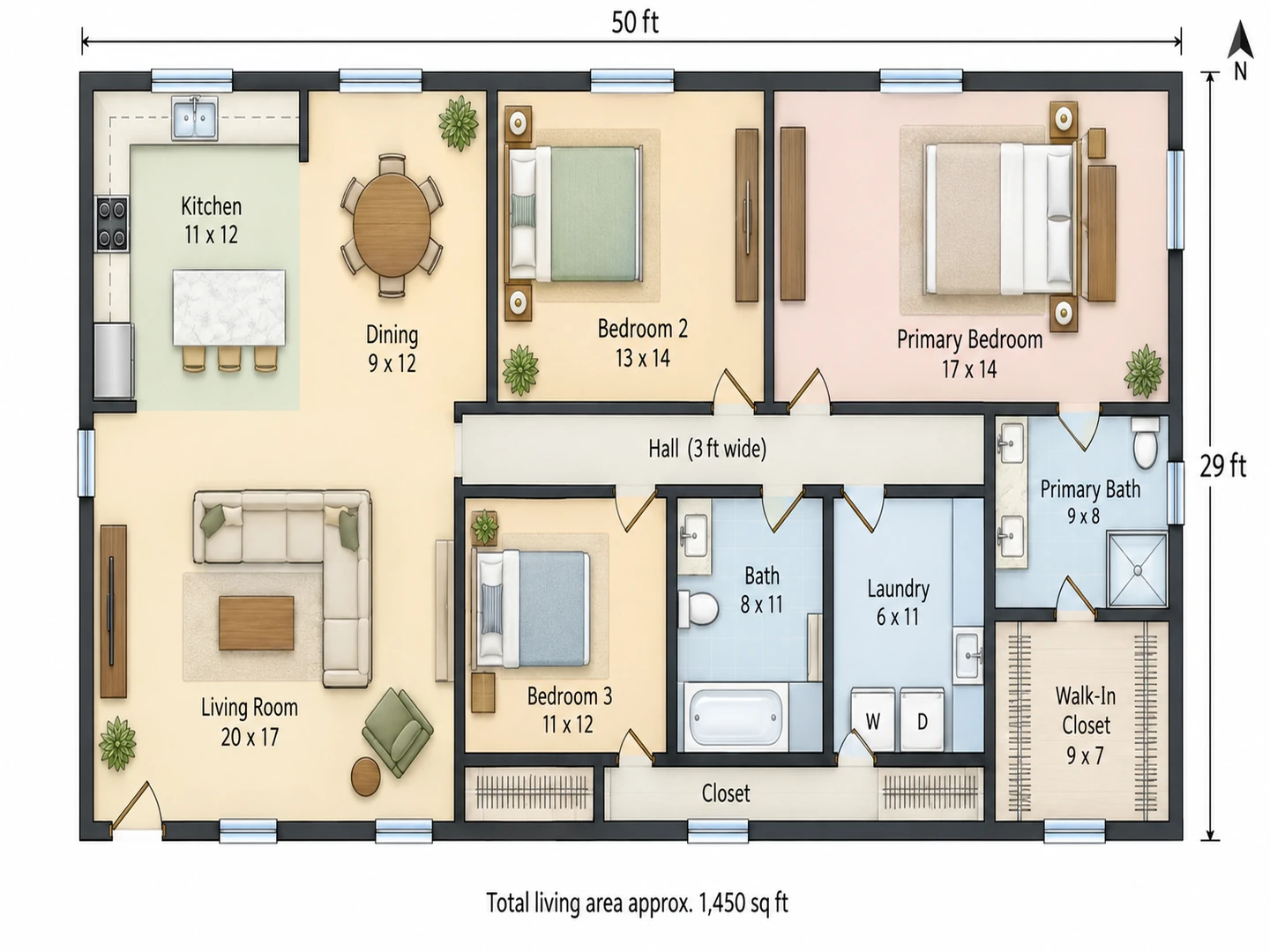
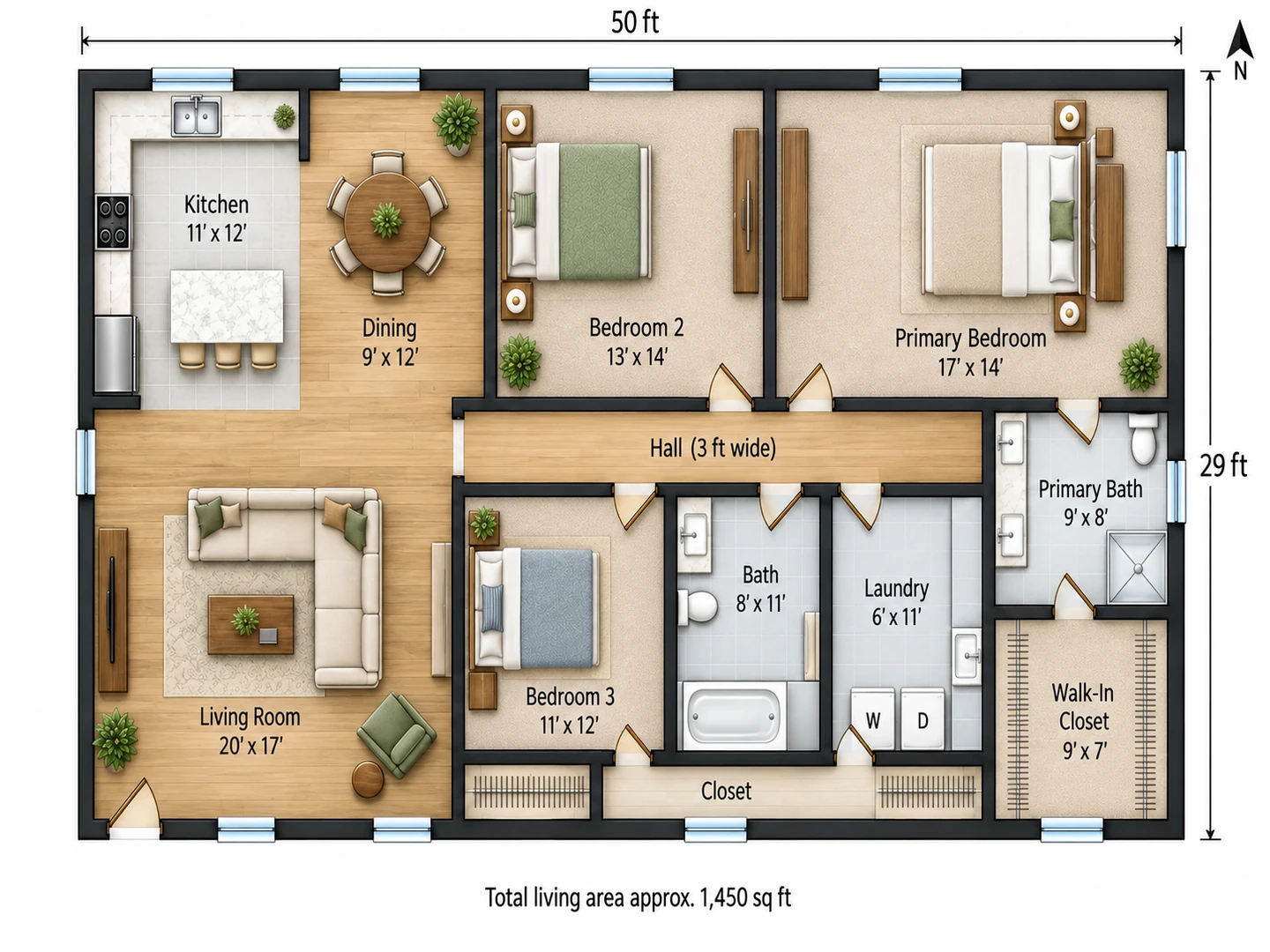
3 bed ranch
1,450 sq ft · Colored 2D
Real Estate Floor Plan Examples
A house from an agent’s sketch, a condo from a short brief and a vacant shop for lease, each turned into a plan ready for the listing.
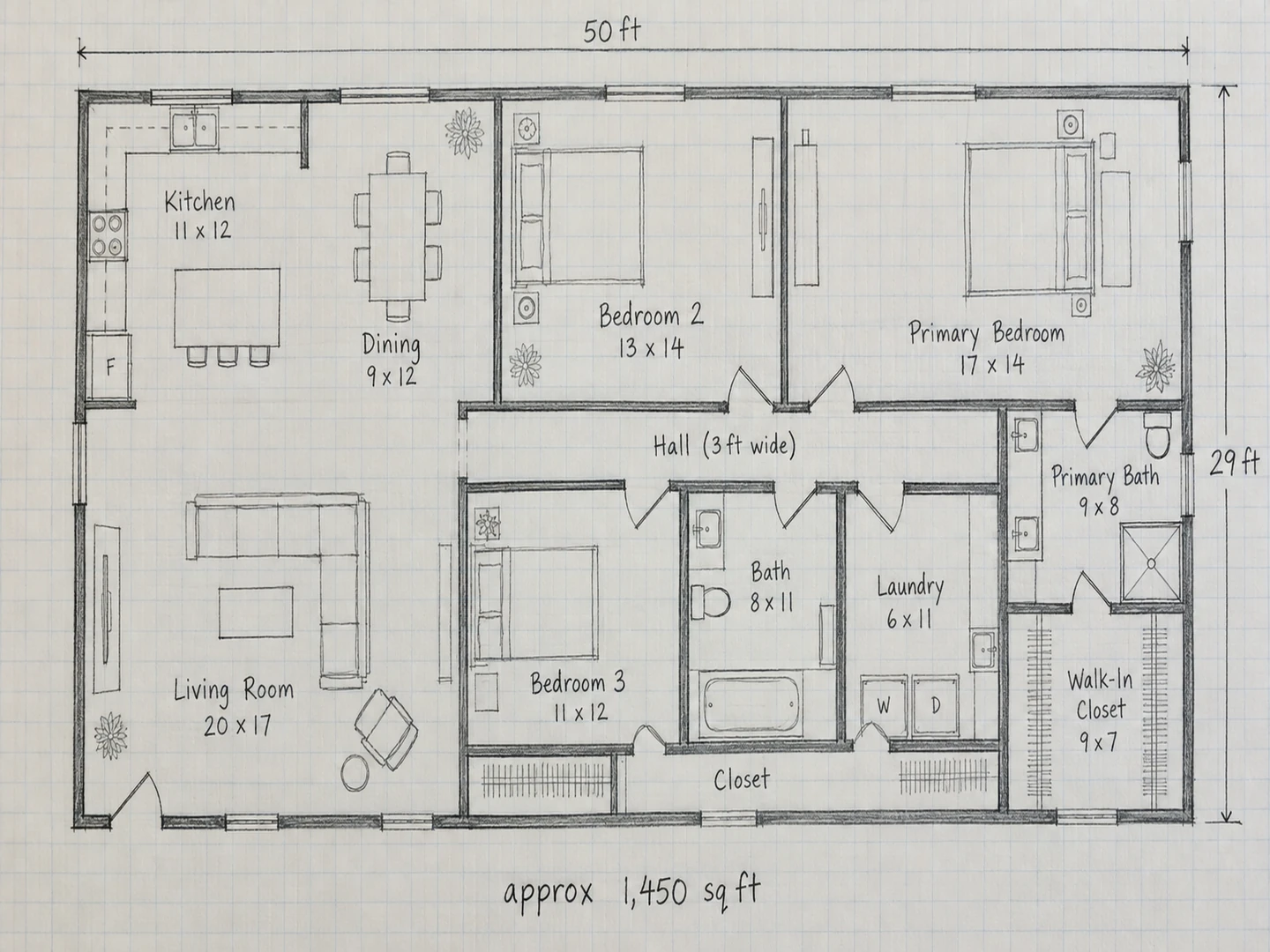
Before After 1,450 sq ft ranch: the agent’s measured sketch, redrawn with room names, dimensions and a north arrow
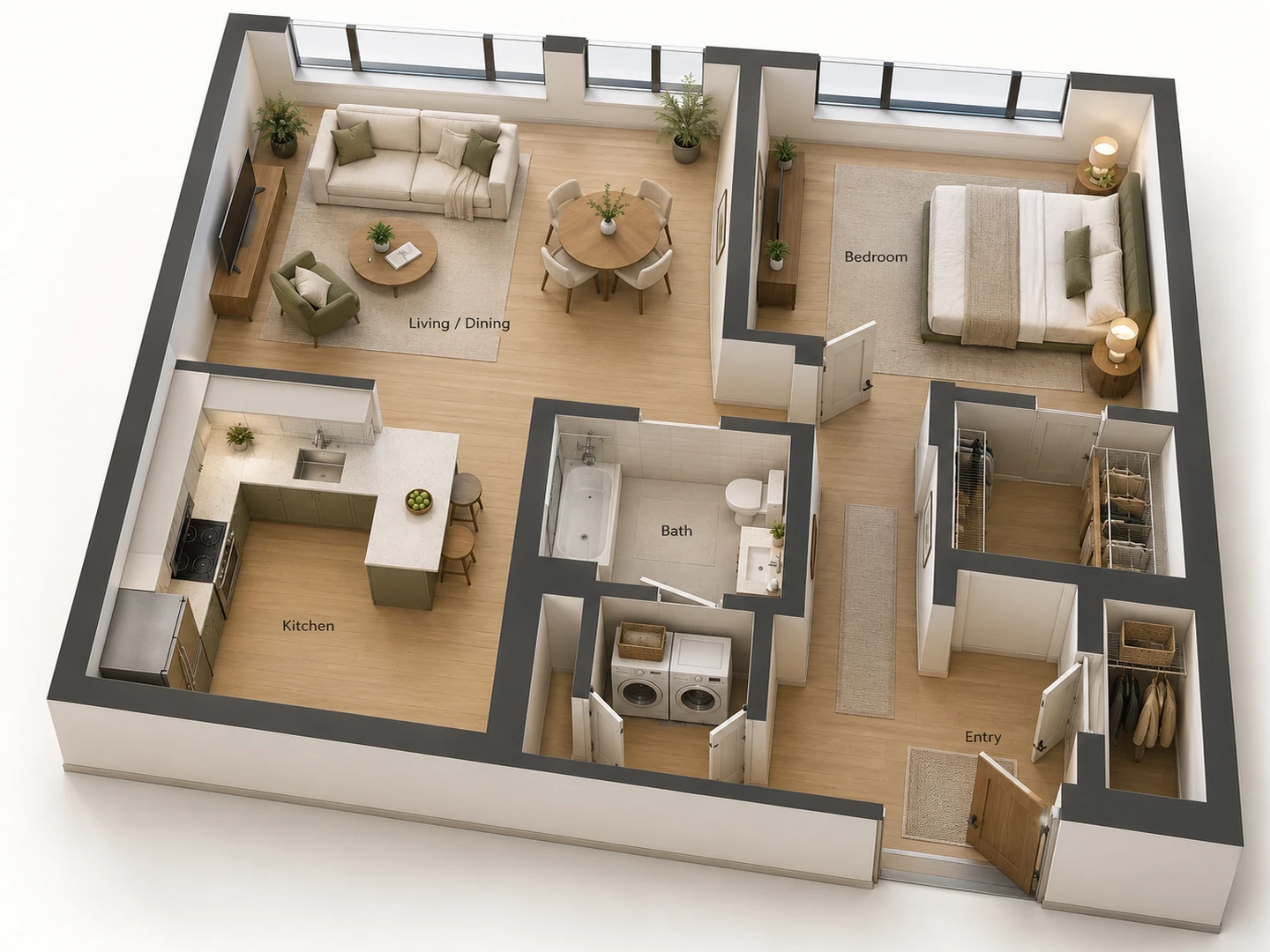
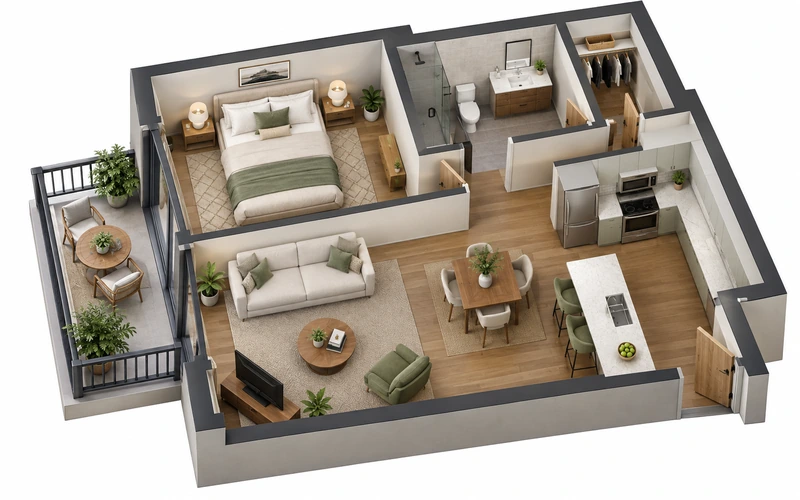
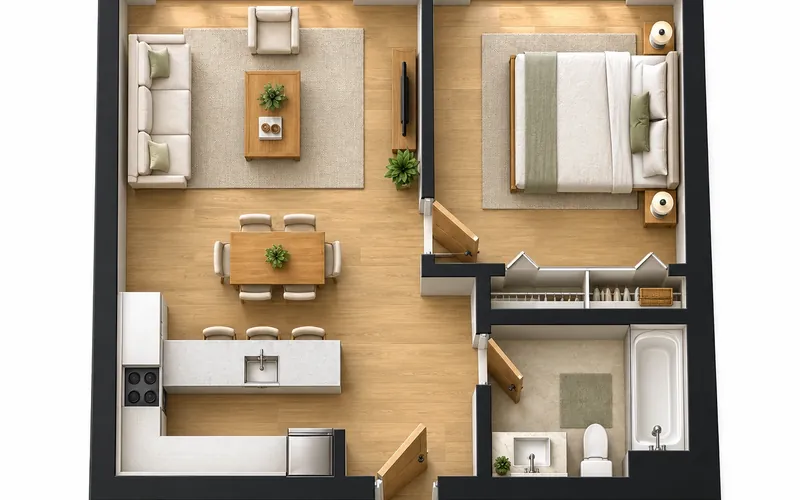
Before After 750 sq ft one-bedroom condo as a 3D floor plan for the listing
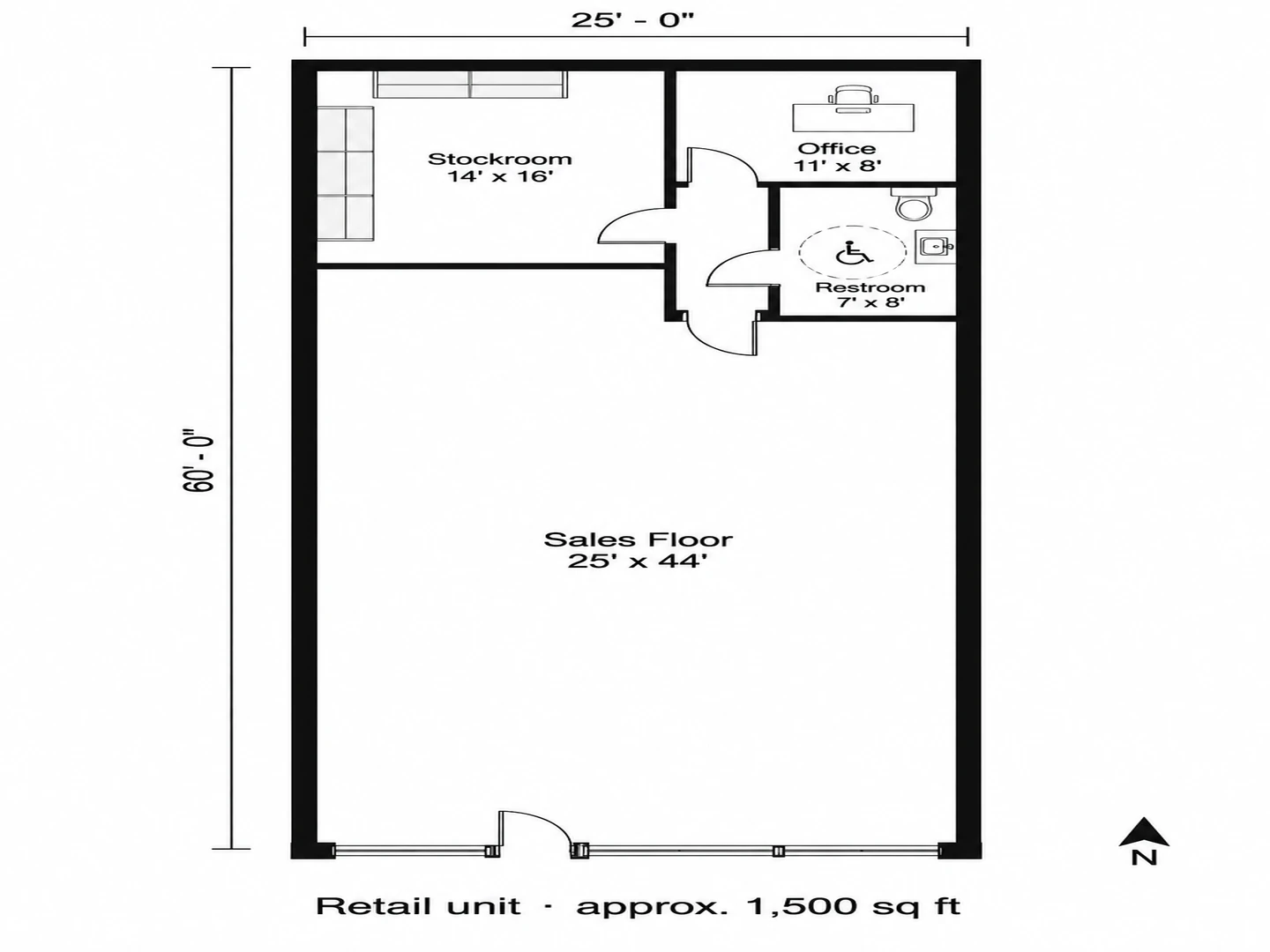
Before After 25×60 ft retail unit for lease with the sales floor, stockroom and restroom labeled
Part of every listing
What Is a Real Estate Floor Plan?
A real estate floor plan is the simple top-down drawing that sits next to the photos in a listing. It shows how the rooms connect, what each one is called and roughly how big it is, plus the total living area and which way the home faces. Buyers use it to judge flow and furniture fit; agents use it to earn more clicks and fewer wasted showings. Unlike construction drawings, it leaves out wiring, hatching and notes, so anyone can read it on a phone.
This tool creates floor plans for real estate from what you already have: a sketch with your tape or laser measurements, an old builder plan, or a written list of rooms and sizes. It redraws them as a clean marketing image. It is not a measured survey. The AI follows your numbers but can round or misplace one, so check every label before you publish, and take the square footage you advertise from an actual measurement; ANSI Z765 is a common US standard for measuring single-family homes.
- Room names and dimensions on every room
- Total area caption and a north arrow
- Colored, furnished, black-and-white or 3D styles
- Homes, condos, rentals, offices and retail units
How to Create Floor Plans for Real Estate
Measure and sketch
Walk the property with a tape or laser measure and sketch each room as a box with its doors, windows, stairs and closets. Write the length and width in every room and the total area you measured, or upload the builder plan if the owner has one.
Upload and describe
Choose the property type, upload the sketch or old plan, and list the rooms with their sizes in the notes. Add what you want shown: which way the front faces, the garage, the deck or the balcony.
Pick a style and check the numbers
Generate in Colored 2D or Furnished 2D for the listing, or 3D Isometric for a feature image. Compare every dimension and the total with your measurements, regenerate if one is off, then download the PNG and add it to the photo set.
Floor Plans for Real Estate Marketing
What a listing floor plan has to do: read clearly on a phone, stay honest about size, and be ready before the listing goes live.
Real Estate Floor Plan Drawings in the Style That Sells
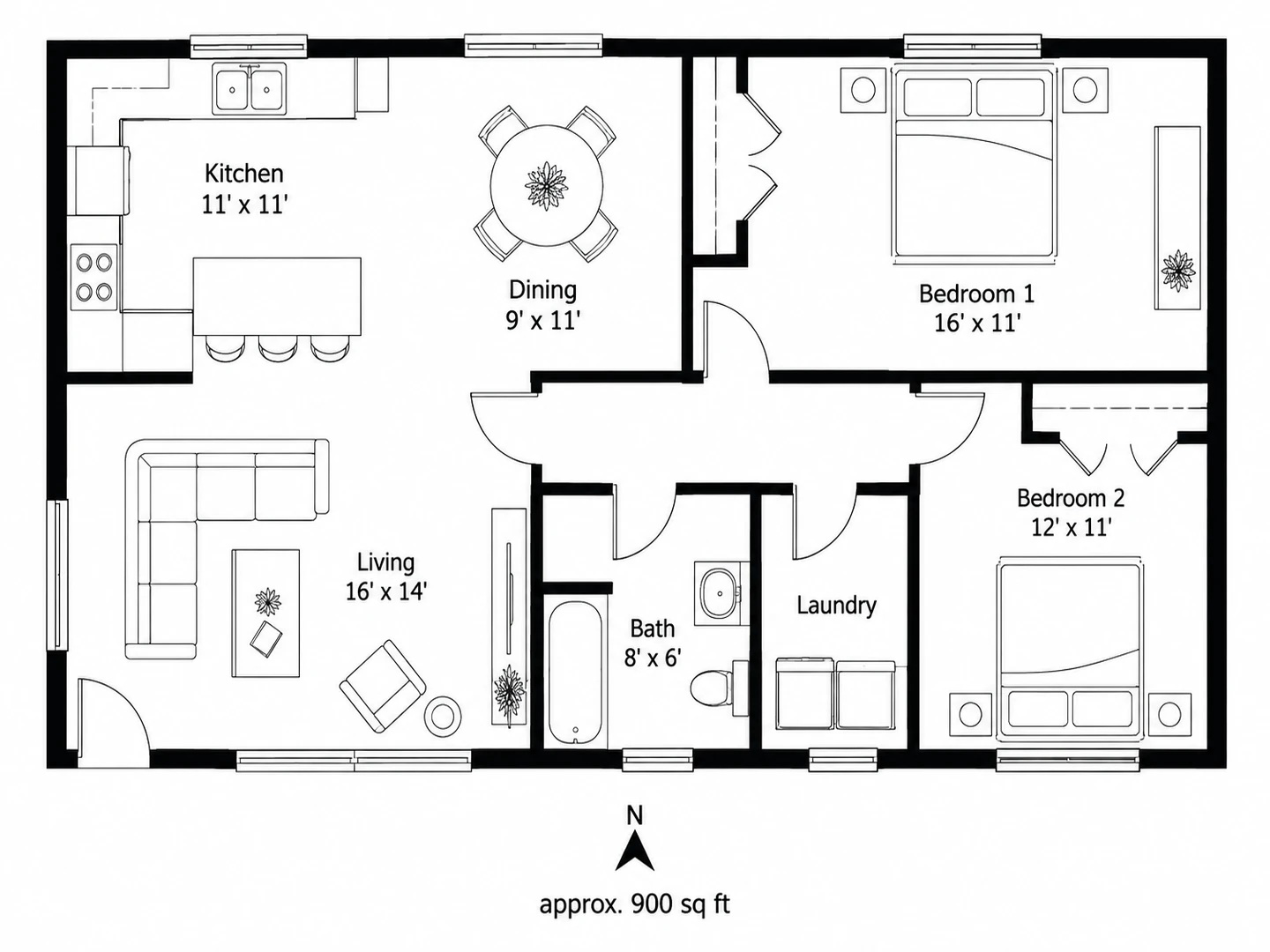
Pick the look for the listing: Colored 2D with soft room fills, Furnished 2D with light furniture to show scale, or Technical 2D in crisp black and white that prints cleanly on a flyer. Every style labels the rooms with names and dimensions, adds the total area and a north arrow, and leaves out construction clutter such as hatching, grid lines and notes.
Create a listing plan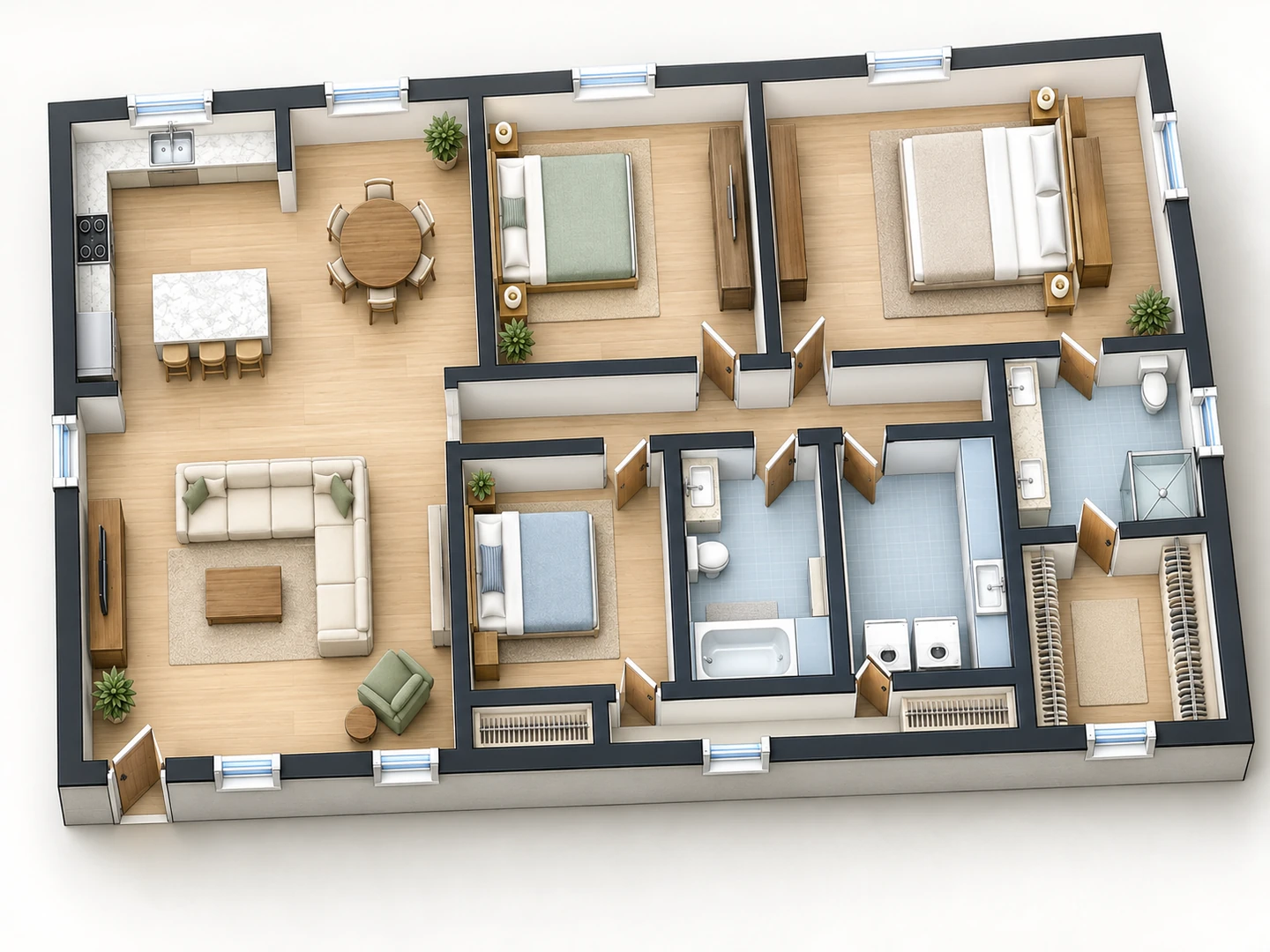
3D Floor Plans for Real Estate Listings
A 3D isometric plan is often the image that stops the scroll: walls up, rooms furnished, the whole home seen from above at an angle. Choose 3D Isometric before you generate, or raise an existing 2D plan with Floor Plan to 3D. For a photoreal real estate 3D floor plan rendering with real materials and light, run the finished plan through Floor Plan Rendering.
Floor Plan to 3D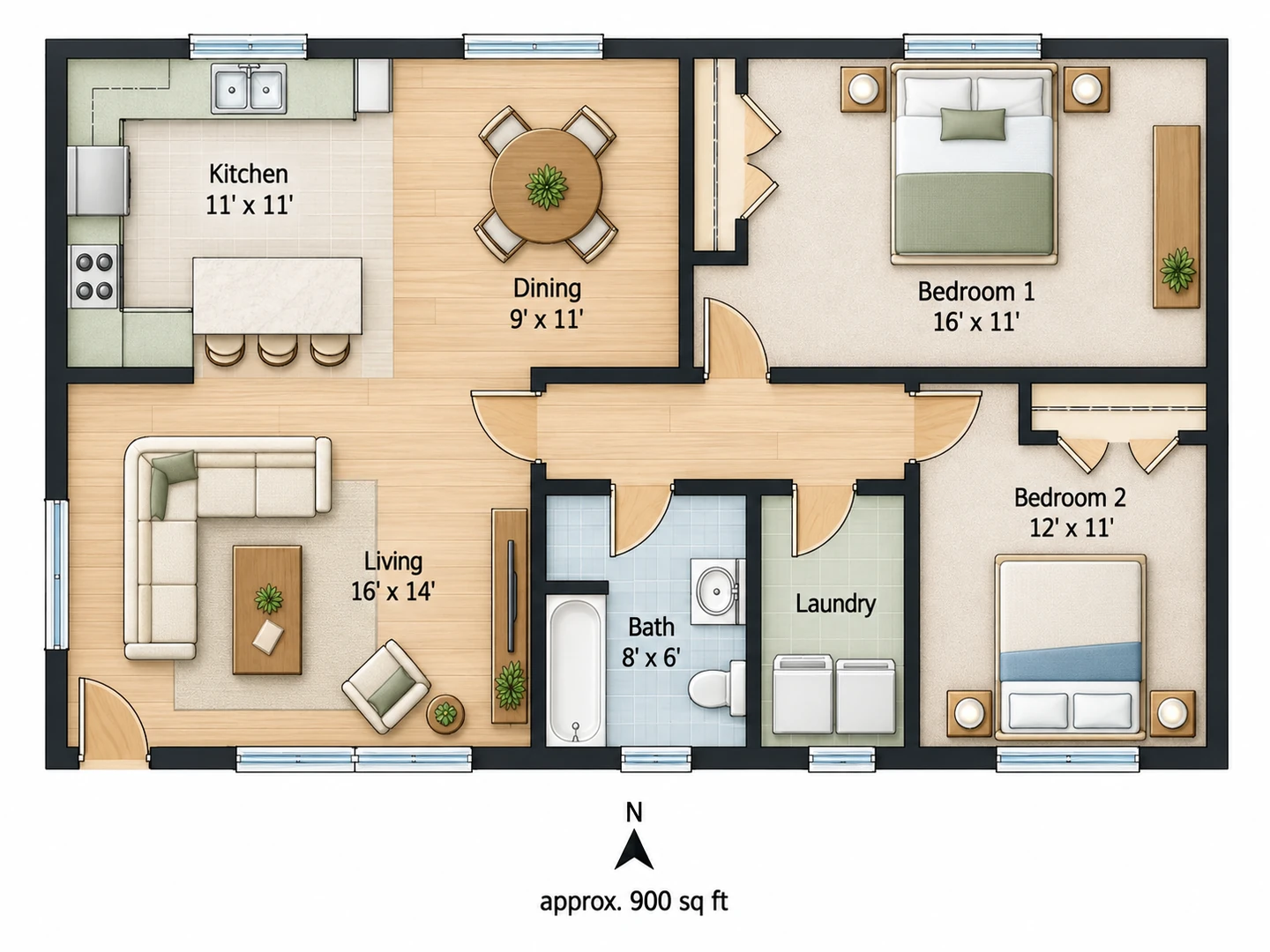
Real Estate Floor Plan Conversions From Sketches and Old Plans
Real estate floor plan conversion services redraw a hand sketch or a faded blueprint into a clean marketing plan, typically for a fee per plan and a turnaround of a day or two. Here the conversion takes about a minute: upload the sketch or a photo of the old plan and the layout is redrawn in your chosen style, following its walls and room order. Check the dimensions afterwards, because the AI copies what it can read, and fix a single label or wall with the AI floor plan editor.
AI floor plan editor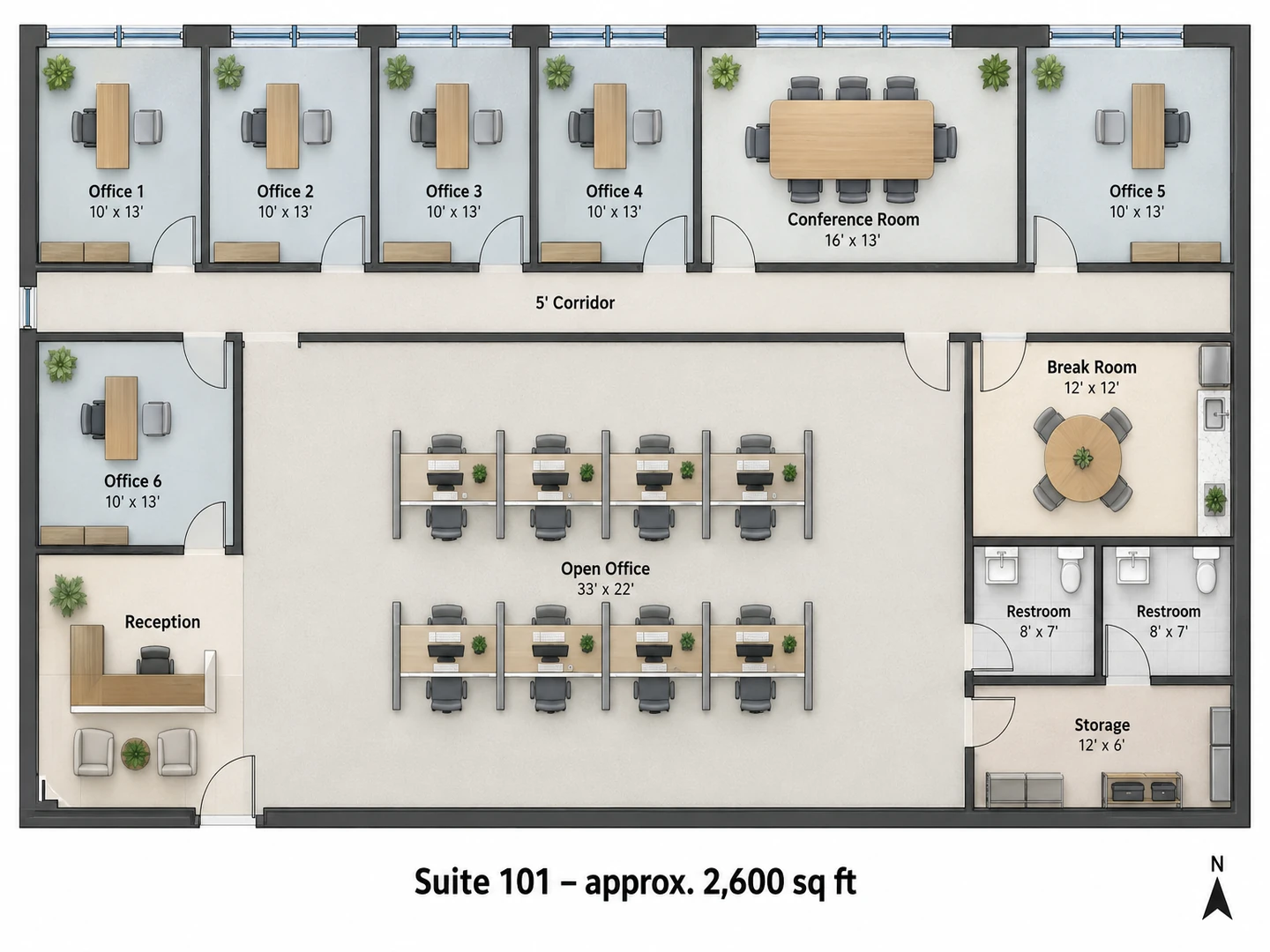
Commercial Real Estate Floor Plans
Brokers and landlords can show a vacant office or shop the way tenants evaluate it: suite size, frontage and depth, private offices, conference rooms, restrooms and back-of-house space, each labeled. Choose Office or Retail, describe the space with its dimensions, and put a clean plan on the flyer or the listing site. For a proposed fit-out with every desk and fixture, the building layout maker goes further.
Building layout makerChecklist
What Buyers Look For on Real Estate Floor Plans
The elements that make a listing floor plan useful. Include them all and the plan answers questions before the showing.
| Element | Why buyers care | Tip |
|---|---|---|
| Room names | Buyers scan for bedrooms, baths and the kitchen first | Plain names: Primary Bedroom, Bath 2, Laundry |
| Room dimensions | Shows whether their bed, sofa or dining table fits | Length × width in feet and inches, e.g. 13'0" × 14'0" |
| Total living area | The figure buyers compare between listings | Measure it, and say what is included and excluded |
| North arrow | Sunlight and views sell rooms | Note which way the front of the home faces |
| Doors, windows and stairs | Show flow, daylight and which rooms connect | Draw door swings and the stair direction |
| Closets and storage | One of the first things buyers ask about | Label walk-in closets, pantries and linen closets |
| Garage, deck, patio, balcony | Parking and outdoor space add value | Label them, but keep them out of the living area figure |
| Light furniture | Gives scale without cluttering the plan | One bed per bedroom, a sofa, a dining table |
| Floor levels | Avoids confusion in multi-story homes | One plan per floor, side by side, each labeled |
| Disclaimer | Covers you if a figure is slightly off | "Dimensions are approximate" under the plan |
Square footage rules differ by market and MLS. Many US appraisers and agents measure single-family homes to ANSI Z765, which reports finished above-grade area separately from basements and excludes garages.
Compare
Real Estate Floor Plan Service, App or AI: Which Fits?
Four common ways to get a listing floor plan. They trade accuracy against time and cost.
| Option | How it works | Typical turnaround | Accuracy | Best for |
|---|---|---|---|---|
| Measured floor plan service | A technician measures on site with a laser or a 3D scanner, then a drafter draws the plan | A day or two after the visit | High; area can be measured to a standard | Listings where the square footage must be exact |
| Floor plan conversion service | You send a sketch or an old plan; a drafter redraws it | Often within a day | As good as your sketch and measurements | Agents with measurements but no time to draw |
| DIY floor plan app | You draw room by room, or scan with a phone that has a depth sensor | An hour or more on site | Good with care; depends on the scan and your skill | Photographers and agents who list often |
| AI concept (this tool) | Upload a sketch, an old plan or a list of rooms; AI redraws it as a marketing image | Seconds per version, plus your check | Follows your numbers approximately; not a survey | Quick listing plans, rentals, FSBO, commercial flyers |
Turnaround times are typical, not quotes. Whichever option you choose, advertise square footage only from an actual measurement.
Who Uses the Real Estate Floor Plan Maker
Listing agents
Floor plans for realtors and real estate agents who want one on every listing, not just the luxury ones. Pair the plan with virtually staged photos so buyers see how the rooms connect and how they could look.
Real estate photographers
Add real estate photography floor plans to your shoot package: measure and sketch while you shoot, generate the plan back at your desk and deliver it with the photos. Many photographers sell real estate floorplans as an add-on, and a 3D version makes a strong upsell.
FSBO sellers, landlords and property managers
Selling by owner or filling a rental? A clear plan answers the first questions buyers and renters ask. For an older home, the original plans may still exist with the builder, the county or a previous owner, and they make the best starting point.
Real Estate Floor Plan FAQ
It is free to try: new accounts get free credits, and each listing plan uses 10 credits. Agents who list often can buy a credit pack or subscribe, and every plan stays in My Projects.
Measure every room, sketch the layout with its doors, windows and stairs, and note the total area. Upload the sketch here or list the rooms and sizes, choose a style, and check the plan against your numbers before adding it to the listing.
They follow the numbers you provide, but the plan is an AI-generated marketing image, not a measured survey, and a label can come out rounded or wrong. Check every dimension before you publish, and take the advertised square footage from an actual measurement; ANSI Z765 is a common US standard for single-family homes.
For a luxury listing, a disputed square footage or a client who wants certified measurements, yes: hire a measured service. For most listings, rentals and FSBO homes, a plan drawn from your own careful measurements is usually enough, and it is ready the same day.
Yes. Upload a photo or scan and the layout is redrawn cleanly in the style you choose, keeping the walls and the room order. Faded or cluttered drawings convert better when you add the main room sizes in the notes.
Yes. Choose 3D Isometric for a furnished, walls-up view of the whole home, or 2.5D for a softer perspective. To turn a 2D plan you already have into 3D, use Floor Plan to 3D.
Yes. Choose Office or Retail and describe the suite or unit: frontage and depth, private offices, conference rooms, restrooms and storage. The plan shows the space the way tenants evaluate it; for a full fit-out, use the Building Layout Maker.
No. This tool runs in the browser on a phone, tablet or computer, so there is nothing to install. Many agents sketch and measure on site, then generate the plan later at a desk.
Give Every Listing a Floor Plan
Upload a sketch or an old plan and get a clean, labeled real estate floor plan in seconds. New accounts get free credits.
Create a Listing Floor Plan