
AI Deck Designer for Your Backyard
This deck designer works on a photo of your house: pick a decking material and see a new deck, or fresh boards on the deck you have.
Design My Deck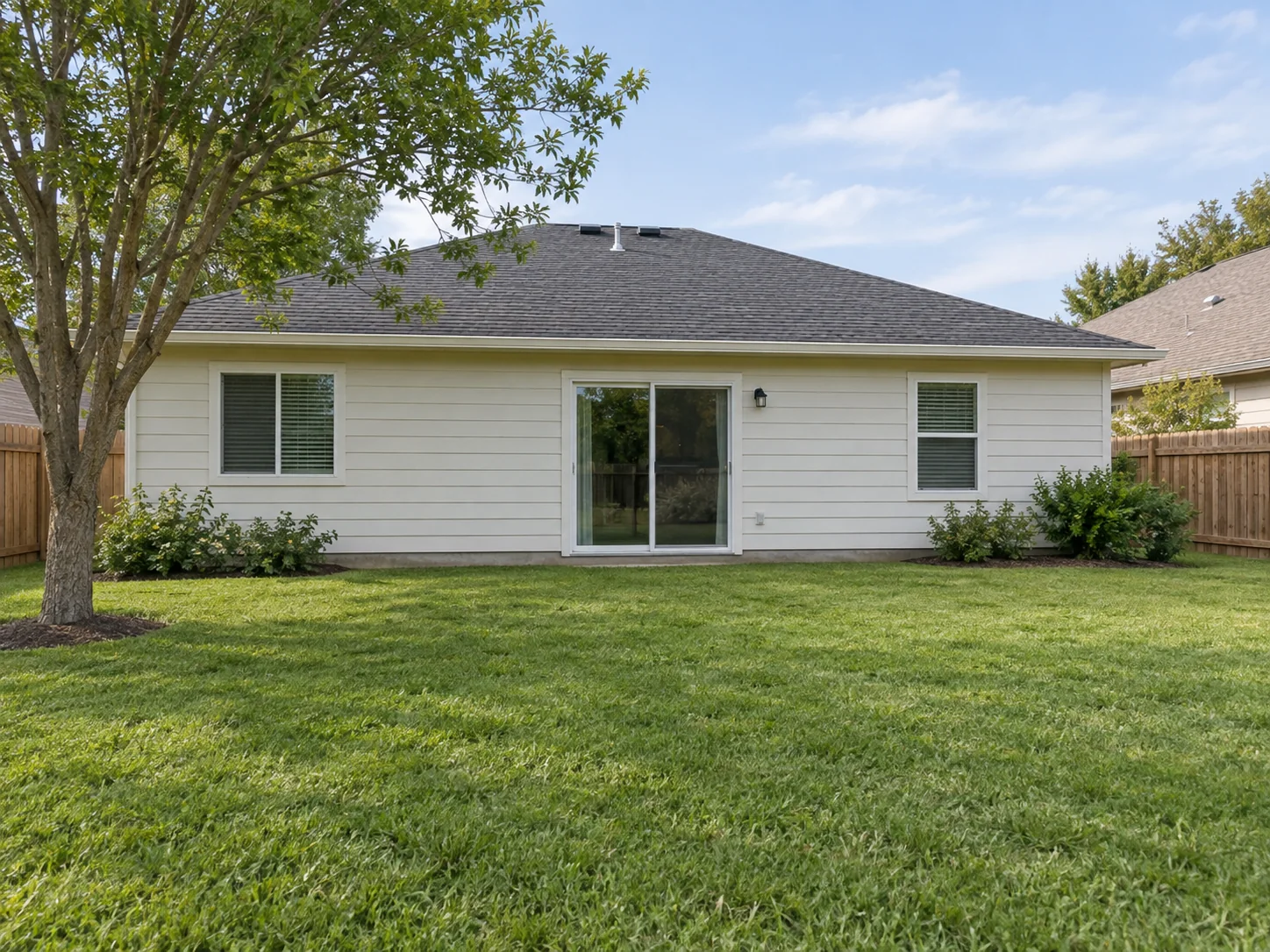
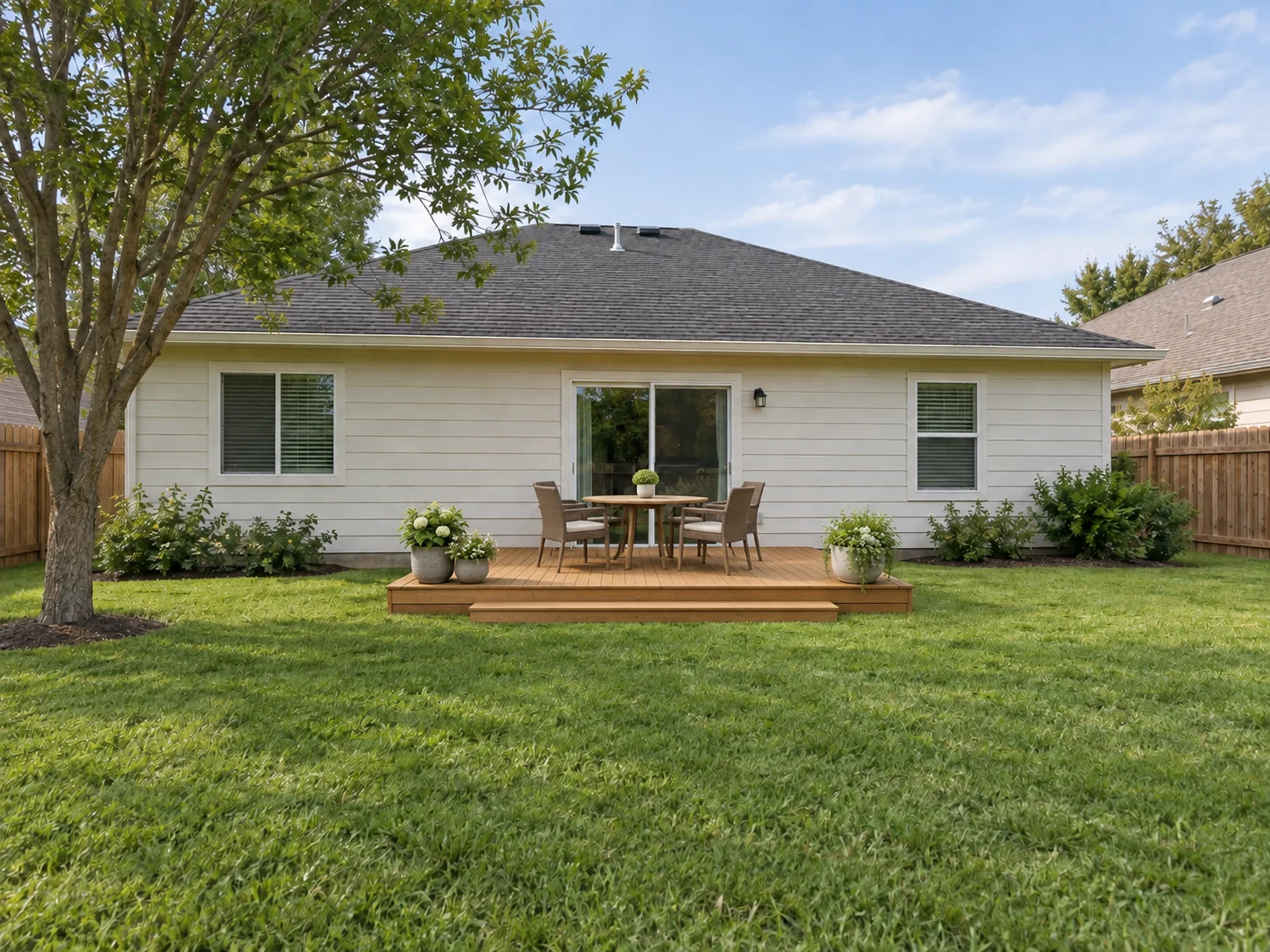 AfterBefore
Deck Visualizer: Upload a Photo of Your Yard
Upload a photo of the back of your house, pick a decking material and add notes on railings, stairs or furniture.
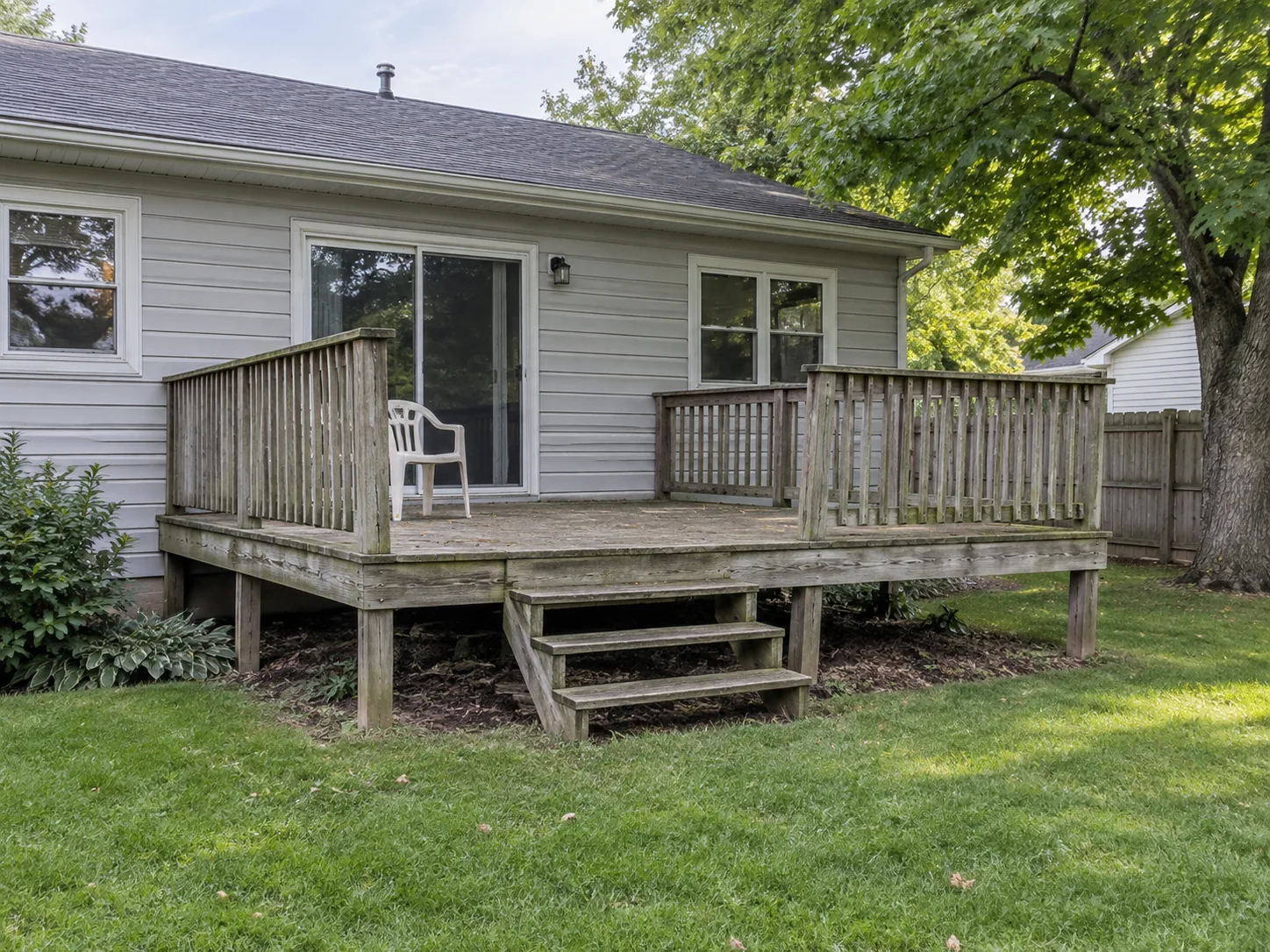
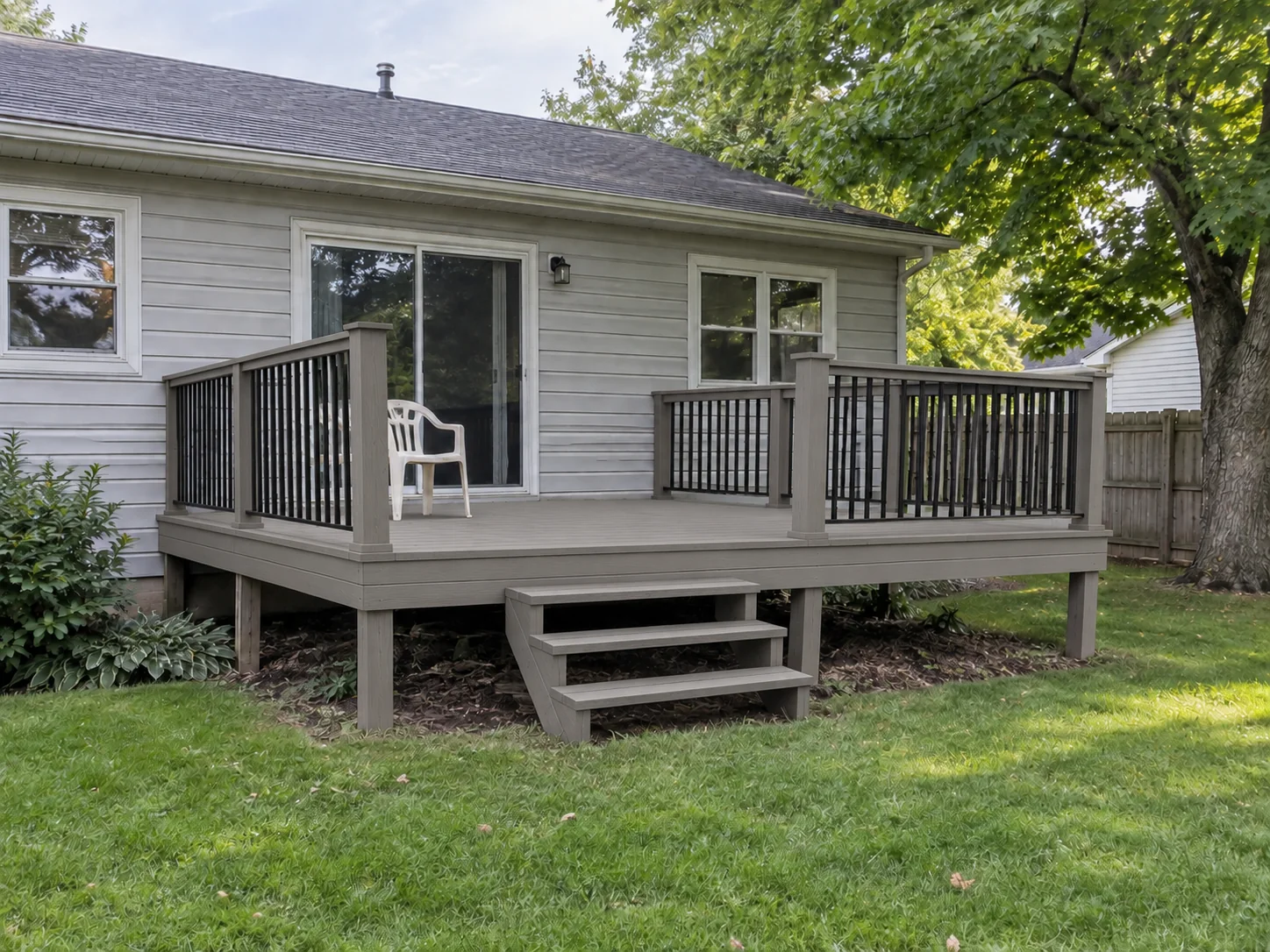 AfterBefore
Gray Composite Deck Rebuild
Illustrative deck concept
AI Deck Design Examples: Before & After
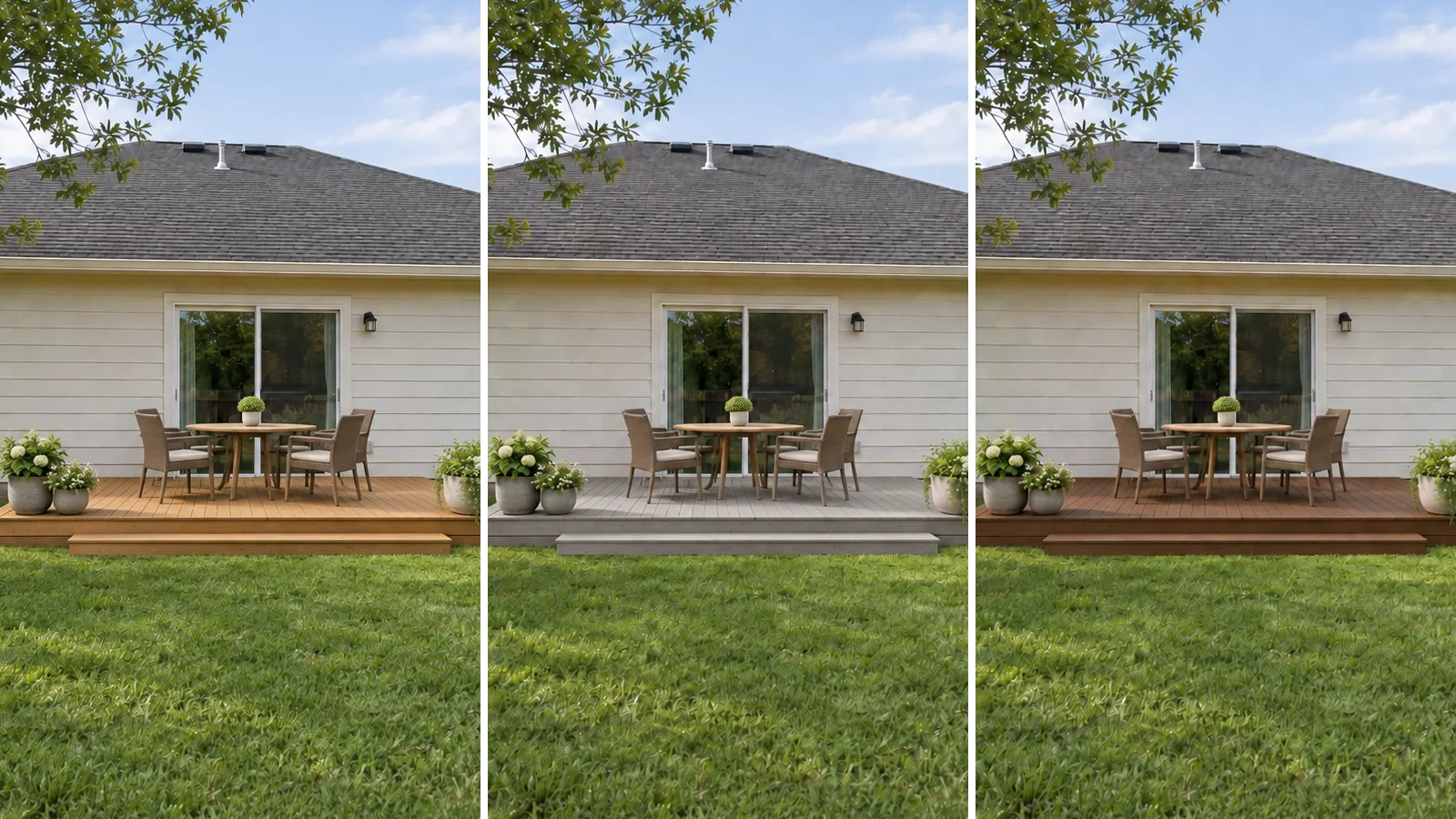
An existing deck refresh, a new backyard deck and a raised deck on a slope. Each yard has two material previews from the same photo. These are illustrative AI concepts.
- AfterBefore
Gray Composite Deck Replacing an Old Wood Deck
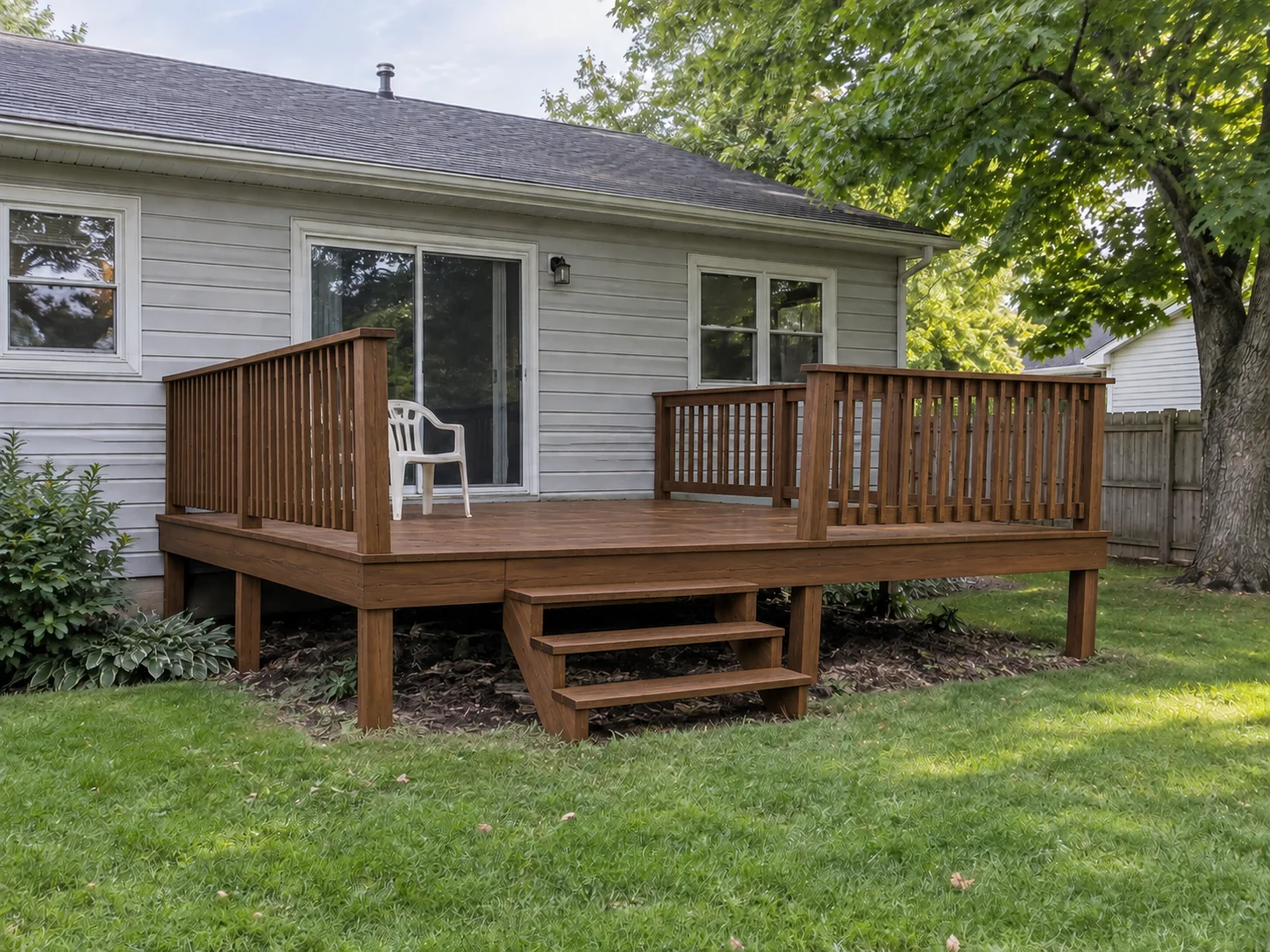 AfterBefore
Ipe Hardwood Deck Rebuilt on the Same Footprint
- AfterBefore
Pressure-Treated Pine Deck on a Flat Backyard
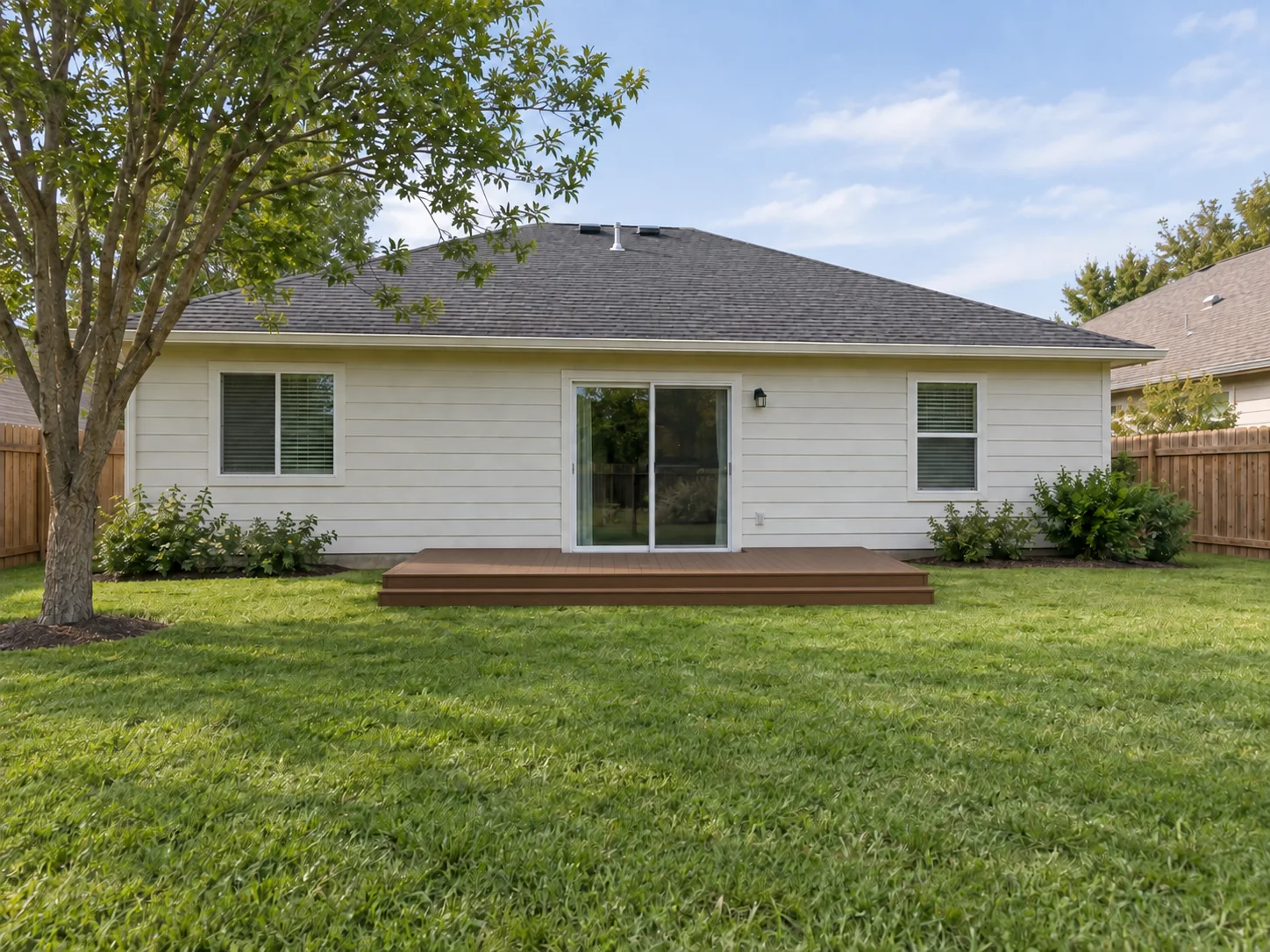 AfterBefore
Brown Composite Deck off a Back Door
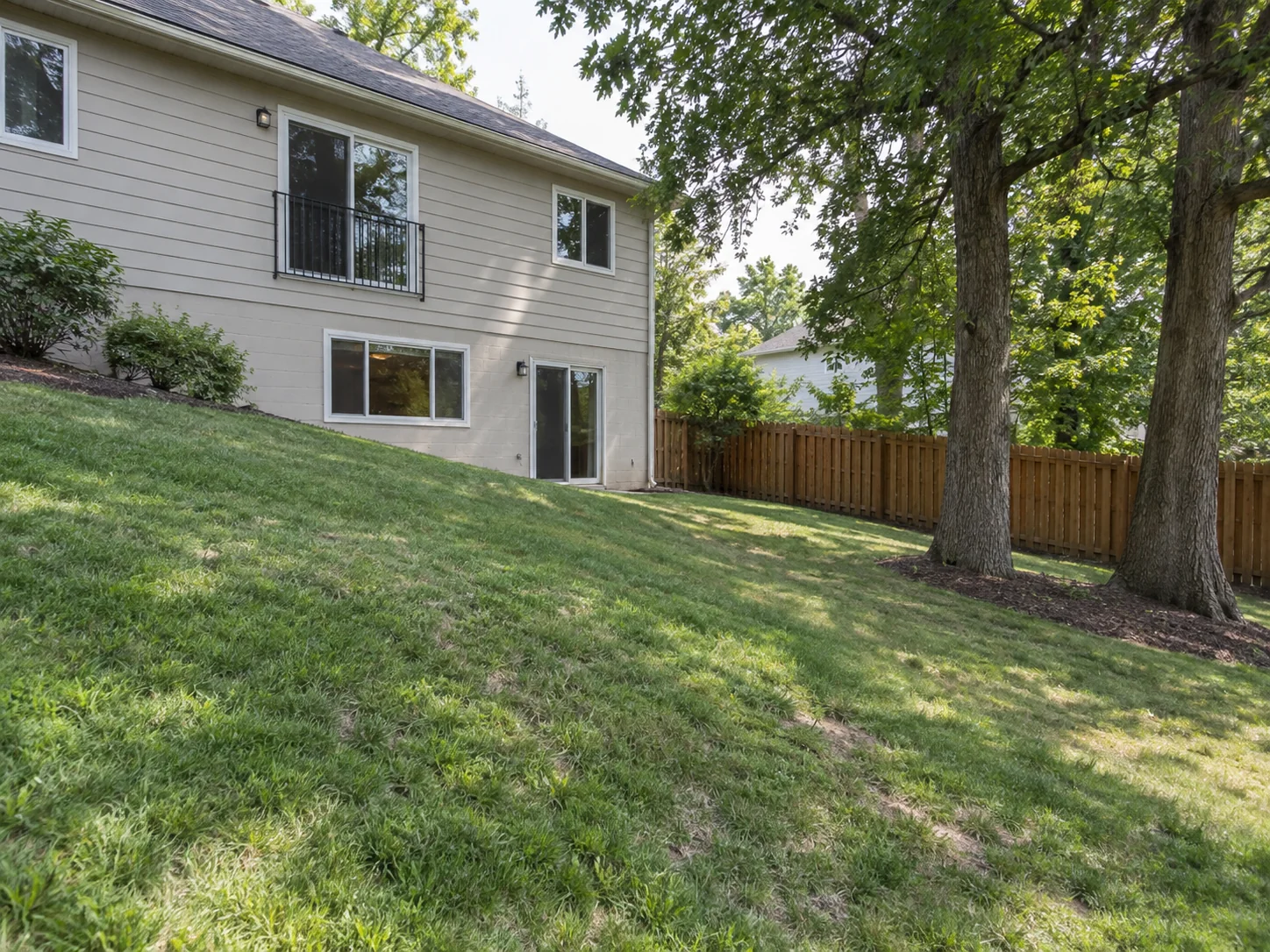
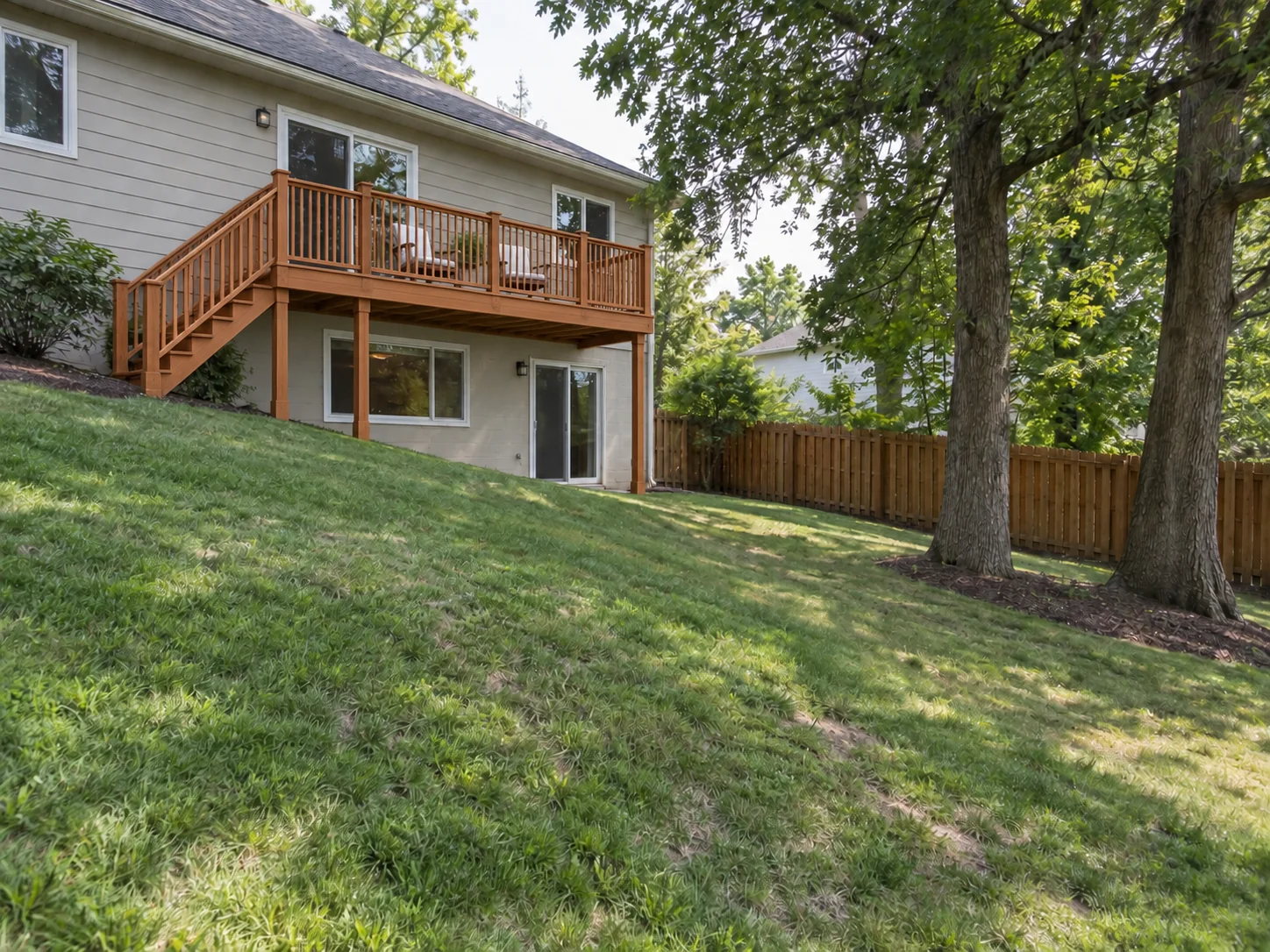 AfterBefore
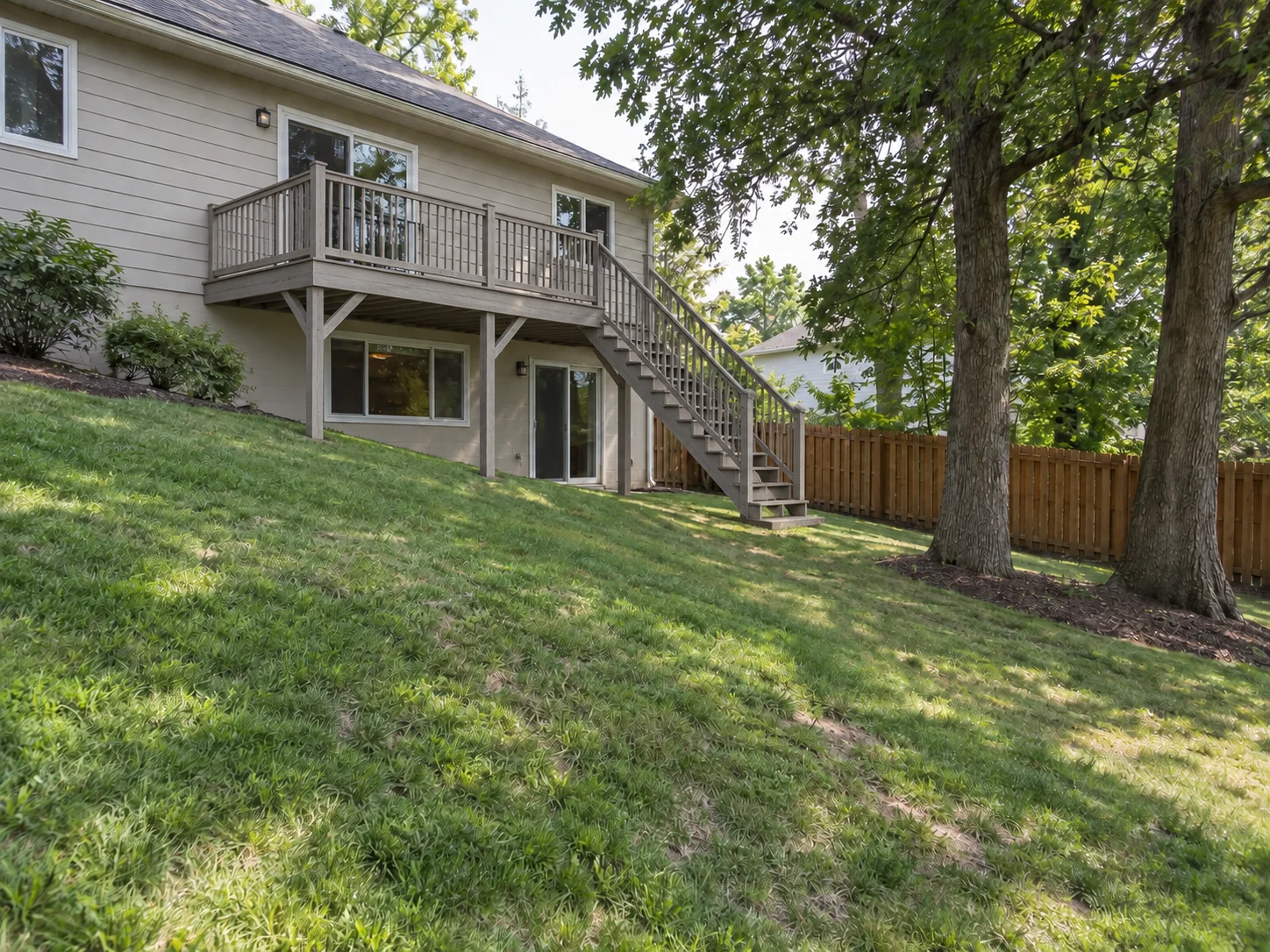
Raised Western Red Cedar Deck on a Sloped Backyard
 AfterBefore
Raised Weathered Gray Wood Deck with Stairs
The basics
What Is an Online Deck Design Tool?
An online deck design tool previews decking on a photo of your house and yard. For an existing deck, the AI is instructed to keep its footprint and height while renewing the boards, fascia and any stairs and railings it already has. Without a deck, it adds one beside a back door or patio, attached to the house and sized in proportion to the yard.
This AI deck designer is a visualizer, not a construction planner. It is instructed to keep your house, fences, large trees and slope, and the deck size and height it shows are visual, not measured. It does not produce dimensions, framing plans, permits or cost estimates; settle on a look here, then take the picture to a deck builder and check local code.
- Works on a photo of your own house and yard
- 6 decking materials, from Pressure-Treated Pine to Weathered Gray Wood
- Previews an existing deck refresh or a new deck
- Designed to keep the house, fences, large trees and slope
Why Use a Free Online Deck Designer?
1. Starts from your own house
Upload a photo of your backyard. The deck is drawn against your real siding, doors and yard, not a stock render.
2. Choose from 6 decking materials
Pine, cedar, ipe, gray or brown composite and weathered gray wood. Each run uses the one you pick.
3. Add a deck or rebuild one
No deck yet? One is added beside a back door or patio. An existing deck is rebuilt on its own footprint and height.
4. House, trees and slope on the keep list
The AI is instructed to keep the house, fences, large trees and the slope. Check each result against your photo.
5. Railings, stairs and furniture
Describe a railing style, where the stairs land or the deck furniture you want. Notes are preferences; the deck rules come first.
6. Free credits to start
New accounts receive signup credits. Each design uses 10 credits; your balance is shown in the workspace.
Material options
Decking Materials You Can Preview
Each run builds the deck from one of 6 decking materials, the same list the workspace offers.
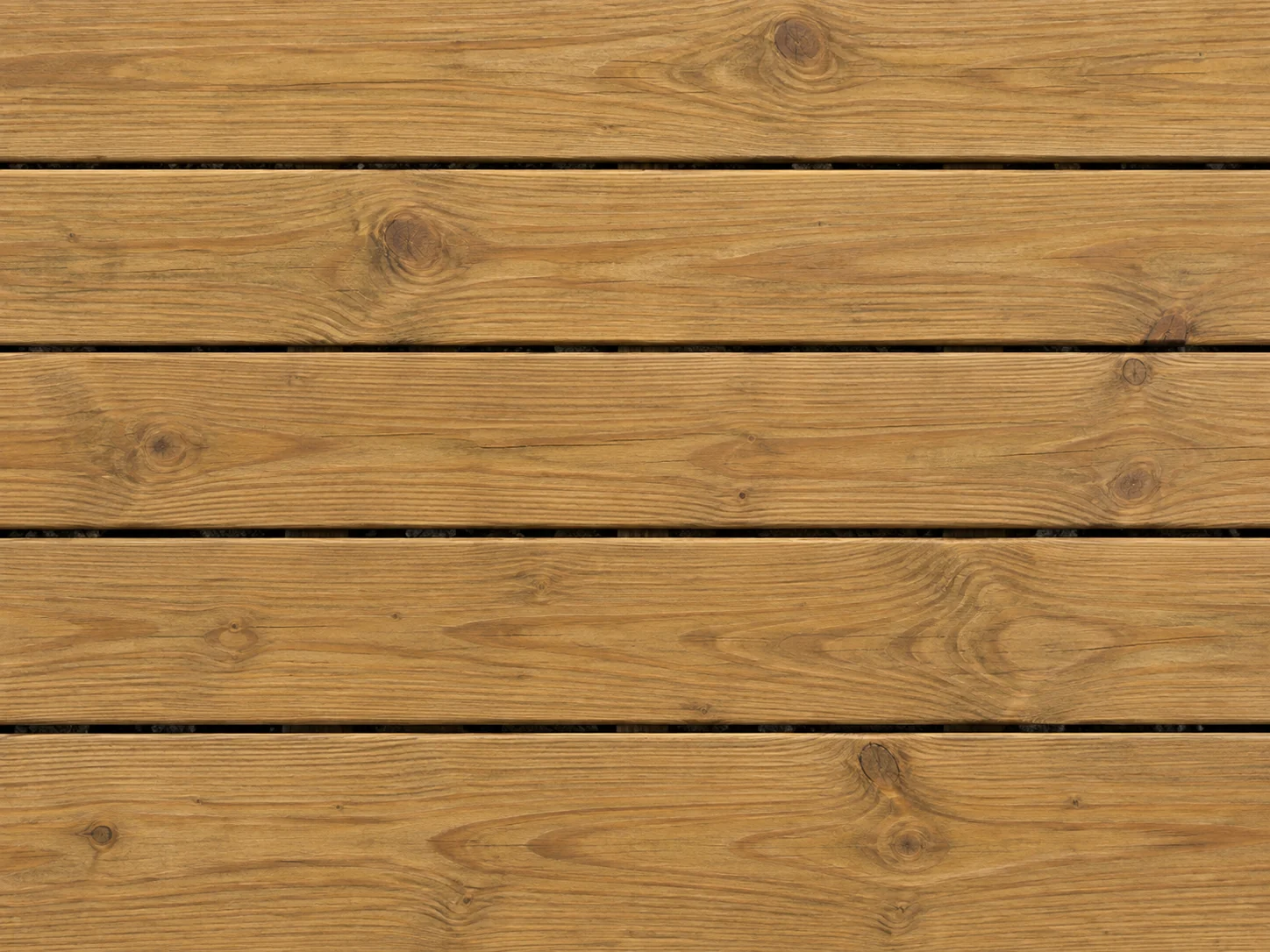
Pressure-Treated Pine
Honey-brown stain with visible wood grain.
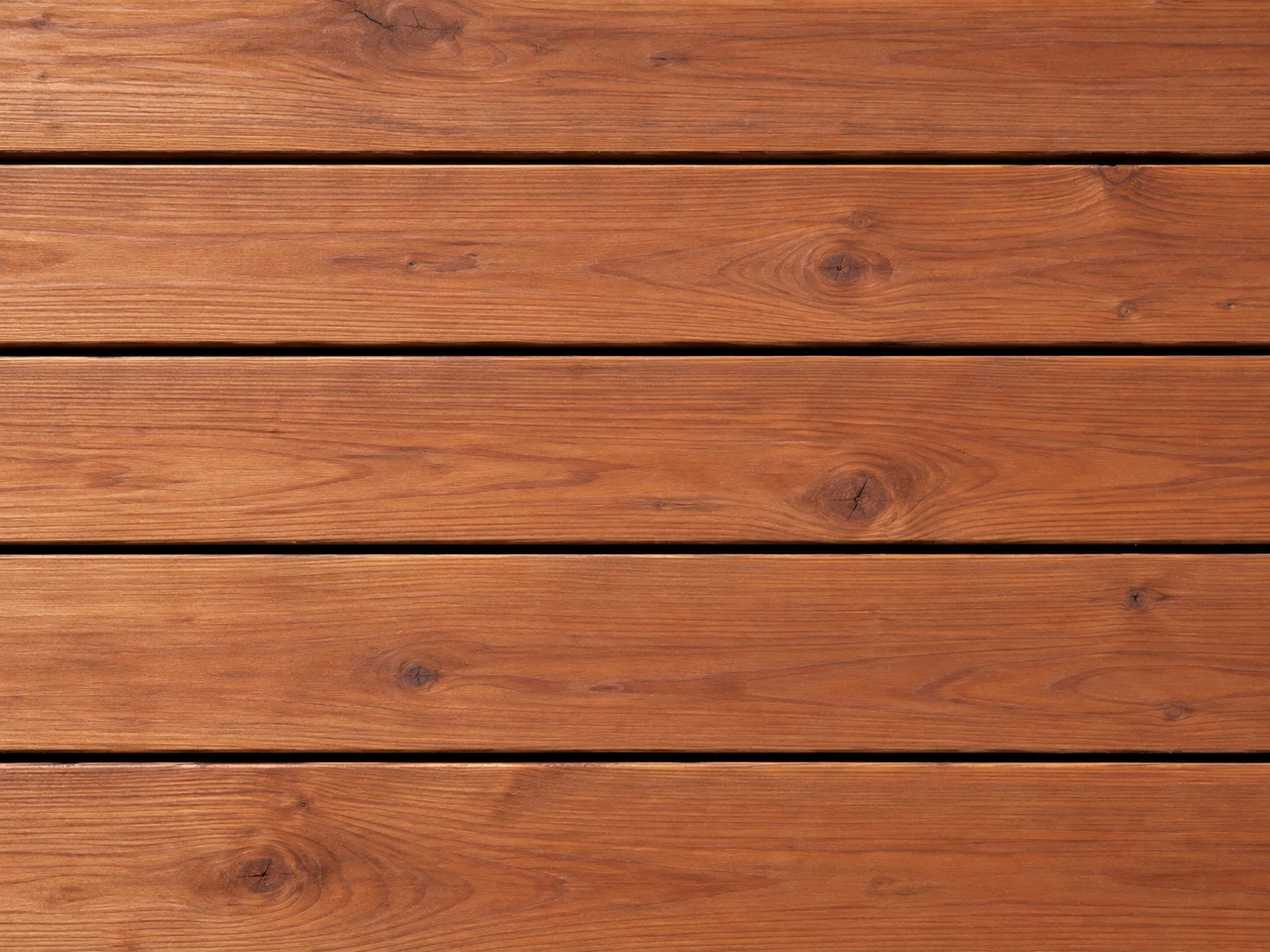
Western Red Cedar
Warm reddish-brown tones and natural grain.
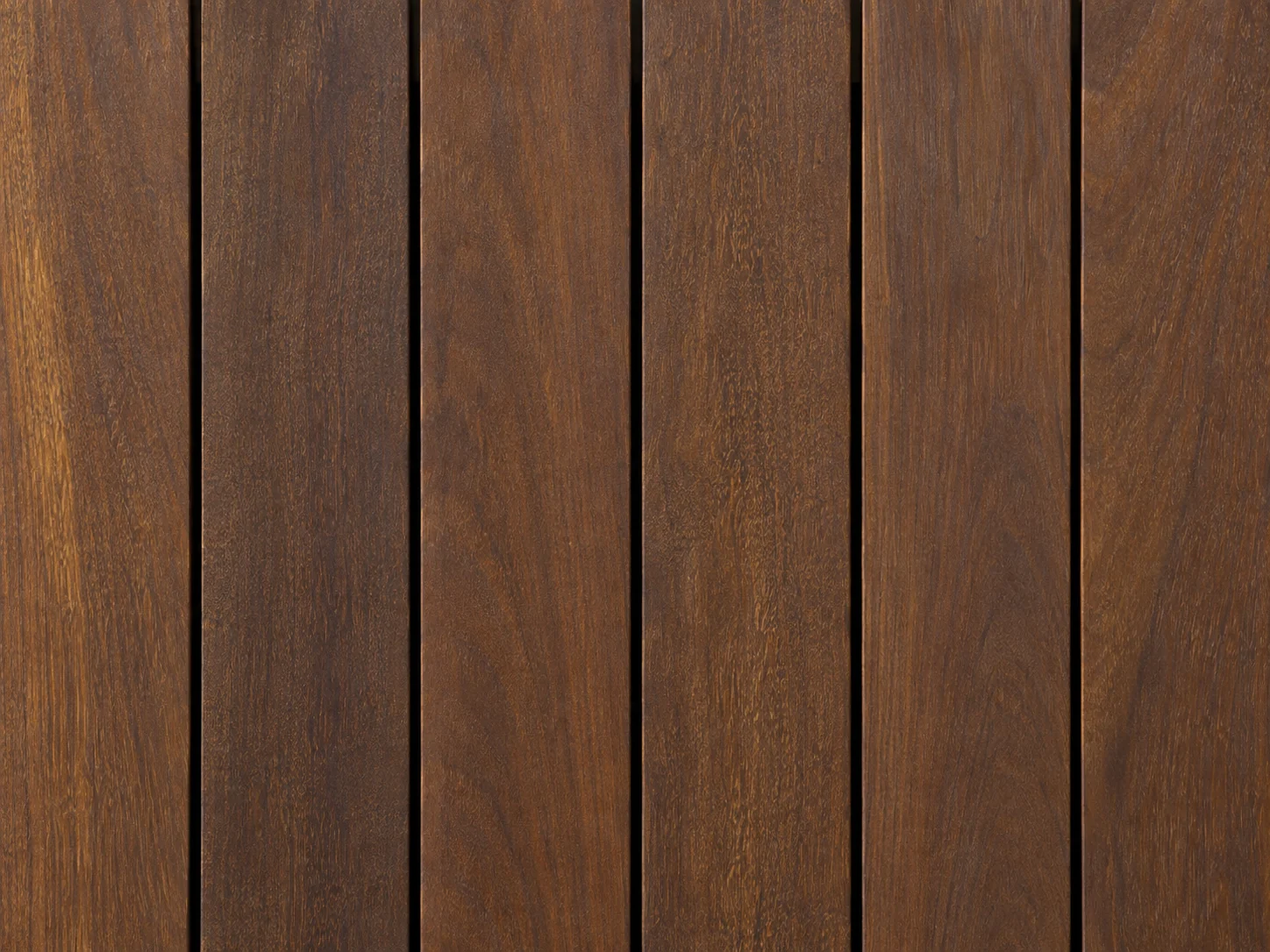
Ipe Hardwood
Deep brown, tight grain and an oiled finish.
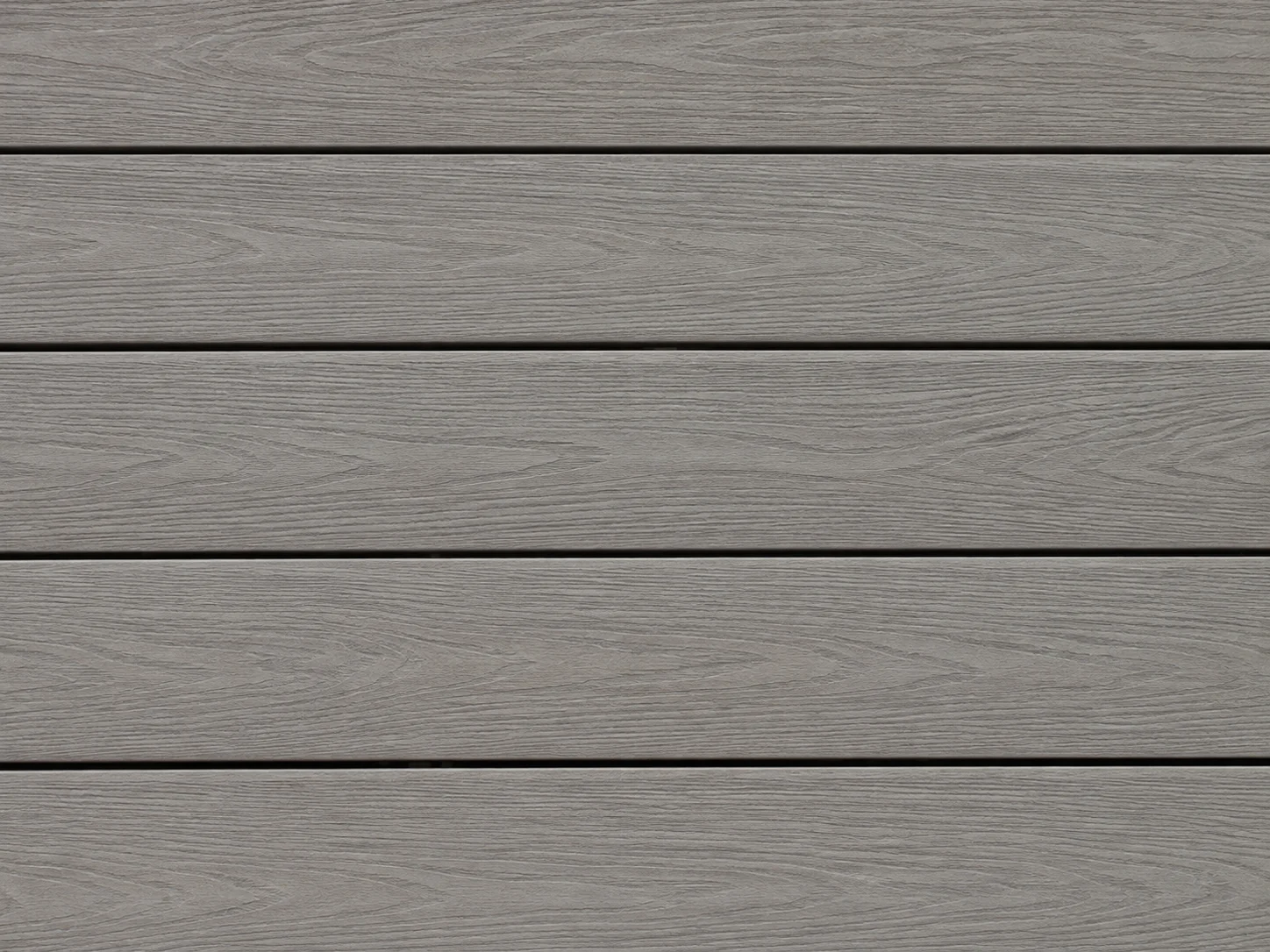
Gray Composite
Embossed wood-grain texture with hidden fasteners.
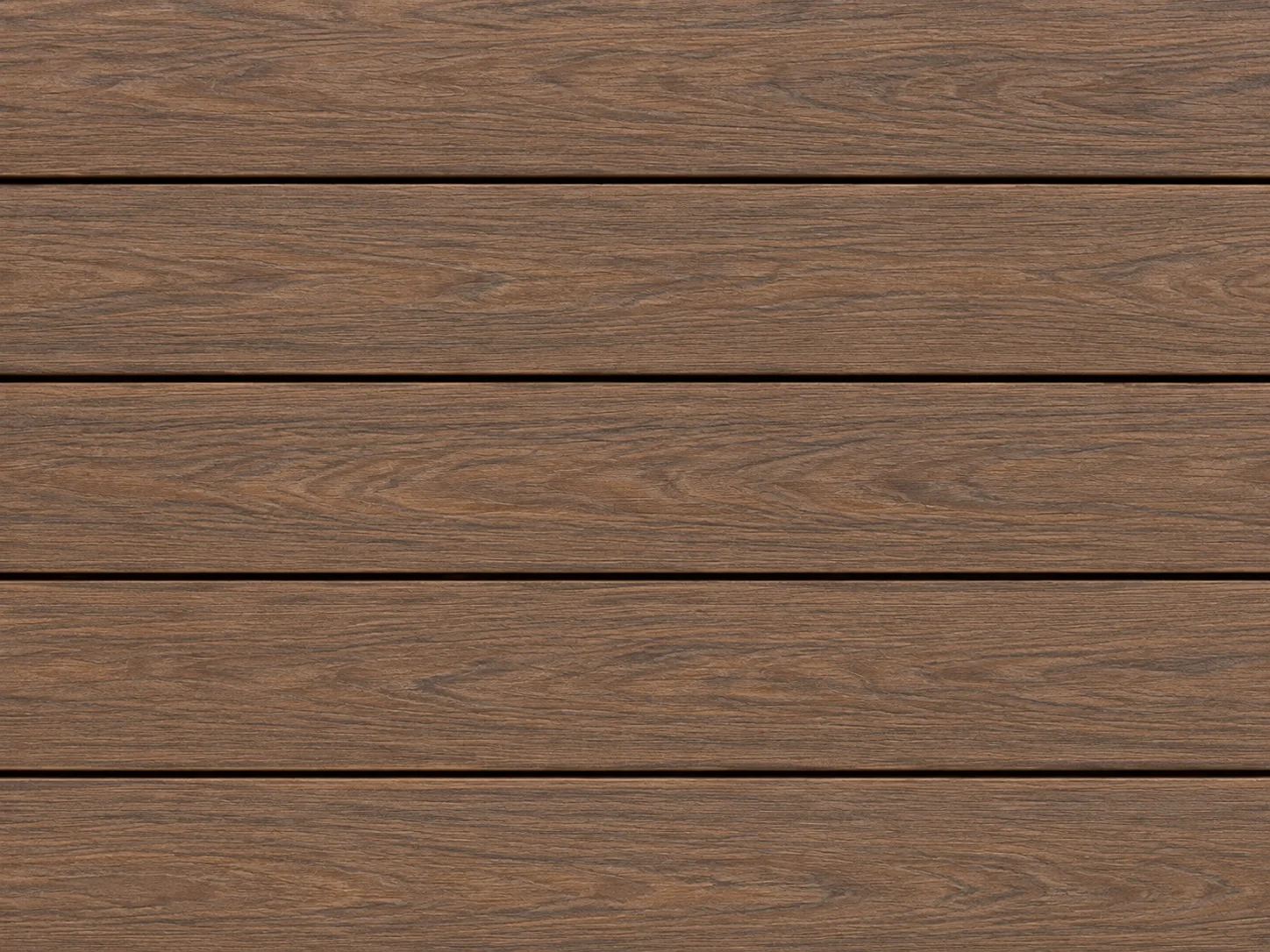
Brown Composite
Multi-tone wood-grain finish with hidden fasteners.
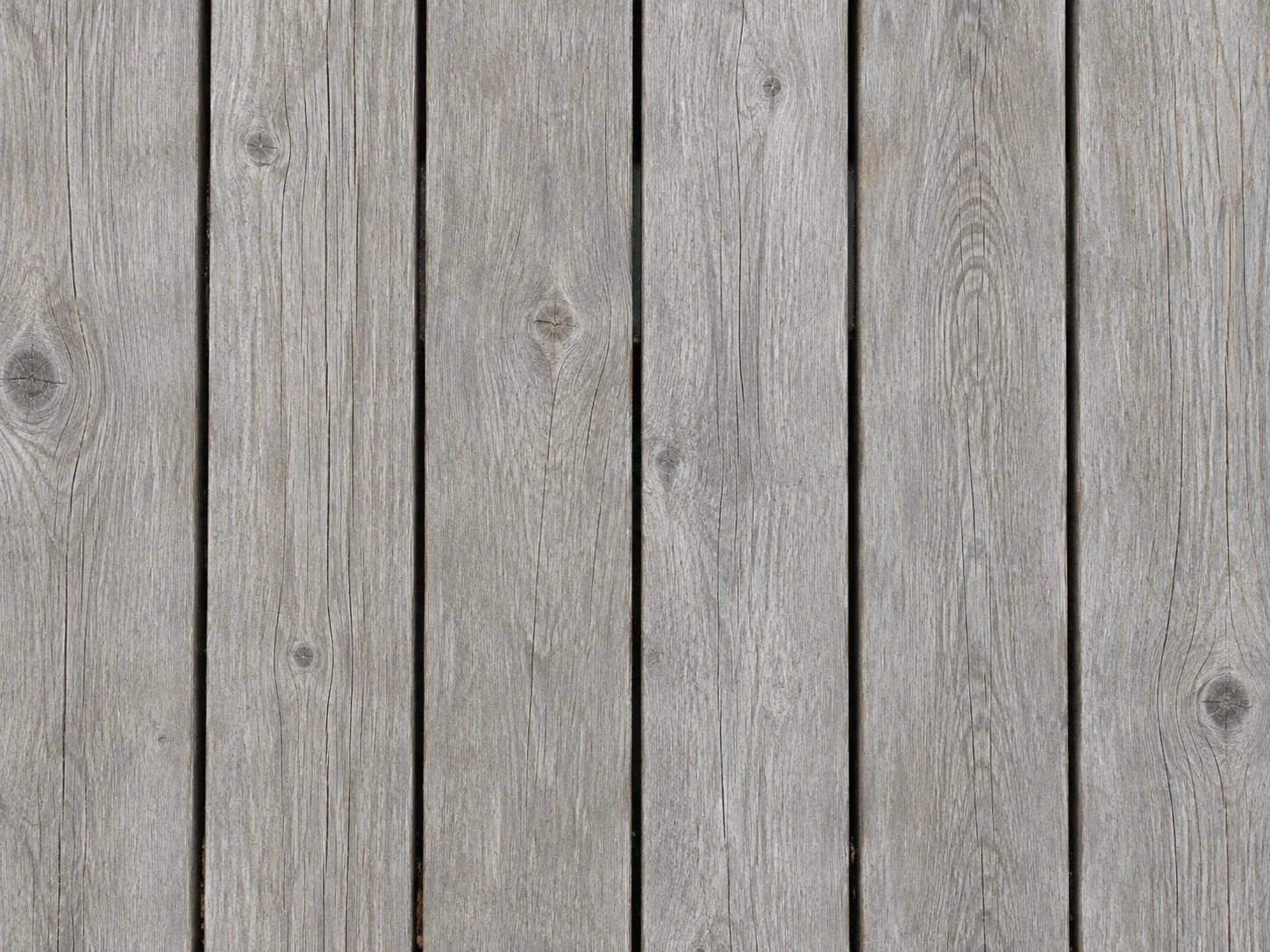
Weathered Gray Wood
Silver-gray boards with a natural aged patina.
Swatches show each material’s base tone. Real boards vary by brand and batch and change as they weather, so check samples outdoors before you order.
How to Design a Deck Online from a Photo
Photograph the back of your house
Shoot in daylight from the yard with the back door and the ground below it in frame, and show an old deck in full. PNG, JPG or WebP up to 10MB.
Pick a decking material
Choose one material for the deck. In the notes, describe a railing style, which side the stairs go or the furniture you want; they count as preferences.
Compare, then call a builder
Run another material on the same photo and compare the results in History or download them. Then take your favorite to a deck builder.
Free Deck Design Software That Starts from Your Photo
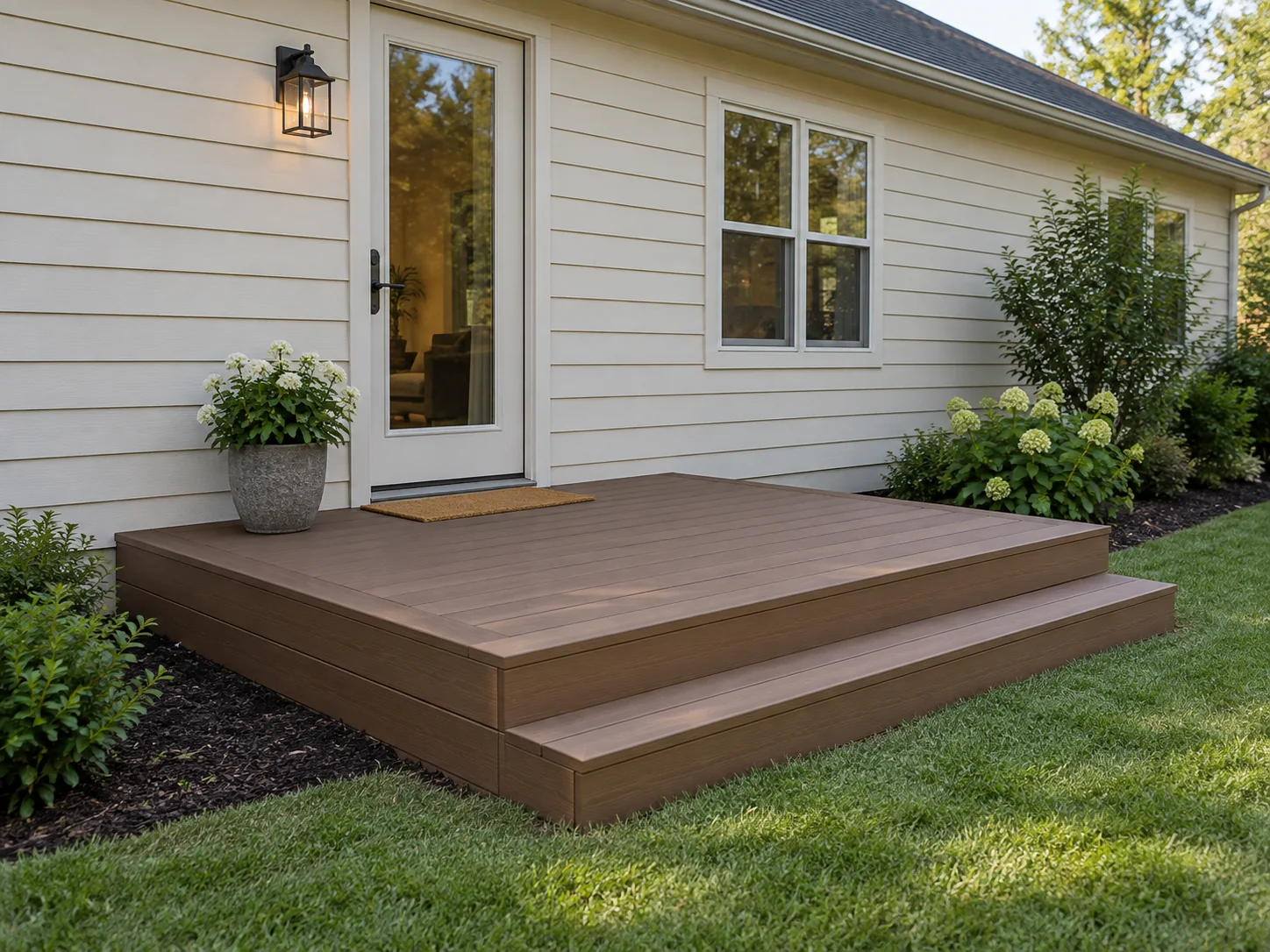
See a New Deck on Your House
Start with a photo of your backyard to picture a deck beside the back door or patio. The AI aims to fit its height and proportions to the scene, so you can compare the boards with your own siding and doors.
Add a Deck to My Photo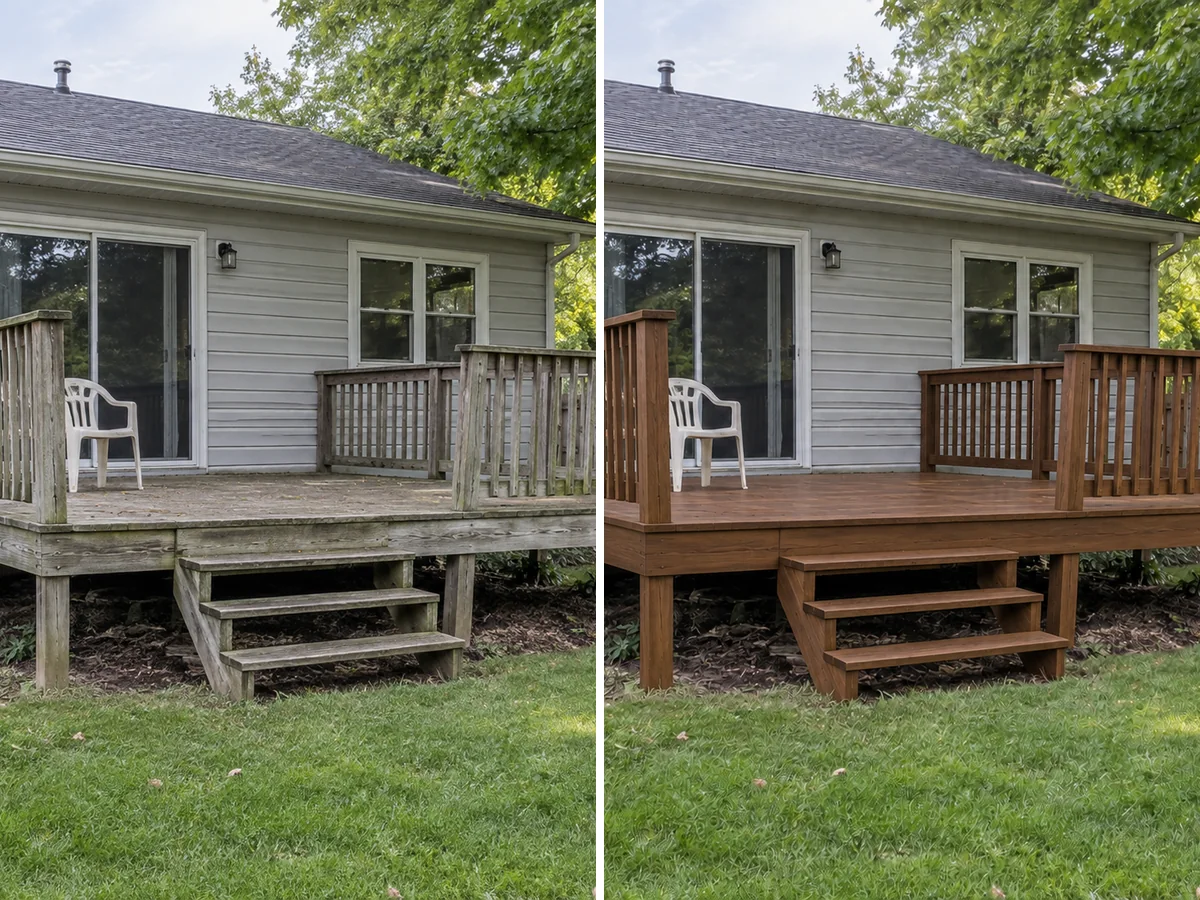
Give an Old Deck New Boards
Preview Gray Composite or Ipe Hardwood on the deck you already have. The AI is instructed to keep its footprint and height while refreshing boards, fascia and existing stairs and railings. The image helps compare finishes; it does not assess the deck's condition.
Preview My Deck Refresh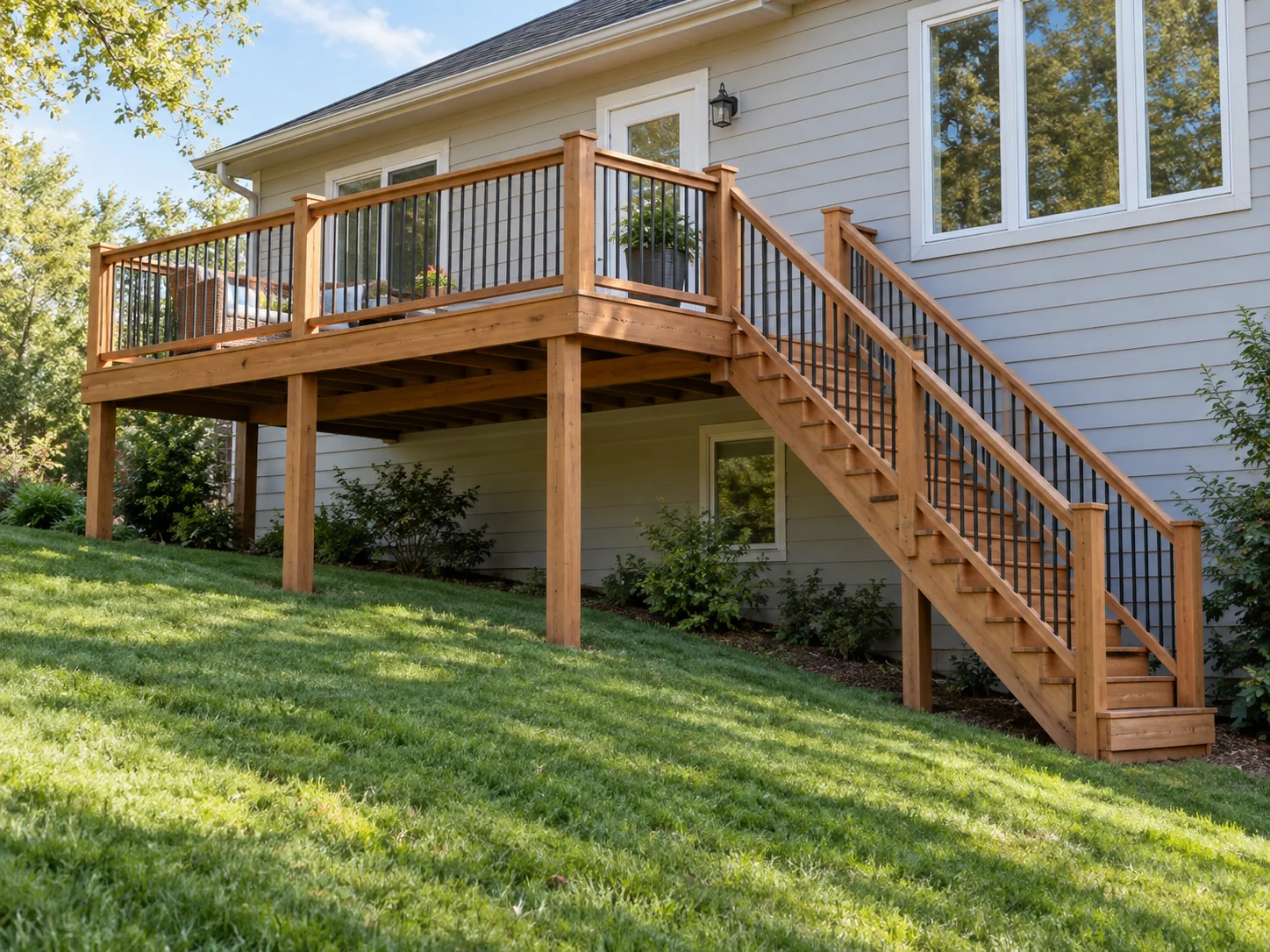
Picture a Raised Deck on a Slope
Picture a raised deck with visible posts, stairs and railings on your existing slope. The AI is asked to preserve the terrain and keep the deck in scale. This visual concept does not size posts, footings or spans, and real stairs must meet rise and run limits.
Check Stair Dimensions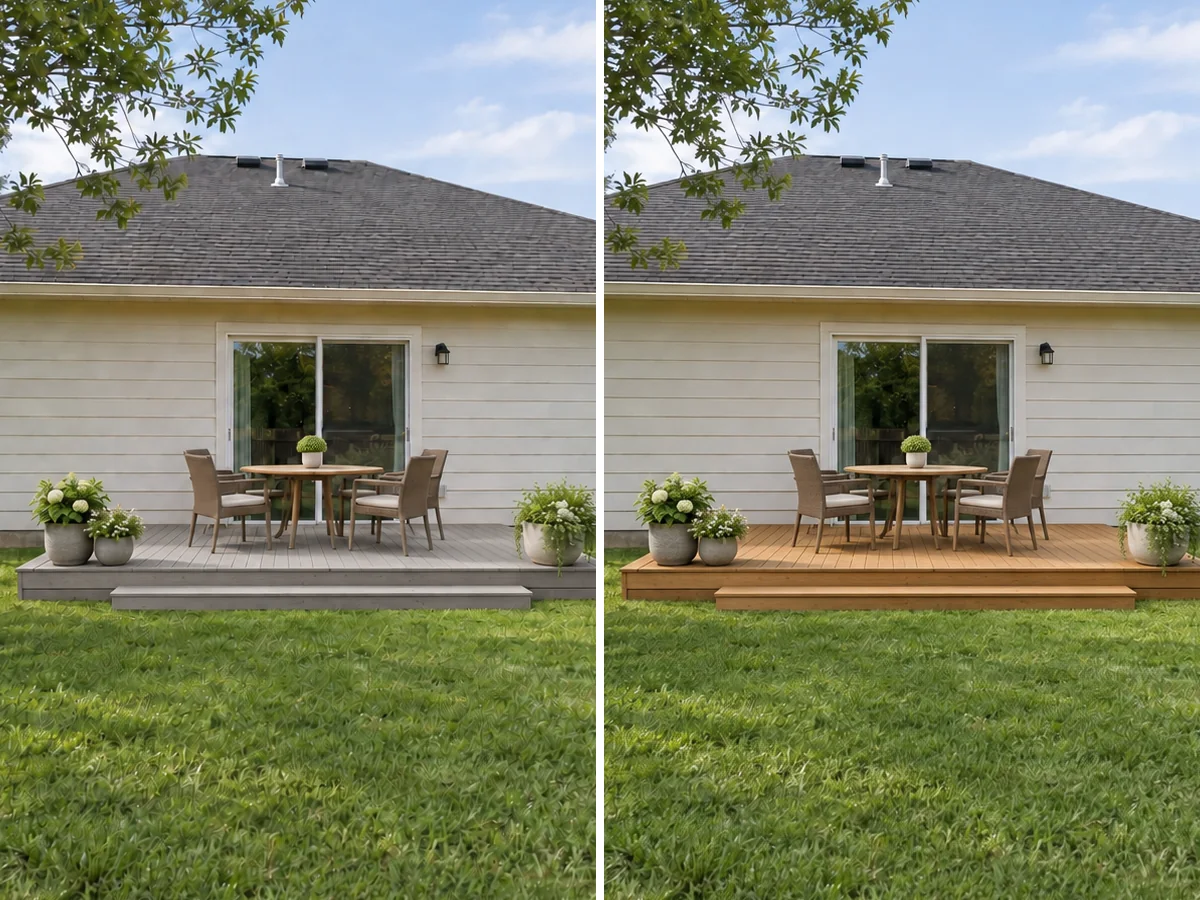
Compare Materials, Then Order Samples
Each run previews one material. Try another on the same photo, then compare in History or download your previews. Check your favorite finishes as real samples outdoors: sunlight can change how their color and grain appear.
Try Another MaterialPlanning guide
Deck Furniture Layout: Typical Deck Sizes
Rules of thumb for how much deck a furniture group needs, including room to pull out chairs and walk past.
| Furniture group | Typical deck area | Metric |
|---|---|---|
| Bistro table and two chairs | about 8 × 8 ft | 2.4 × 2.4 m |
| Round dining table for four | about 10 × 10 ft | 3 × 3 m |
| Dining table for six | about 12 × 12 ft | 3.7 × 3.7 m |
| Sofa, two chairs and a coffee table | about 12 × 12 ft | 3.7 × 3.7 m |
| Grill with landing space | add about 5 × 5 ft | 1.5 × 1.5 m |
| Walkway past furniture | 36 in wide | 90 cm |
Typical figures, not a design standard. Measure your own furniture, and keep the route from the back door to the stairs clear.
Before you build
Deck Railing and Stair Basics (Typical US Code)
Common International Residential Code (IRC) figures that a deck builder will check. Local rules can differ.
| Item | Typical requirement | Metric |
|---|---|---|
| Guard (railing) needed when the deck is higher than | 30 in above grade | 76 cm |
| Minimum guard height | 36 in | 91 cm |
| Gap between balusters | a 4 in sphere must not pass | 10 cm |
| Stair riser height | 7¾ in max. | 19.7 cm |
| Stair tread depth | 10 in min. | 25.4 cm |
| Stair width | 36 in min. | 91 cm |
| Handrail height (four or more risers) | 34–38 in | 86–97 cm |
Many decks need a permit, and local codes amend the IRC. Confirm with your building department or a licensed deck builder; the AI image does not check any of this.
What People Use the Deck Designer For
Replacing a worn-out deck
See Gray Composite, Western Red Cedar or Ipe Hardwood on the deck you already have before you collect quotes. The footprint and height stay the same, so the comparison is about board color and texture alone. Planning new steps as part of the job? Check rise and run first.
Adding an outdoor dining spot
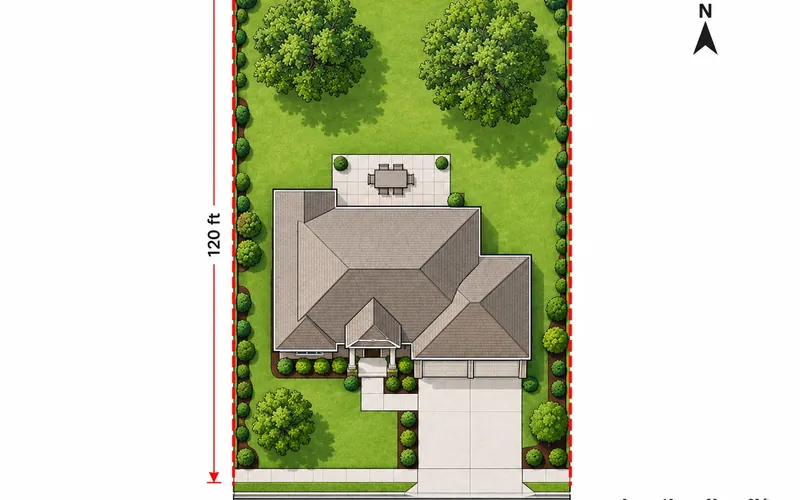
Describe the table and chairs you want in the notes and see whether the deck looks crowded. Then sketch where the deck sits on your lot in a top-down drawing before you talk to a builder about size and setbacks.
Patio and pool-side ideas
Weighing a deck against a paved patio? This tool shows the deck option. For AI patio design with pavers, planting and paths, run the same yard photo through AI Garden Design. A pool outside the deck footprint stays as photographed.
Deck Design Tool Questions
New accounts receive free signup credits. Each generation costs 10 credits, and how many designs you can make depends on your balance. Sign in to generate; free requests may wait in a queue.
Yes, and the tool needs one: it draws the deck into your photo rather than inventing a house. Upload a PNG, JPG or WebP up to 10MB, taken in daylight with the back door in view.
Both. When the photo shows no deck, the AI adds one attached to the house at a believable height beside a back door or patio, sized in proportion to the yard. When there is a deck, it renews the boards, fascia and any existing stairs and railings on the same footprint and height, without enlarging it.
It is instructed not to. The walls, siding, roof, windows and doors, fences, large trees and the slope are meant to stay, whatever the notes say. To restyle the house, use AI Exterior Design; for planting, paths and paving, AI Garden Design.
You can describe them in the notes, such as black metal balusters, stairs on the left or a dining table for four. Notes are preferences, and the AI keeps everything in scale with the house, so check the result. The deck size table above shows roughly how much space common furniture groups need.
Partly. It never adds or reshapes a pool. A deck already beside the pool in your photo is rebuilt on the same footprint; a new deck is attached to the house beside a back door or patio, so the tool does not lay out a free-standing pool surround. Anything outside the deck footprint, including the pool, stays as photographed.
No. This is a photo visualizer, not a 3D deck design tool, CAD planner or quoting software. It does not produce a 3D model, dimensions, framing, span or load calculations, permit drawings, cost estimates or a materials list. Use a deck planner or a licensed builder for those.
High contrast suits that look. Gray Composite or Weathered Gray Wood keeps it crisp and cool, while Ipe Hardwood or Brown Composite warms it up against the white siding. Black railings tie the deck to the shutters. Preview two materials on your own photo and compare the results in History.
Try the Deck Designer Free
Upload one photo of your backyard and see a deck in the boards you like, on the house you already have. New accounts get free credits to start.
Design My Deck- 10 credits per generation
- PNG, JPG or WebP up to 10MB