
Electrical Plan Maker
Make an electrical plan without CAD: upload a floor plan or describe the space, and AI draws the outlets, switches, lights and detectors.
Draw My Electrical PlanCreate an Electrical Floor Plan
Choose the space, upload your plan or describe it, note what needs power and light, then pick a drawing style.
One-bedroom apartment
864 sq ft · Technical 2D
Electrical Plan Examples
A whole apartment, a kitchen lighting layout and a bathroom plumbing plan, each drawn from an uploaded plan, a short brief or an empty room.
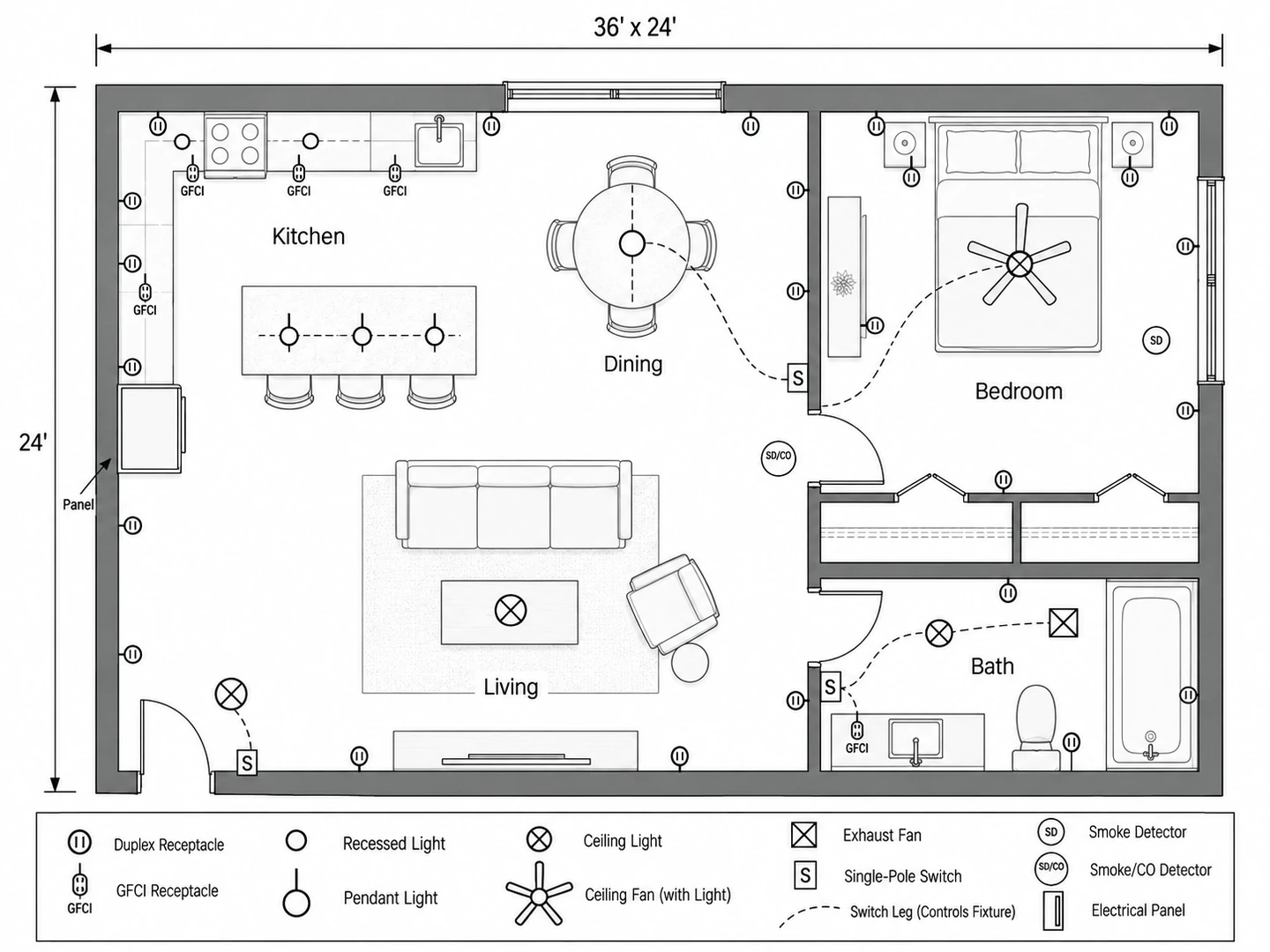
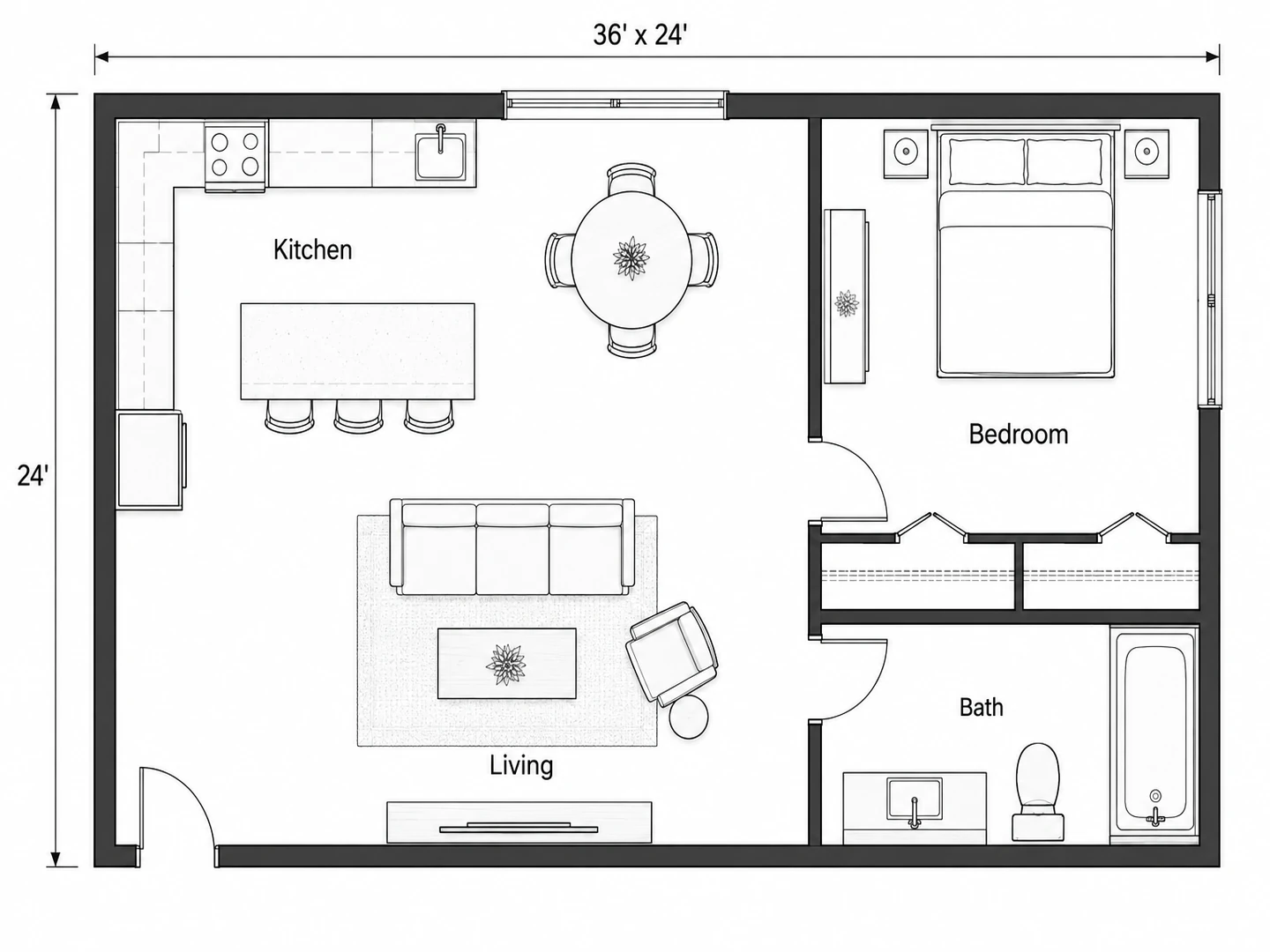
Before After 864 sq ft one-bedroom apartment: the uploaded plan, then the electrical layer and its legend
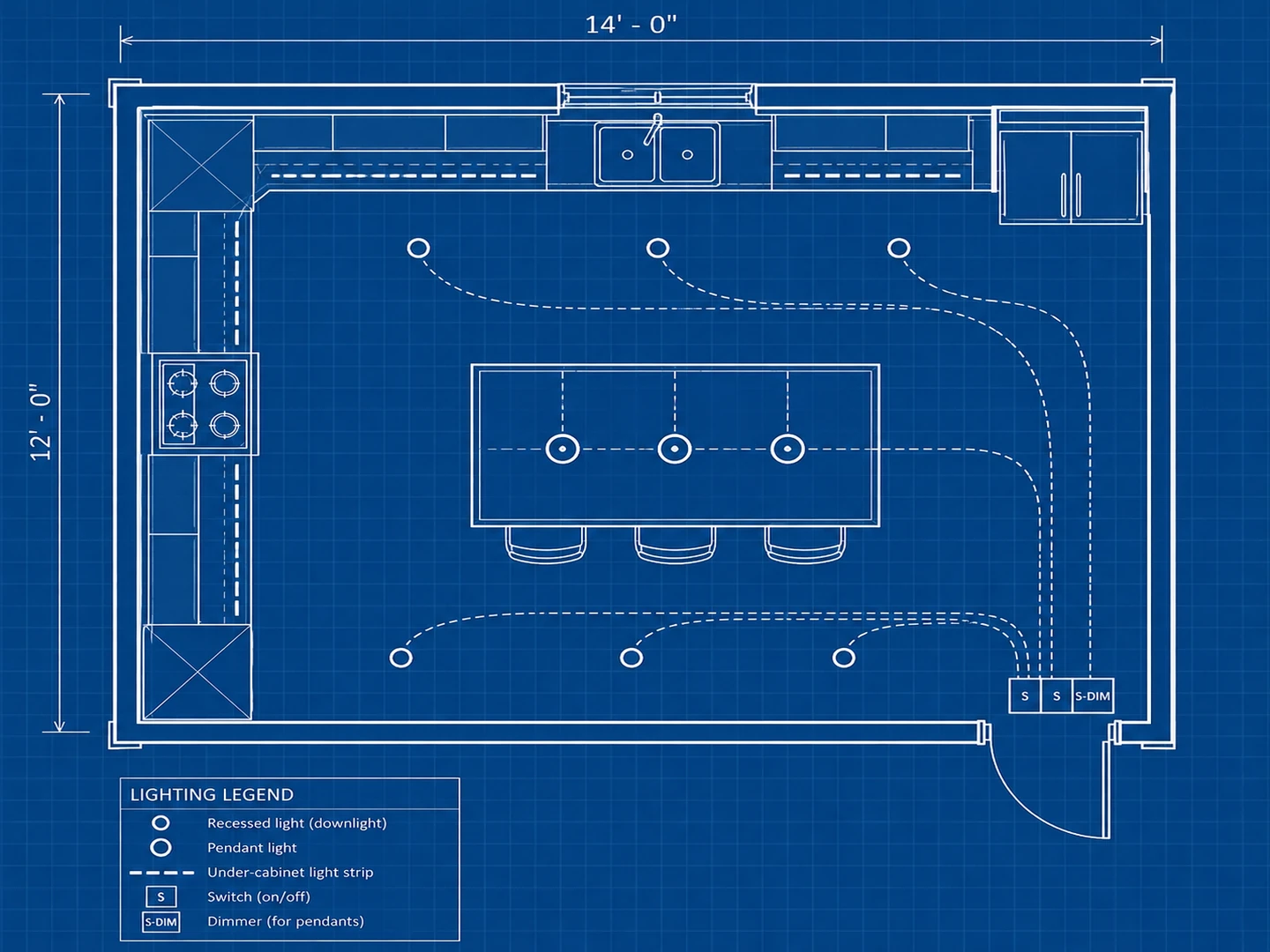
Before After 14×12 ft L-shaped kitchen lighting plan with recessed lights, island pendants and under-cabinet strips
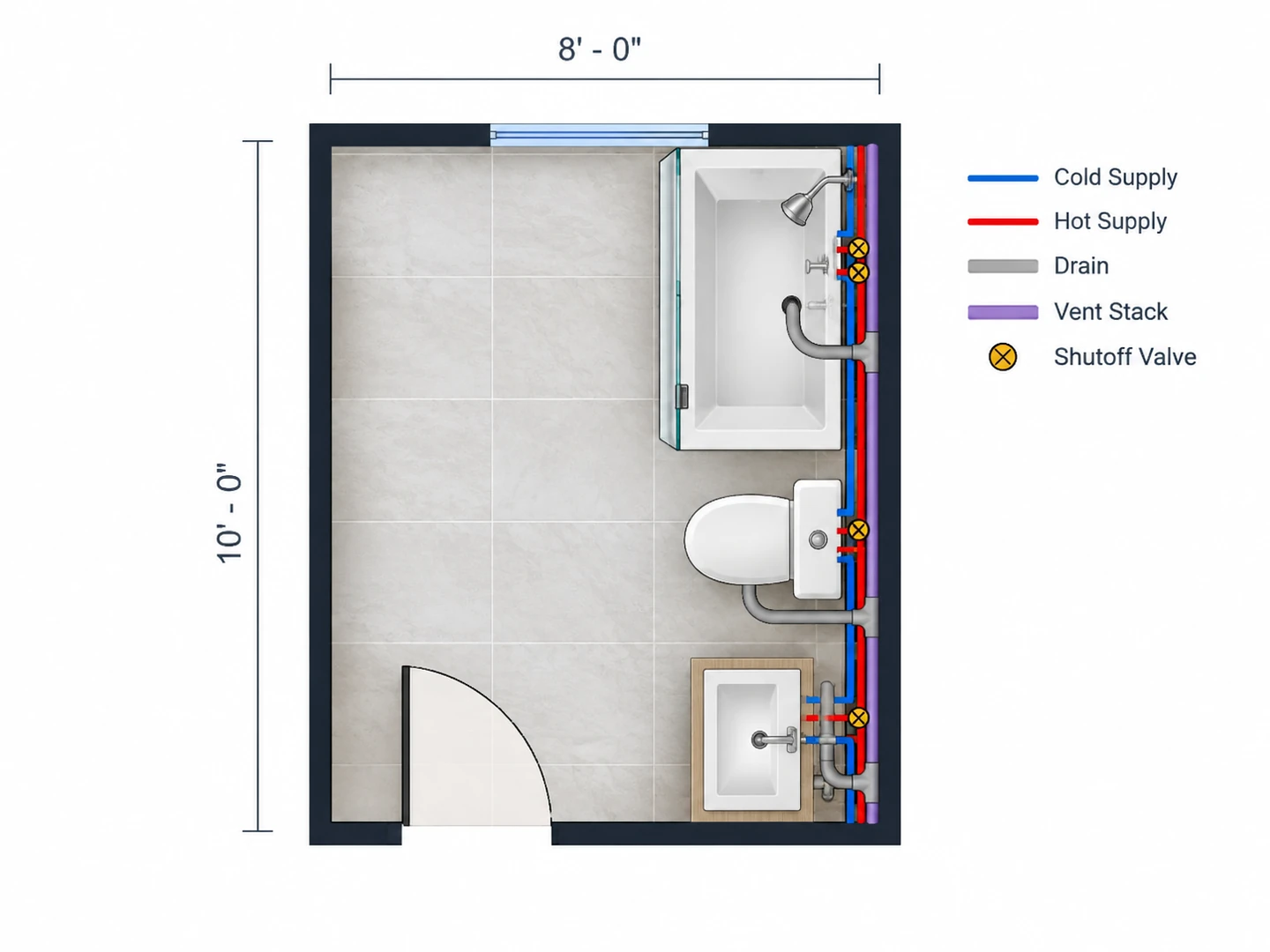
Before After 8×10 ft bathroom plumbing plan with supply, drain and vent lines on one wet wall
Before the walls close
What Is an Electrical Plan?
An electrical plan is a floor plan with the electrical layer drawn over it: where every receptacle, switch, light, fan, detector and the panel go, and which switch controls which light. Dashed arcs, called switch legs, connect each switch to its fixtures, and a legend explains the symbols. Electricians, builders and inspectors read it to price the job, plan the circuits and check the layout before the drywall goes up.
This electrical plan maker draws that layer for you. Upload an existing floor plan and the walls, doors and rooms stay exactly where they are while outlets, lights and switches are added over a light gray base; or describe the space and the layout is drawn first. The result is an illustrative planning drawing, saved as a PNG, not a stamped or permit-ready set. It does not show circuits, wire sizes or load calculations, and a licensed electrician working to your local code (the NEC as adopted where you live) decides what actually gets installed.
- Floor plan electrical layers: outlets, GFCI, switches, lights, detectors
- Lighting-only plans and reflected ceiling plans
- Plumbing floor plans with supply, drain and vent lines
- Technical 2D, Colored 2D or Blueprint styles
How to Make an Electrical Plan
Start from your floor plan
Choose the space type, then upload your floor plan, a builder drawing or a clear sketch. No plan yet? Describe the rooms and enter the floor area, and the layout is drawn first, then wired.
Say what you need
Note anything specific: a 240 V outlet for an EV charger, recessed lights in the kitchen, a ceiling fan in each bedroom, outlets on the island, three-way switches on the stairs. Ask for a lighting-only plan, a reflected ceiling plan or a plumbing plan here instead.
Generate, check, revise
Check the plan room by room against the placement guidelines below, then regenerate with one change. Take the version you like to your electrician as a starting point for the real design, not as the final word.
An Electrical Plan Maker That Speaks the Trade’s Language
Standard symbols, sensible placement and the other building-system plans a remodel needs.
Electrical Floor Plans on Your Own Layout
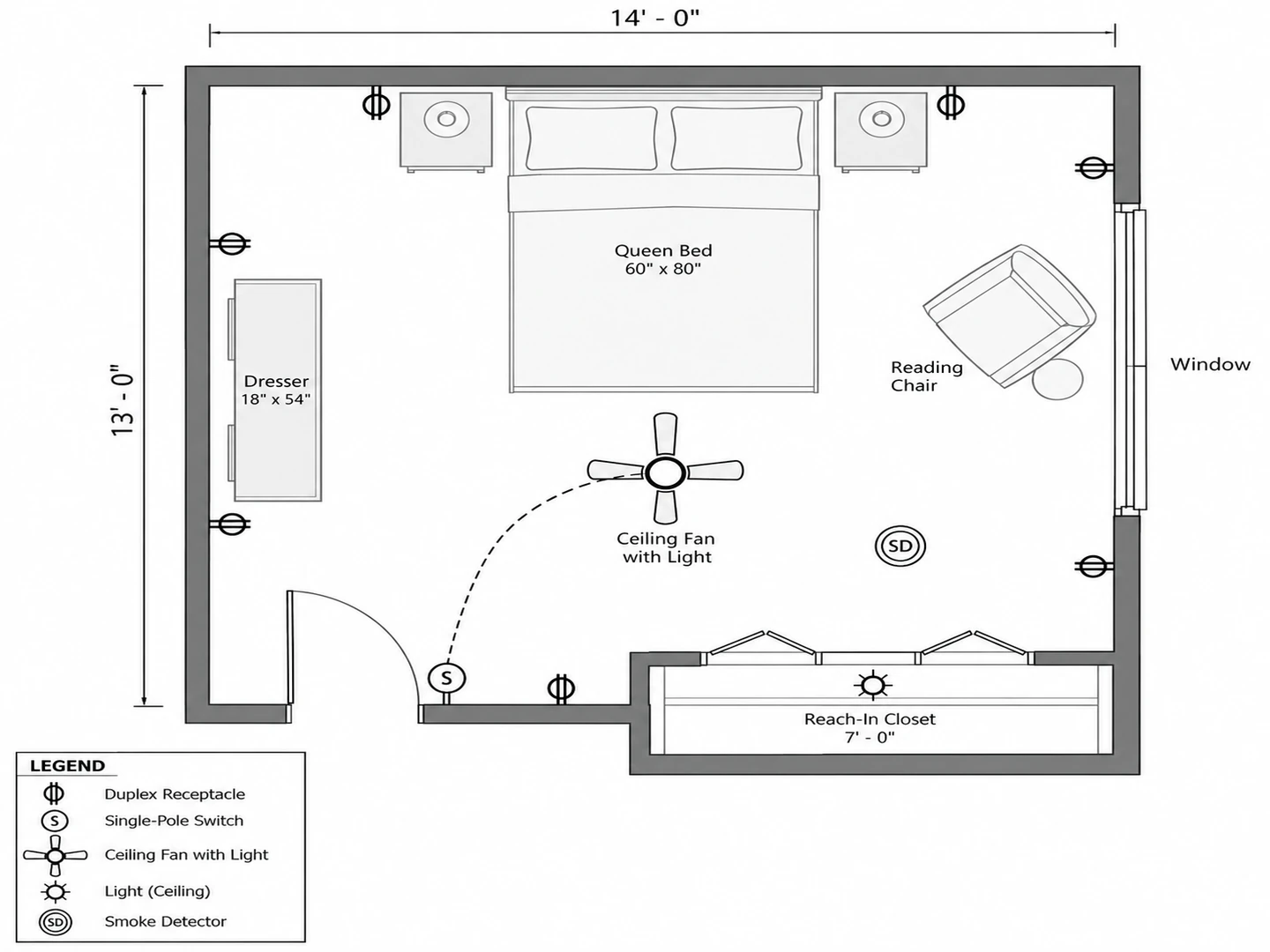
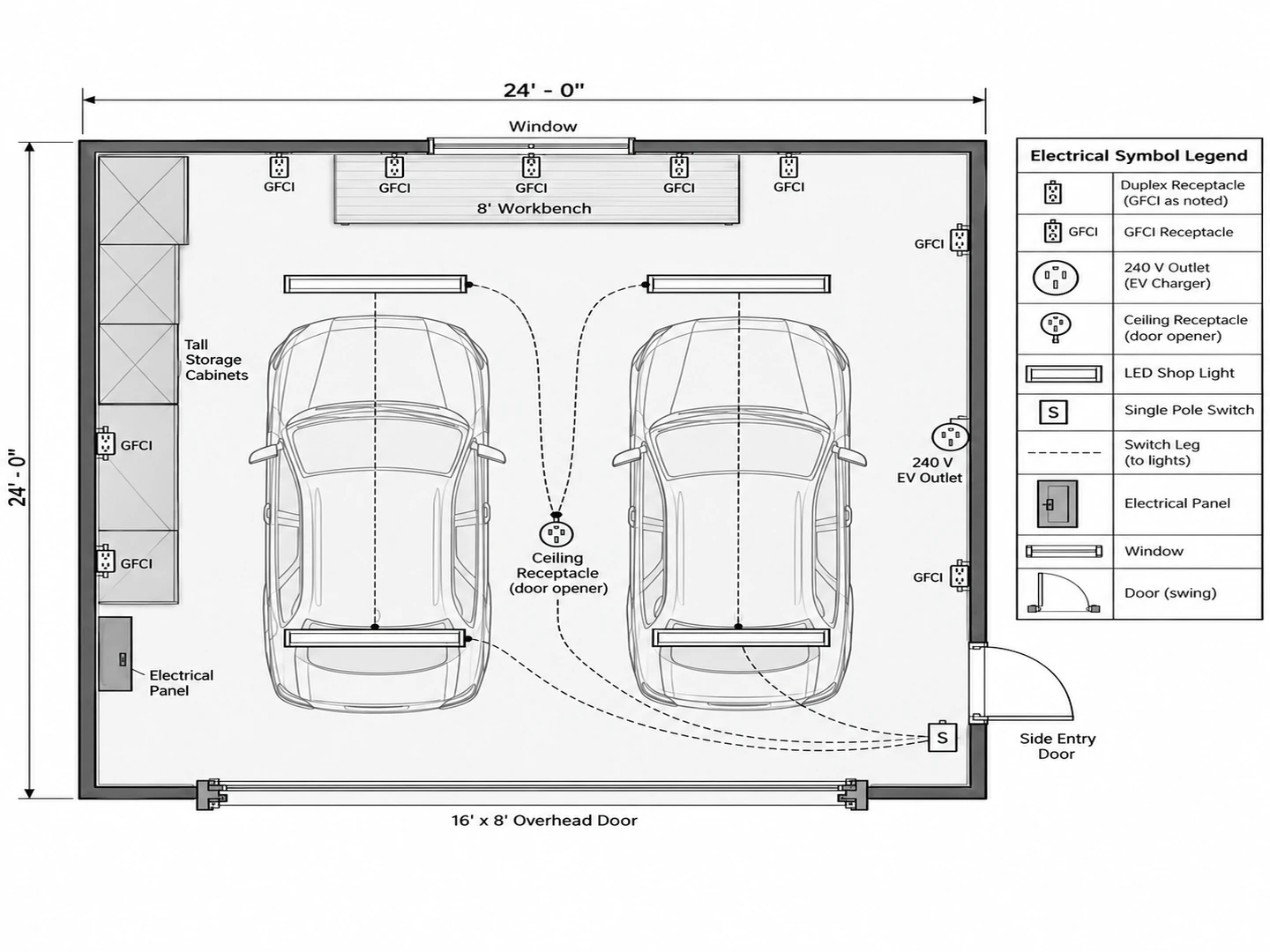
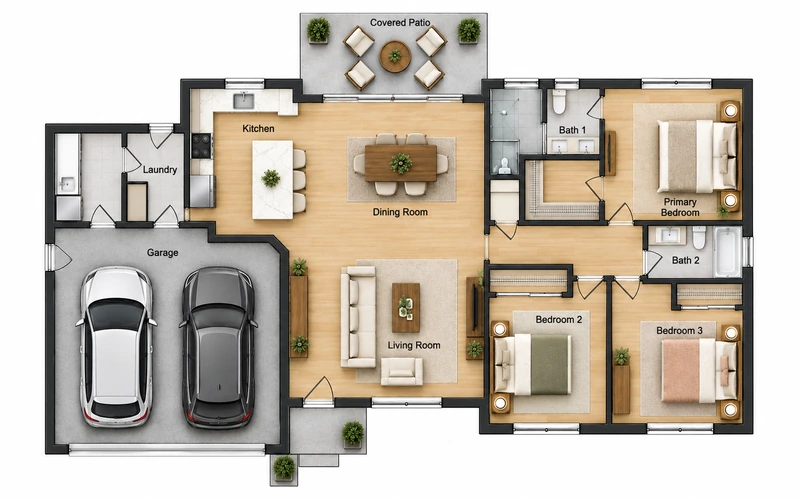
Upload a house, apartment, garage, basement or office plan and only the electrical layer is added; walls, doors and fixtures stay put. Each space type brings its own needs. A kitchen gets countertop receptacles and dedicated appliance outlets, and a garage gets GFCI outlets along the workbench, a ceiling outlet for the door opener, shop lights and, if you ask, a 240 V outlet for an EV charger.
Draw the house plan first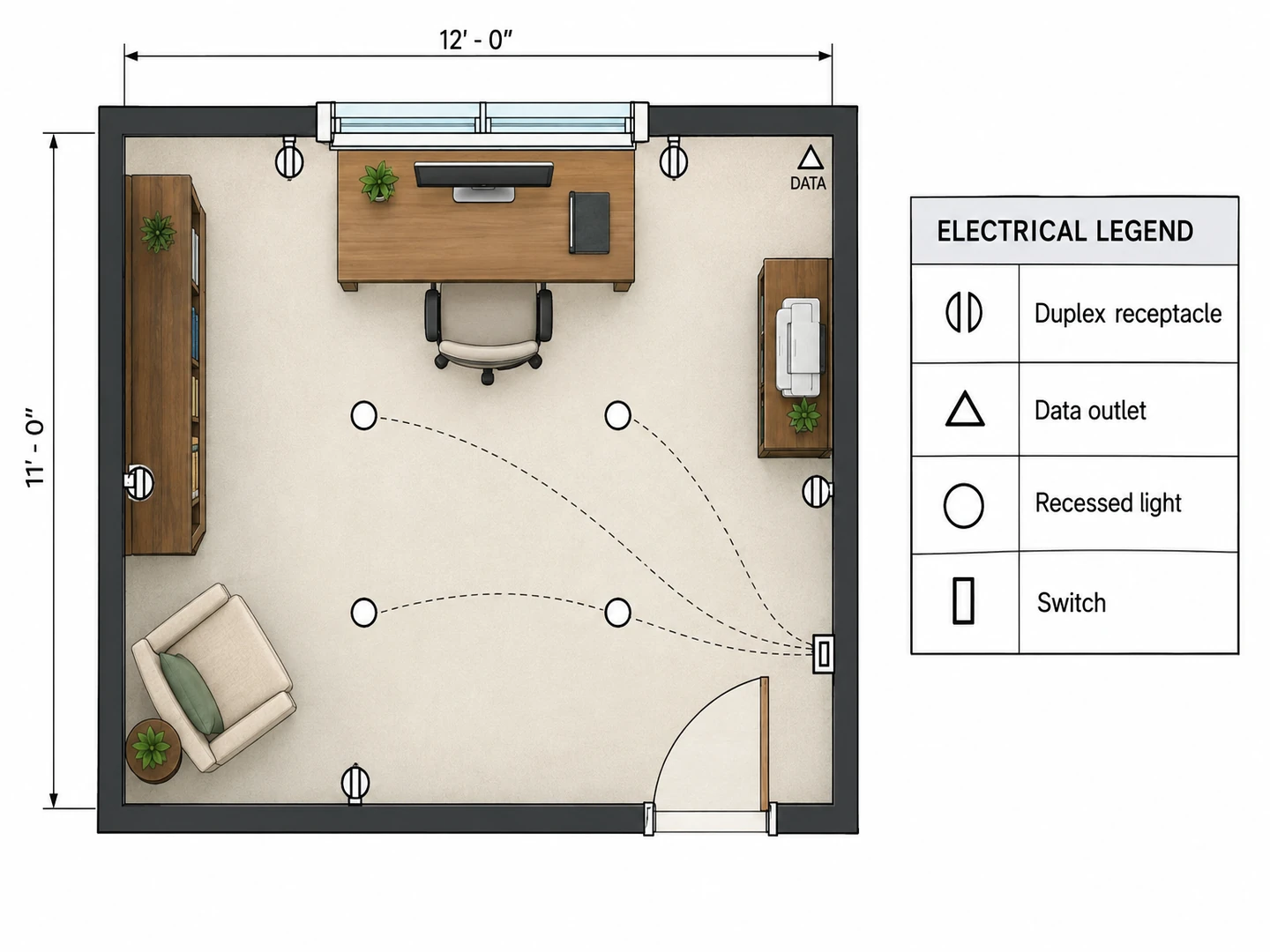
Electrical Plan Symbols, With a Legend Every Time
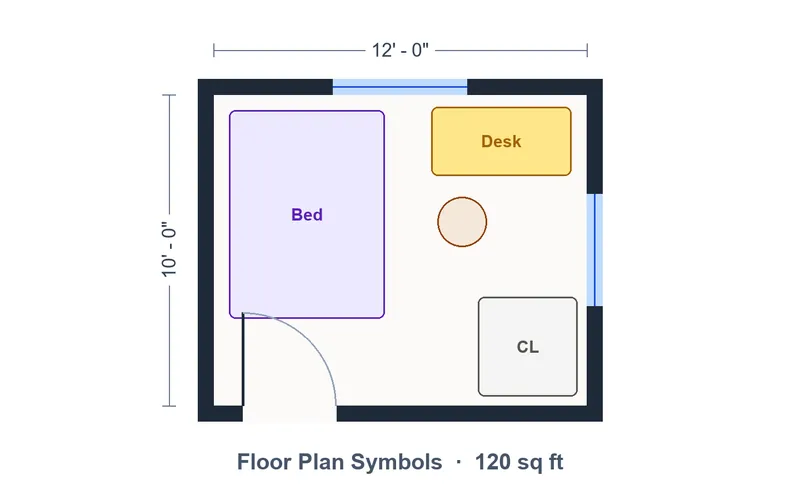
Plans use conventional residential symbols: duplex receptacles, GFCI and weatherproof outlets, S, S3 and S4 switches, ceiling and recessed lights, fans, smoke and CO detectors, data outlets and the panel. A legend box on every sheet explains each one, so a homeowner can read the plan as easily as the electrician. The table below lists the common symbols and what they mean.
Floor plan symbols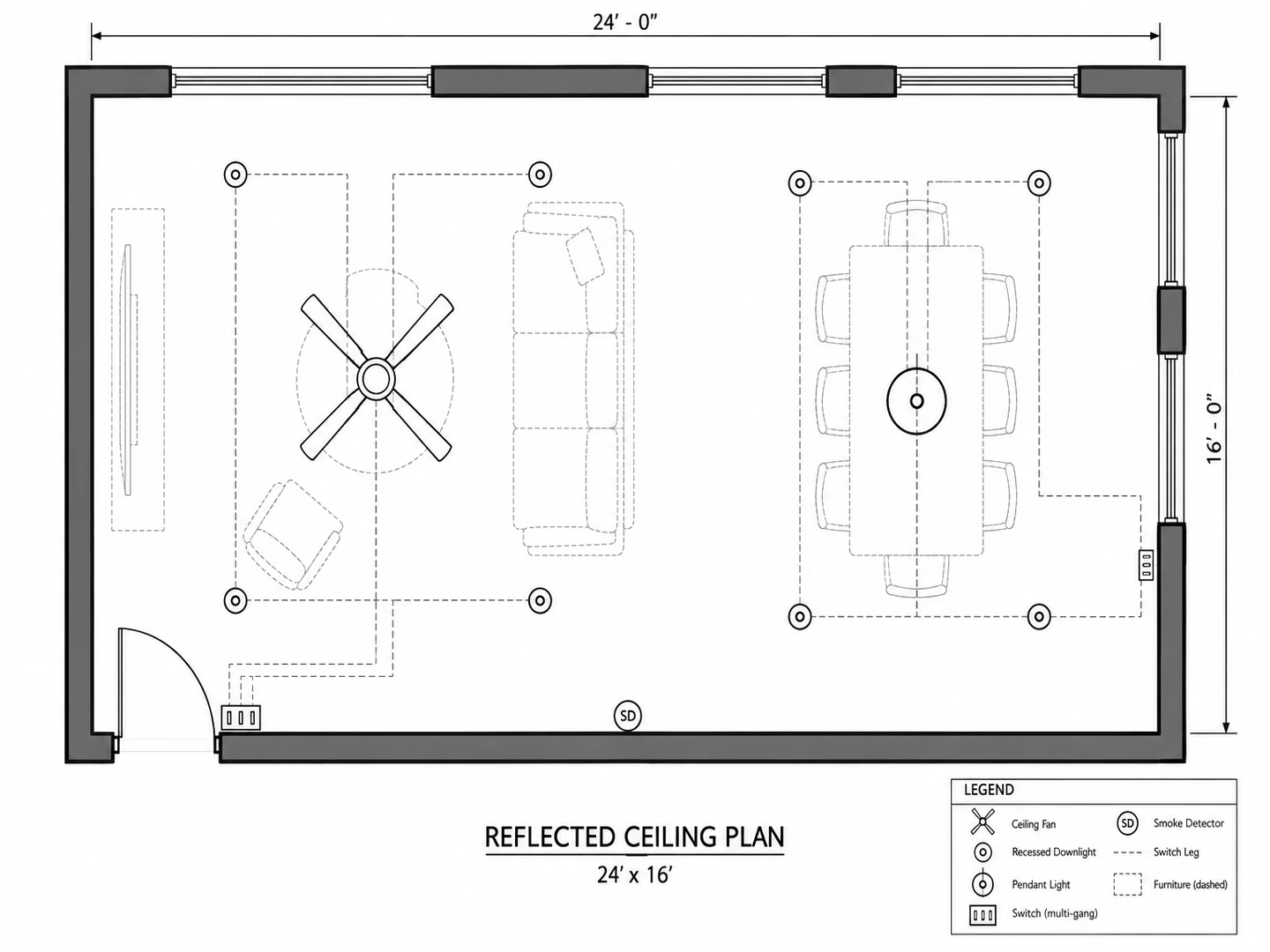
A Free Lighting Layout Tool and Reflected Ceiling Plans
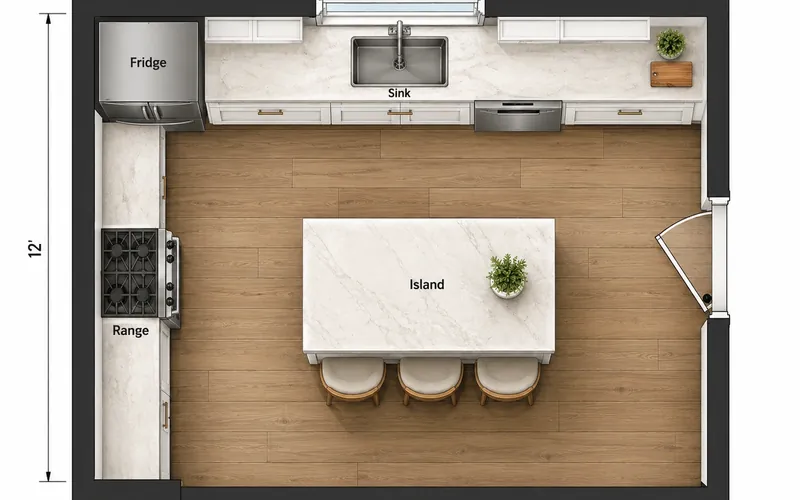
Write "lighting plan only" in the notes and the outlets drop away: you get recessed downlights, pendants, fans and sconces, with switch legs showing how they are grouped. It also works as a kitchen lighting layout tool, with downlights over the counters, pendants over the island and under-cabinet strips. Ask for a reflected ceiling plan to see lights, fans, detectors and vents as if the ceiling were mirrored onto the floor. As a lighting planner it is free to try with your starter credits, and the lumens calculator tells you how bright each room should be.
Lumens calculator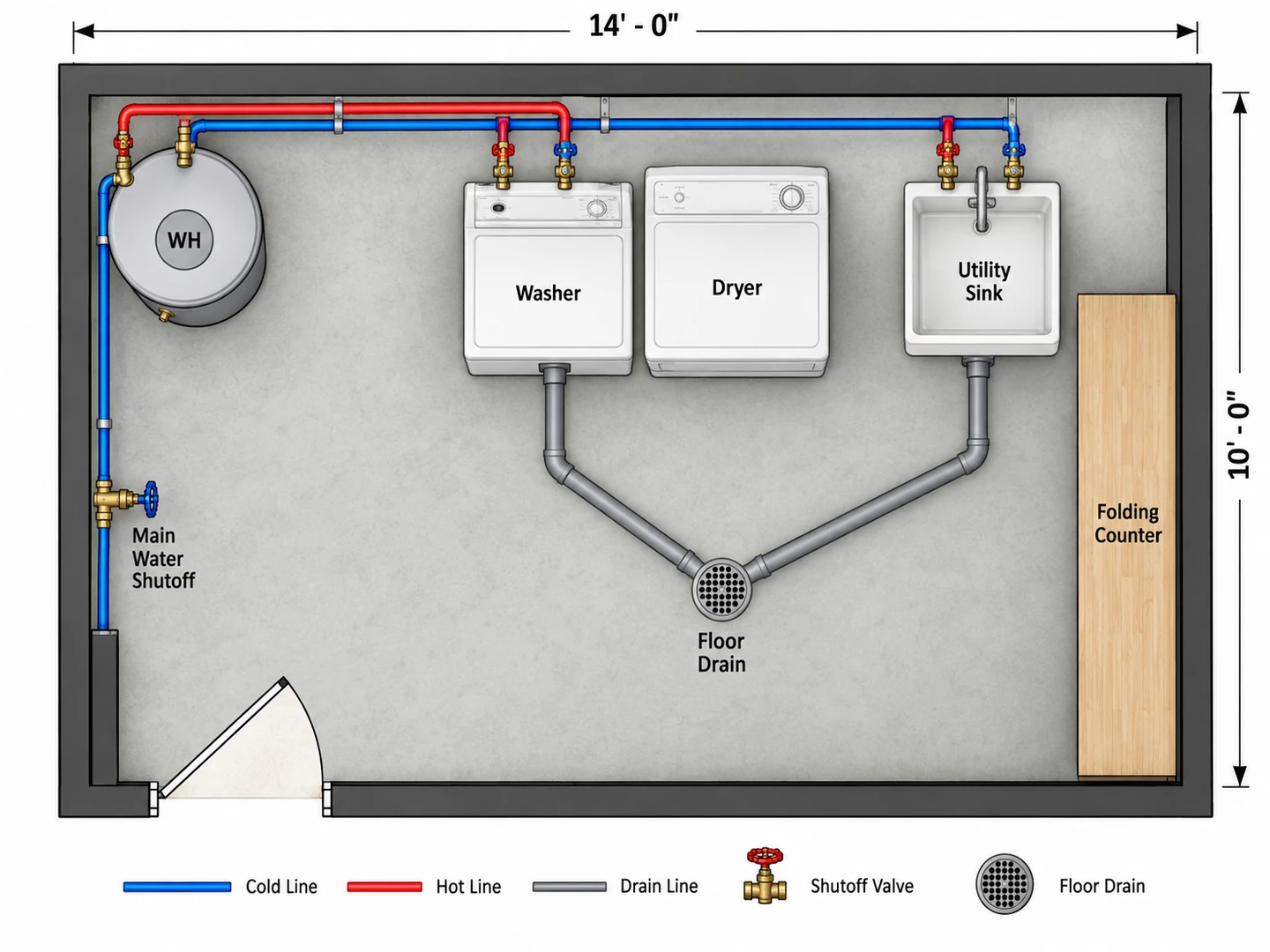
Plumbing Floor Plans and Pipe Plans
The same tool doubles as a plumbing planner. Ask for a plumbing plan and it draws hot and cold supply lines, drains and vents, shutoff valves, fixtures and the water heater on your layout, which helps when you move a bathroom, add a laundry or finish a basement. Like the first sketches of residential plumbing plans, it is for planning: pipe sizes, drain slopes and venting are for your plumber and the local plumbing code.
Basement floor planSymbols
Common Electrical Plan Symbols
Conventional symbols on residential electrical floor plans. Drafting styles vary a little between offices, which is why every plan carries a legend.
| Symbol | Usually drawn as | What it means | Typical location |
|---|---|---|---|
| Duplex receptacle | Small circle with two short parallel lines through it | Standard 120 V two-plug outlet | Along the walls of every room |
| GFCI receptacle | Duplex symbol marked GFCI or GFI | Outlet with ground-fault protection | Kitchen counters, baths, laundry, garage, outdoors |
| Weatherproof receptacle | Duplex symbol marked WP | Outlet with a weather-resistant cover | Exterior walls, patios, decks |
| 240 V receptacle | Receptacle symbol with three lines or a 240 V note | Dedicated high-voltage outlet | Range, dryer, EV charger |
| Single-pole switch | S | One switch controls the fixture | Latch side of the room’s door |
| Three-way switch | S3 | Two switches control the same light | Both ends of halls and stairs; rooms with two doors |
| Four-way switch | S4 | A middle switch between two three-ways | Long halls with three or more entries |
| Dimmer switch | S with a DIM note | Switch that adjusts brightness | Dining rooms, living rooms, bedrooms |
| Ceiling light | Circle, often with short rays | Surface-mounted ceiling fixture | Center of rooms and halls |
| Recessed light | Smaller circle, sometimes marked R | Downlight set into the ceiling | Kitchens, living areas, showers |
| Wall sconce | Circle on a short line from the wall | Wall-mounted light | Vanities, stairs, beside beds |
| Ceiling fan | Circle with four or five blades | Fan, often with a light kit | Bedrooms, living rooms, porches |
| Exhaust fan | Square or circle marked EF | Vent fan ducted outside | Bathrooms, laundry rooms |
| Smoke / CO detector | Circle marked SD, CO or SD/CO | Smoke alarm, carbon monoxide alarm or both | Bedrooms, halls, every level |
| Data / TV outlet | Small triangle marked TV or DATA | Low-voltage cable, network or phone jack | Living room, office, bedrooms |
| Switch leg | Dashed curved line | Shows which switch controls which fixtures | From each switch to its lights |
| Electrical panel | Rectangle, partly filled or hatched | Breaker panel (load center) | Garage, basement or utility room |
Symbols differ slightly between drafting standards and offices. Always read the legend on the plan in front of you.
Placement guide
Typical Residential Electrical Placement Guidelines
Common practice and commonly cited US code rules, summarized for planning. Local code (the NEC as adopted where you live) and a licensed electrician decide what is required.
| What | Typical guideline | Notes |
|---|---|---|
| Wall outlets in living areas | No point along a wall more than 6 ft (1.8 m) from an outlet, so about one every 12 ft | Wall sections 2 ft (60 cm) or wider count; applies to living rooms, bedrooms and dining rooms |
| Kitchen countertop outlets | No point along the counter more than 24 in (60 cm) from an outlet, so about one every 4 ft | Every counter section 12 in or wider; GFCI-protected. Island rules changed in recent code editions |
| Bathroom outlet | At least one GFCI outlet within about 3 ft (90 cm) of each sink | Usually on its own 20 A circuit |
| GFCI protection | Bathrooms, kitchens, laundry areas, garages, basements, outdoors and near sinks | The list has grown with each code edition; check yours |
| Hallways | At least one outlet in a hall 10 ft (3 m) or longer | Handy for a vacuum or a night light |
| Outdoor outlets | At least one at the front and one at the back of a house | GFCI-protected and weather-resistant, with an in-use cover |
| Outlet height | About 12–16 in (30–40 cm) above the floor | Convention, not a code number; higher in garages and workshops |
| Countertop outlet height | About 42–44 in (107–112 cm) above the floor | Roughly 6–8 in above a standard 36 in counter |
| Switch height | About 48 in (122 cm) above the floor | Some builders use 42–44 in; placed on the latch side of the door |
| Three-way switches | At both ends of stairs and halls, and at each door of a room with two entries | Stair lighting usually needs a switch at each floor level |
| Smoke alarms | In each bedroom, outside each sleeping area and on every level | Usually hard-wired and interconnected in new work |
| CO alarms | Outside sleeping areas in homes with fuel-burning appliances or an attached garage | Combination smoke/CO alarms are common |
| Electrical panel | Clear working space about 30 in (76 cm) wide and 36 in (91 cm) deep in front | Not in bathrooms or clothes closets |
| Dedicated circuits | Two 20 A kitchen countertop circuits, a 20 A laundry circuit and a 20 A bathroom circuit | Range, dryer, dishwasher and similar appliances usually get their own lines |
A planning summary of commonly cited NEC and IRC provisions and common practice, not code or legal advice. Requirements depend on the code edition your jurisdiction has adopted and its local amendments, and electrical work usually needs a permit and a licensed electrician.
Who Uses the Electrical Plan Maker
Homeowners planning a remodel
Mark where you want outlets, lights and switches before the electrician walks through, so the quote covers what you actually need. Planning a kitchen? Settle the cabinet layout first, then draw the lighting layout over it.
Students, drafters and DIY learners
Practice reading and drawing electric floor plans with conventional symbols and a legend on every sheet, then compare them with a full symbol reference and the abbreviations used on drawings.
Basements, additions and garages
Finishing a basement or adding a room means new circuits, new lights and often new plumbing. Plan the space, then draw the electrical and plumbing plans on it. To move a wall on an existing plan first, edit it with AI.

Electrical Plan FAQ
You can try it free: new accounts get free credits, and each electrical, lighting or plumbing plan uses 10 credits. Credit packs and subscriptions cover more plans, and every plan is saved in My Projects as a PNG.
Yes. Upload the plan and the walls, doors, windows and fixtures are kept where they are; the drawing comes back as a light gray base with the electrical layer on top. Clean, high-contrast plans work best, and notes such as "outlets on the island" or "fan in every bedroom" are followed.
Most residential plans use a circle with two lines for a duplex receptacle, S, S3 and S4 for switches, circles for ceiling and recessed lights, a bladed circle for a fan, SD and CO for detectors and a hatched rectangle for the panel. Dashed arcs link switches to the lights they control. Every plan from this tool includes a legend, and the Floor Plan Symbols guide covers the rest.
No. It is an illustrative planning drawing with approximate dimensions; it does not show circuits, wire sizes or load calculations and is not checked against code. Where your jurisdiction requires permit drawings, they come from a licensed electrician or designer working to the NEC as adopted locally.
This one runs in your browser. Choose the room, write "lighting plan only" or tap the Kitchen Lighting Layout preset, and you get recessed lights, pendants, fans and switch legs without the outlets. New accounts get free credits, and each lighting plan uses 10 credits.
A reflected ceiling plan (RCP) shows the ceiling as if it were mirrored onto the floor below: lights, fans, smoke detectors, vents, soffits and beams. Designers use it to line lighting up with the ceiling design. Ask for one in the notes and only the ceiling items are drawn.
Yes. Ask for a plumbing plan in the notes and it draws hot and cold supply lines, drains, vents, shutoff valves, fixtures and the water heater on your layout. Treat it as a plumbing planning sketch: pipe sizing, drain slope and venting are for a licensed plumber and your local plumbing code.
Common practice puts standard outlets about 12–16 in above the floor, countertop outlets about 42–44 in and switches about 48 in. Most of these heights are convention rather than code, so confirm them with your electrician, especially if you are planning for accessibility.
Plan the Wiring Before the Walls Close
Upload your floor plan or describe the space, and get an electrical plan with a full legend in seconds. New accounts get free credits.
Draw My Electrical Plan