
AI Home Renovation & Remodel
AI home renovation lets you preview a remodel on your photo. Pick one project and style, then compare the concept with the original.
Preview My Renovation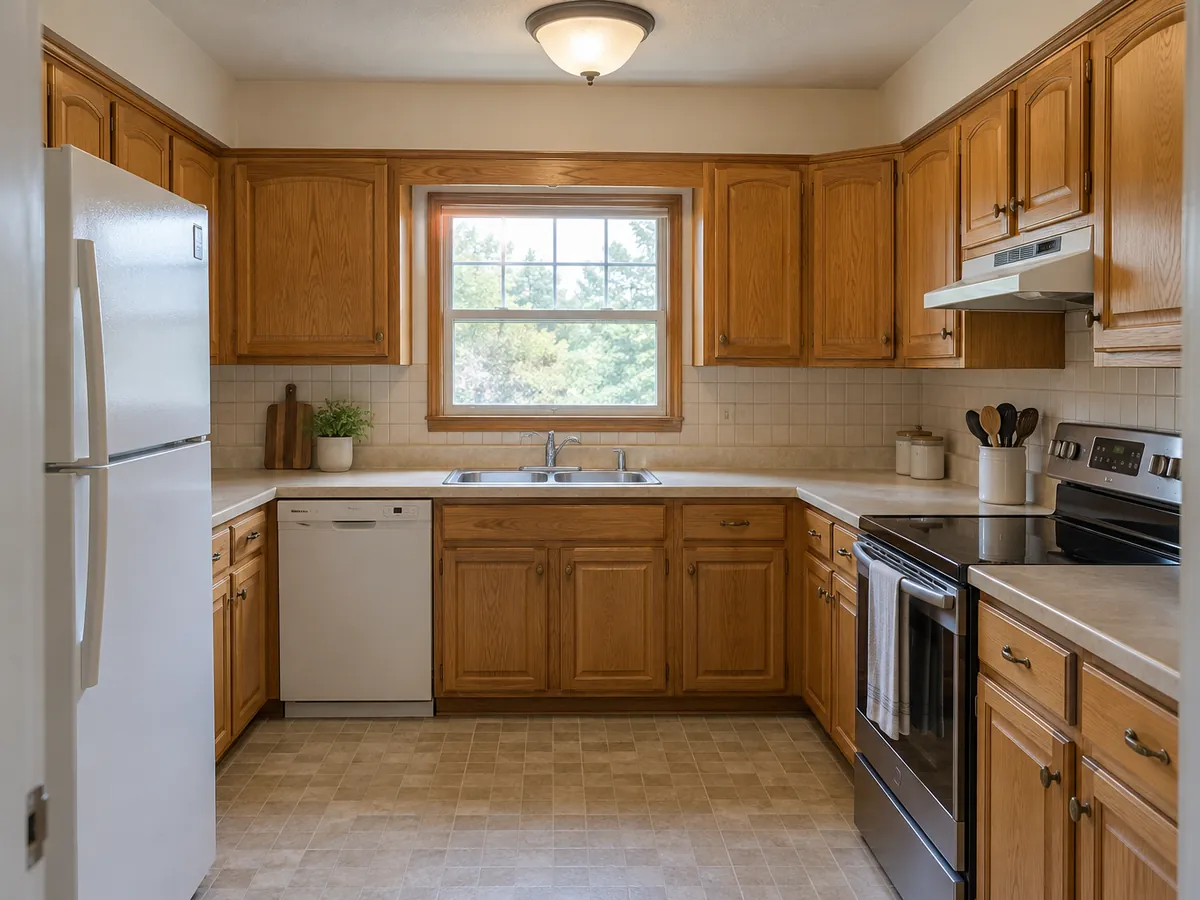
 AfterBefore
Remodel This House with AI
Upload a photo, choose one renovation project and one style, then add a note. The Custom style tab accepts a reference image.
AfterBeforeWarm Kitchen Remodel
Illustrative AI kitchen concept
AI Remodel Examples: Before & After
Each pair is an AI-generated illustration of one renovation project on the same view. Small details can shift; compare your result with the original photo.
- AfterBefore
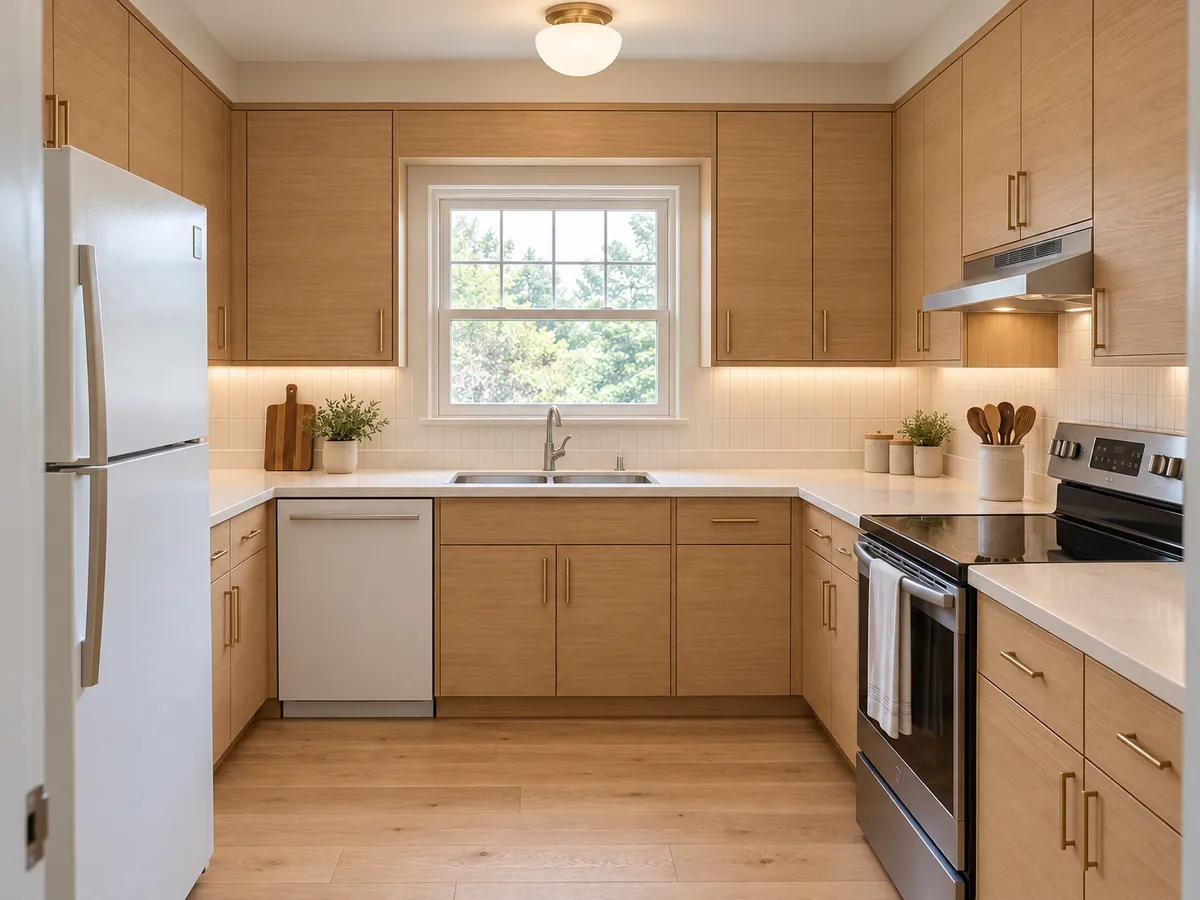
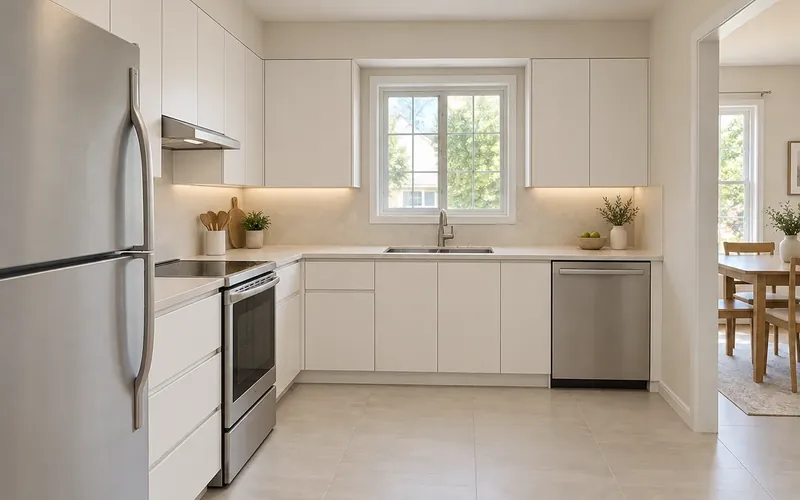
Dated Kitchen to Light Oak Remodel — AI-generated illustration
 AfterBefore
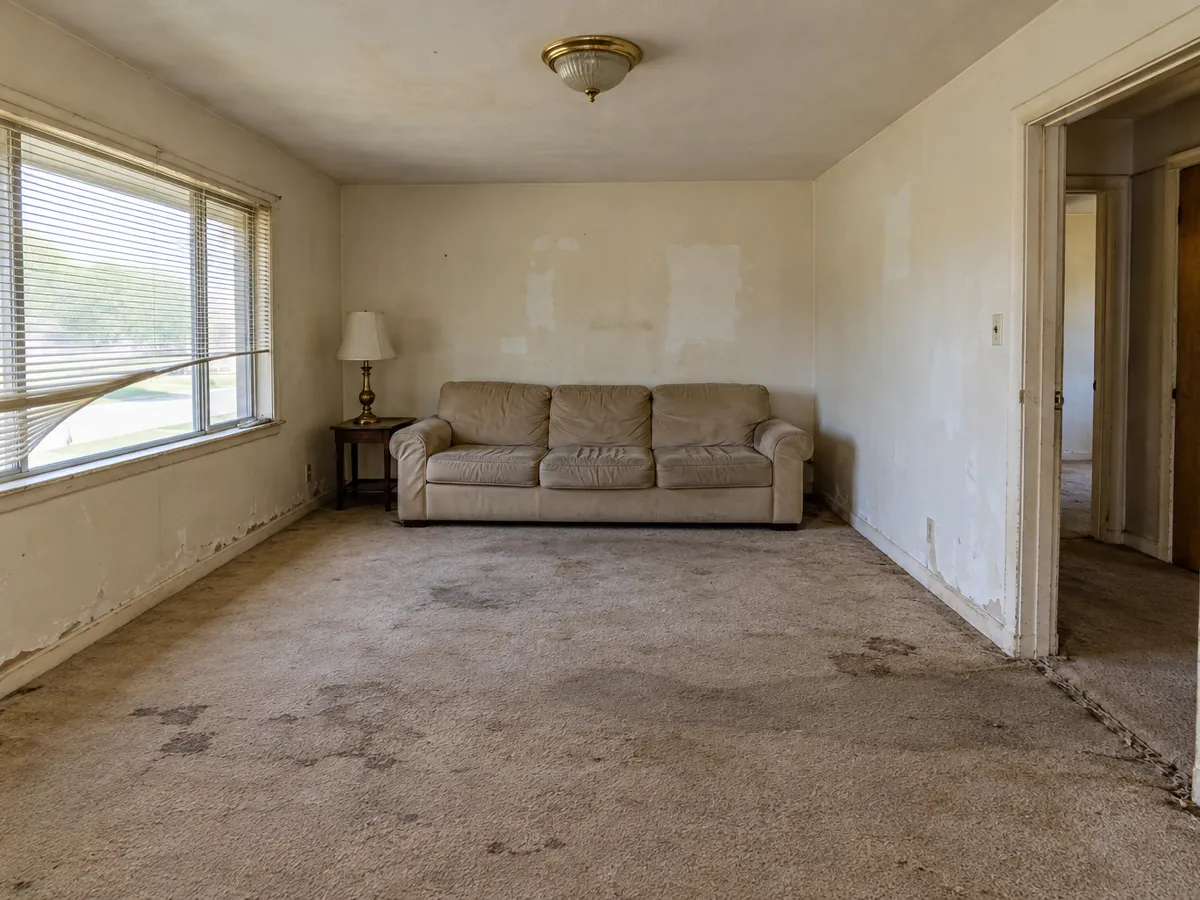
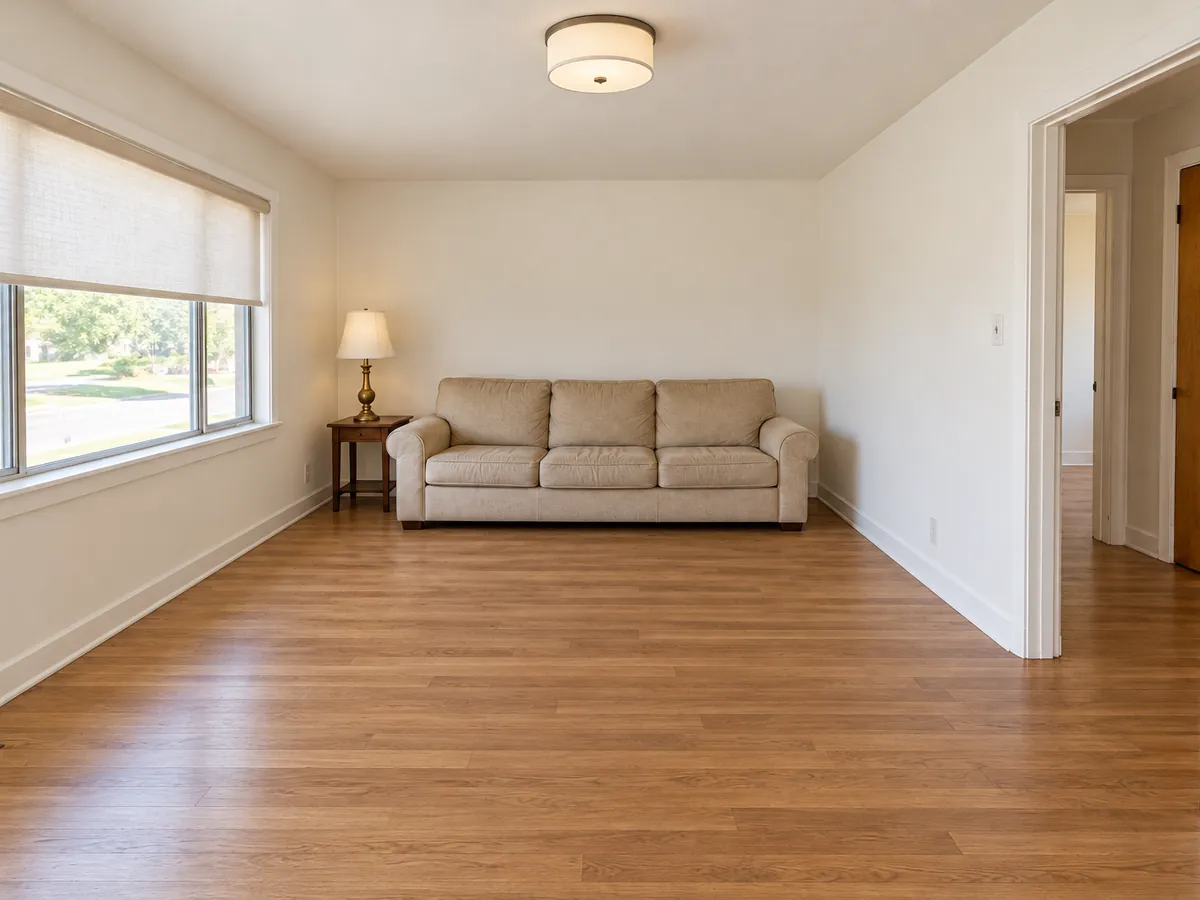
Worn Living Room to Move-In-Ready — AI-generated illustration
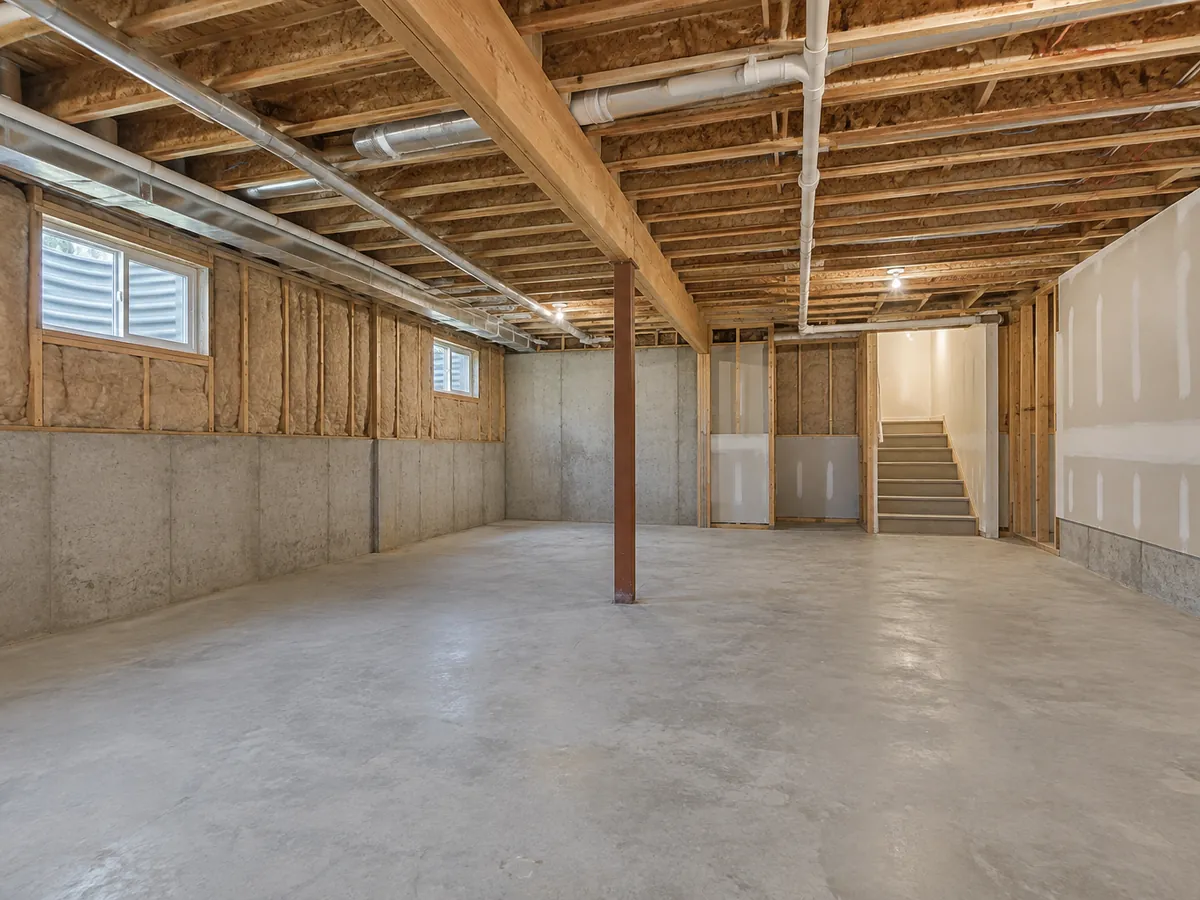
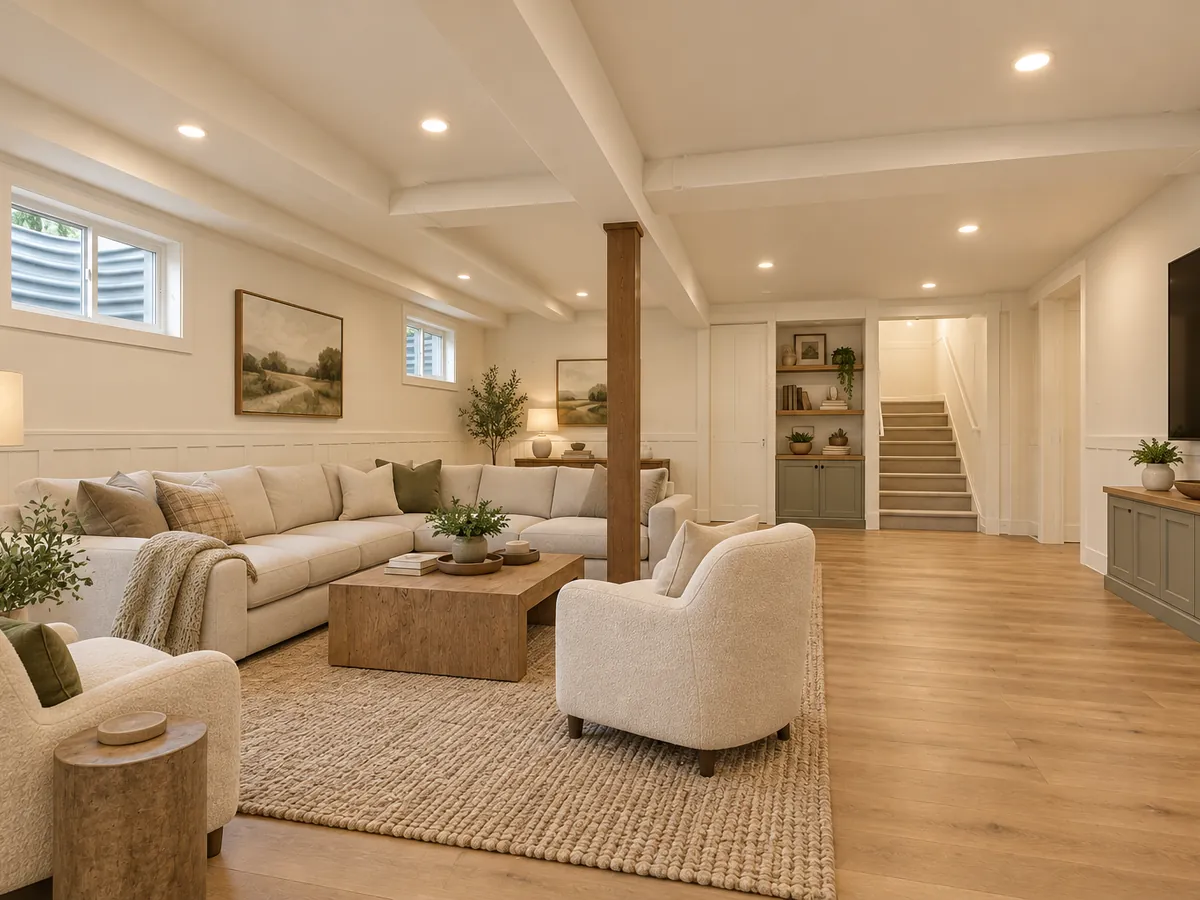 AfterBefore
Unfinished Basement to Family Room — AI-generated illustration
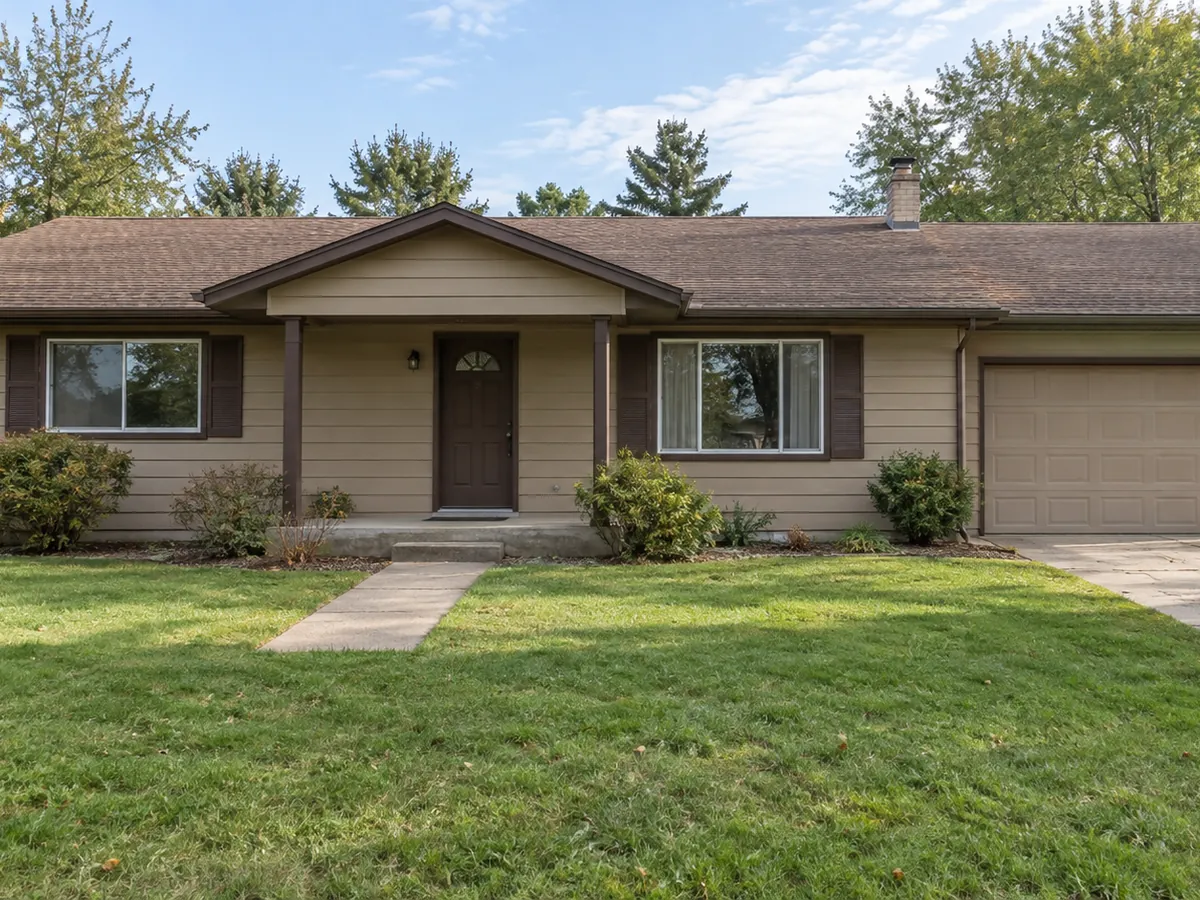
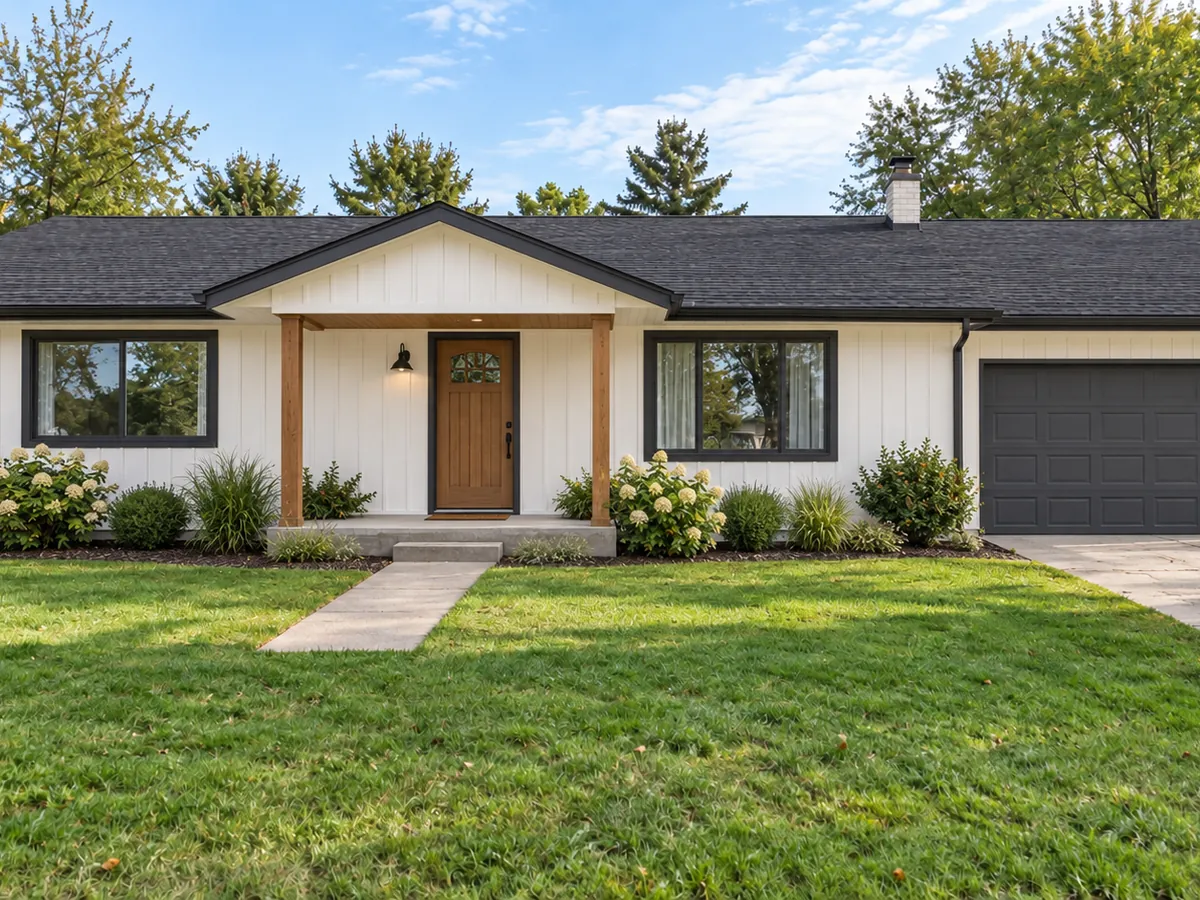 AfterBefore
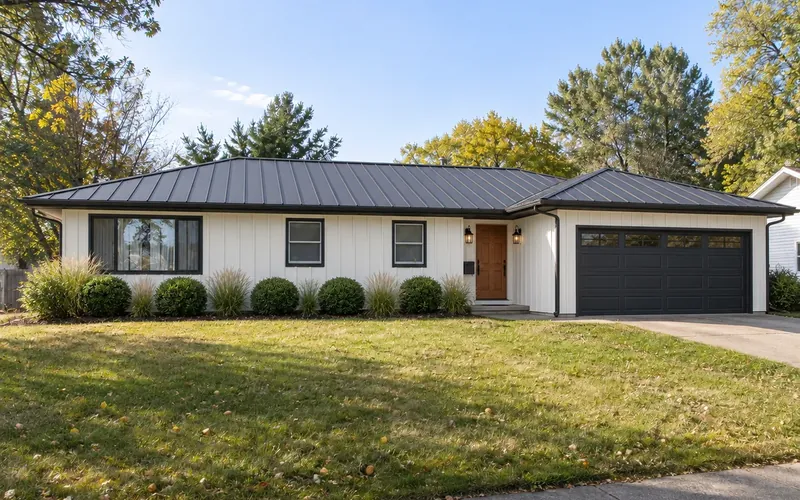
Tired House Front to Farmhouse Facelift — AI-generated illustration
Pick one project
Choose a Renovation Project
The project sets what may change. Click a tile to load it into the workspace, then add your photo.
Tile images are AI-generated illustrations of typical results. Each run handles one project; compare any result with your original.
The basics
What Is AI Home Renovation?
AI home renovation uses a photograph to explore how a room or house might look after a particular project. This AI home remodel visualizer uses your photo for a cosmetic refresh, full remodel, kitchen or bathroom project, fixer-upper repair, unfinished space or exterior facelift. It produces a visual concept, not a measured plan, construction drawing, permit set or cost estimate.
The model is instructed to keep the room footprint, walls, openings, ceiling and camera. Kitchen and bathroom projects keep major fixture positions. Exterior projects keep the house massing, roofline, openings, porch size and lot. AI can shift details, so compare the preview with your original before using it as a room makeover plan.
- One photo, one renovation project and one style per run
- 7 project options and 20 room styles
- The Custom style tab can use your own reference image
- A visual concept to discuss, never an engineered design
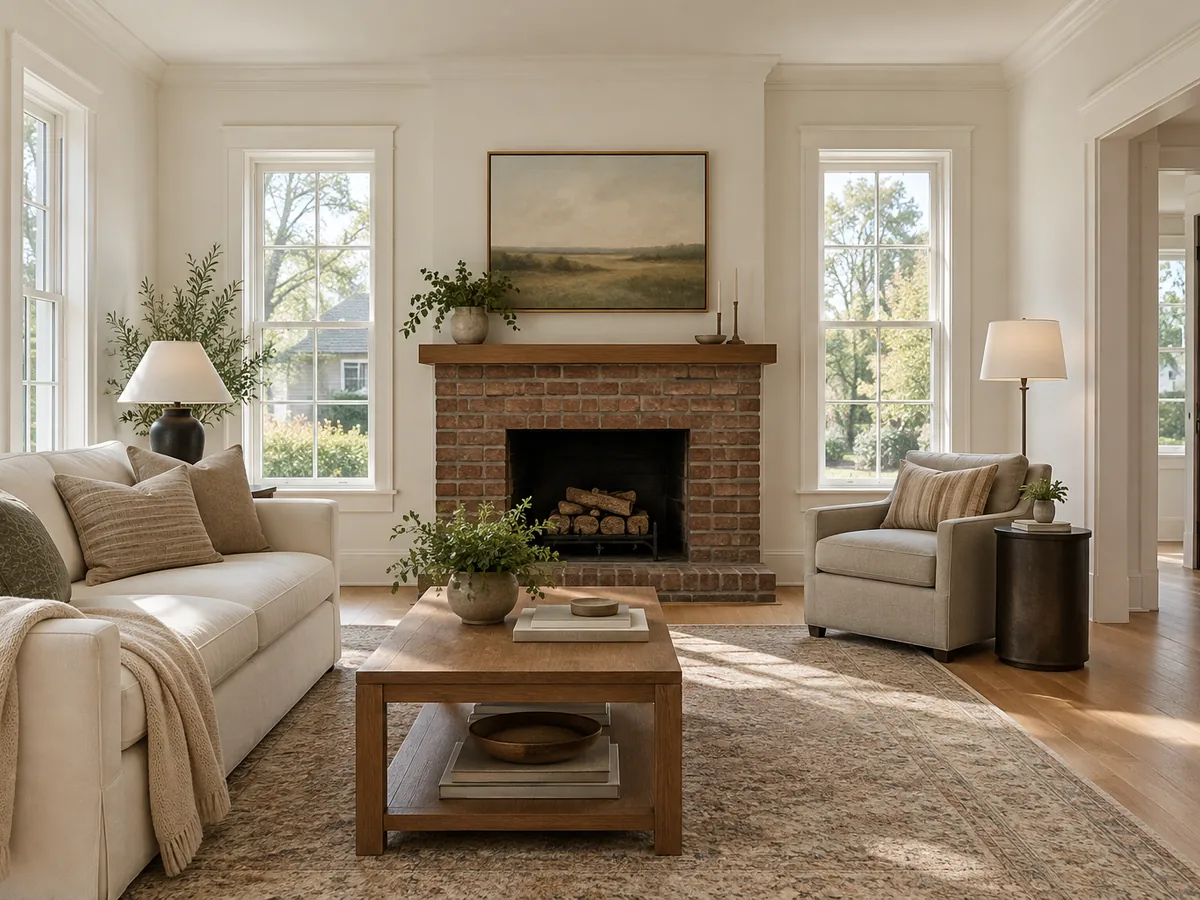
How to Renovate This Room with AI
Upload a clear room or house photo
Use a level view with walls, openings or facade visible. PNG, JPG or WebP up to 10MB.
Choose one project and style
Pick the scope first, then one style or a Custom reference. Add notes about finishes within that scope; notes do not override structural keep rules.
Compare your virtual renovation
Generate a concept and compare windows, doors and fixed fixtures with the original. Download a promising image and try another finish if needed.
Ideas you can load
Home Renovation Ideas for Rooms and Exteriors
Select a card to load its project, style and design note into the workspace.
Fixer-Upper Makeovers with Renovation AI
Repair worn walls, flooring and trim before choosing decorative details. A neutral finish makes the existing room easier to assess, while the photographed layout and function guide the concept.
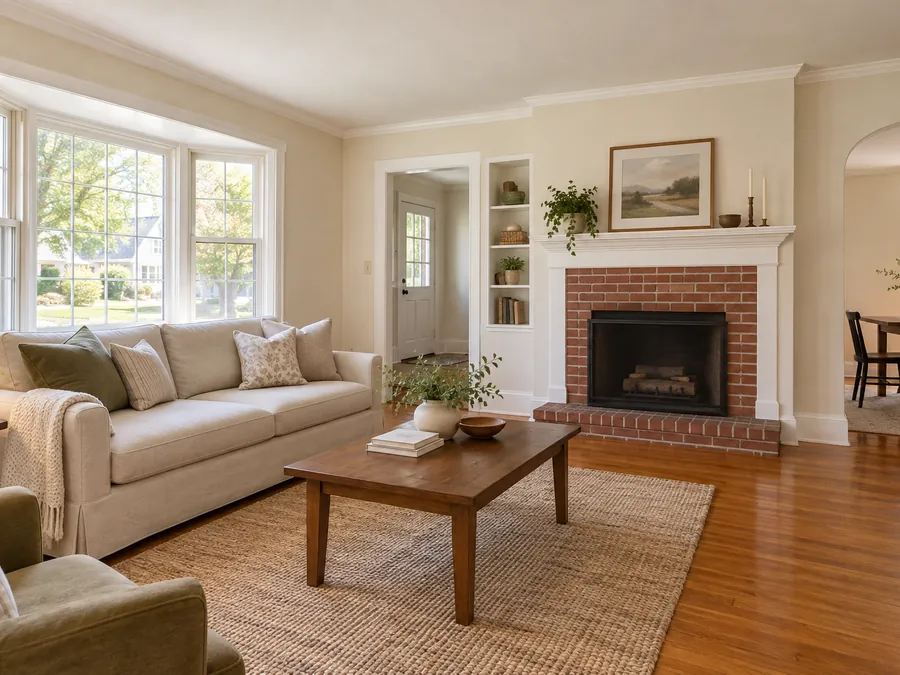 Transitional
Worn Living Room Repair
Warm white walls, refreshed oak flooring and clean trim restore a simple living room. Neutral upholstery lets the fireplace and generous window remain the main features.
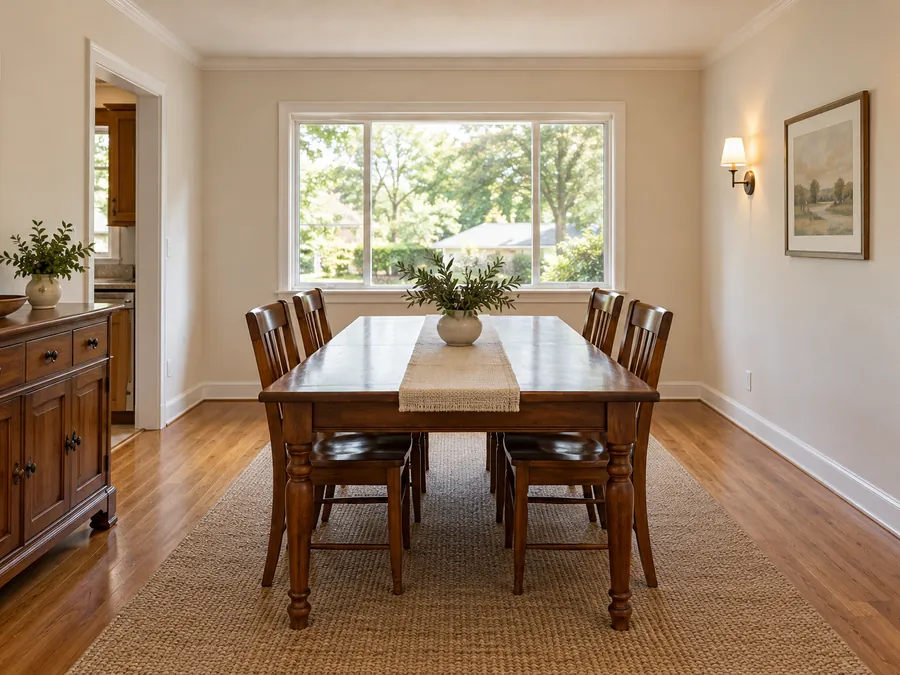 Traditional
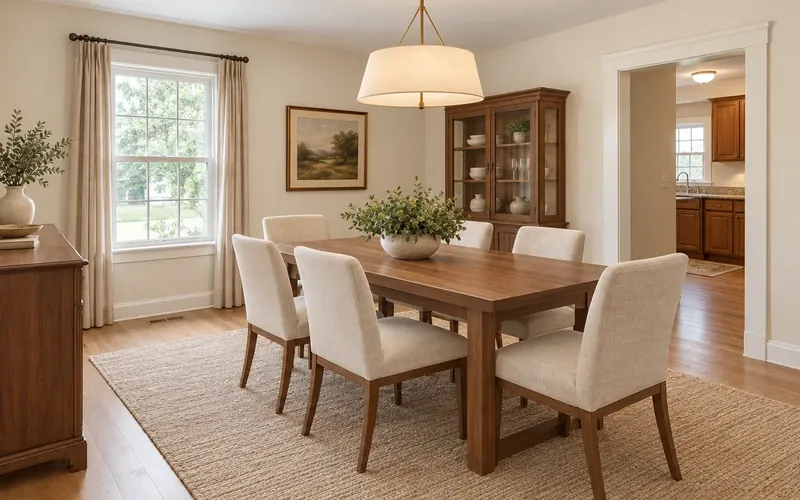
Dated Dining Room Refresh
Off-white walls and repaired trim lighten this traditional dining room without changing its layout. A warm wood floor and simple upholstery keep the finish welcoming and practical.
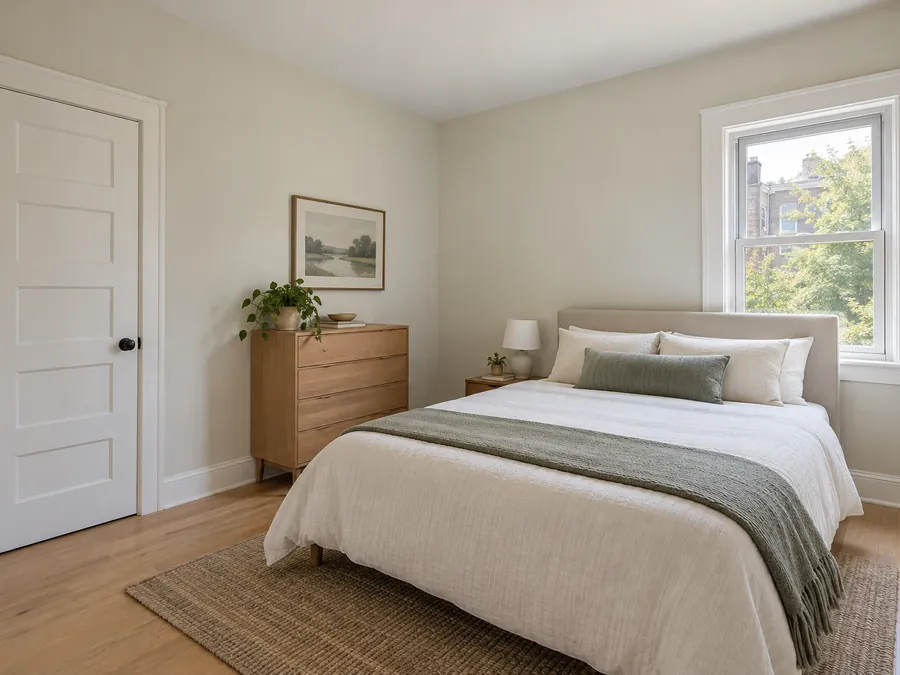 Scandinavian
Rental Bedroom Make-Ready
Pale flooring, fresh wall paint and repaired door trim create a straightforward rental bedroom. A limited neutral palette makes the compact room feel clean and easy to furnish.
Basement and Attic Conversion Ideas
Explore walls, ceilings and flooring within an unfinished basement or attic. Keep stairs, posts, windows and equipment in view, and use the image to discuss a finish direction before checking headroom, moisture and building requirements.
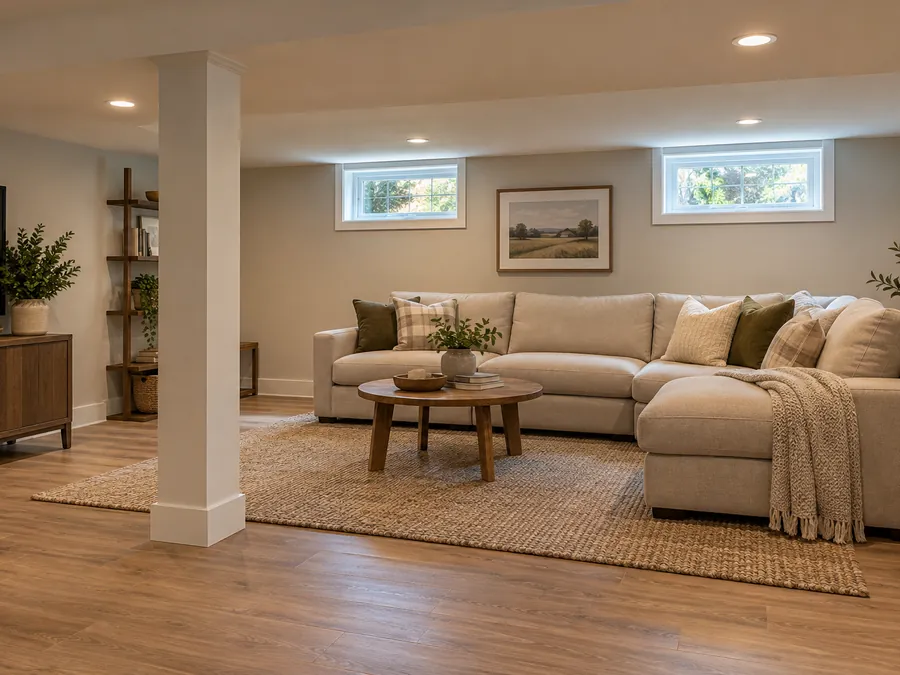 Modern Farmhouse
Basement Family Room
Finished walls and warm flooring turn the basement into a comfortable family room. Seating wraps around the support post while the small windows remain visible above the sofa.
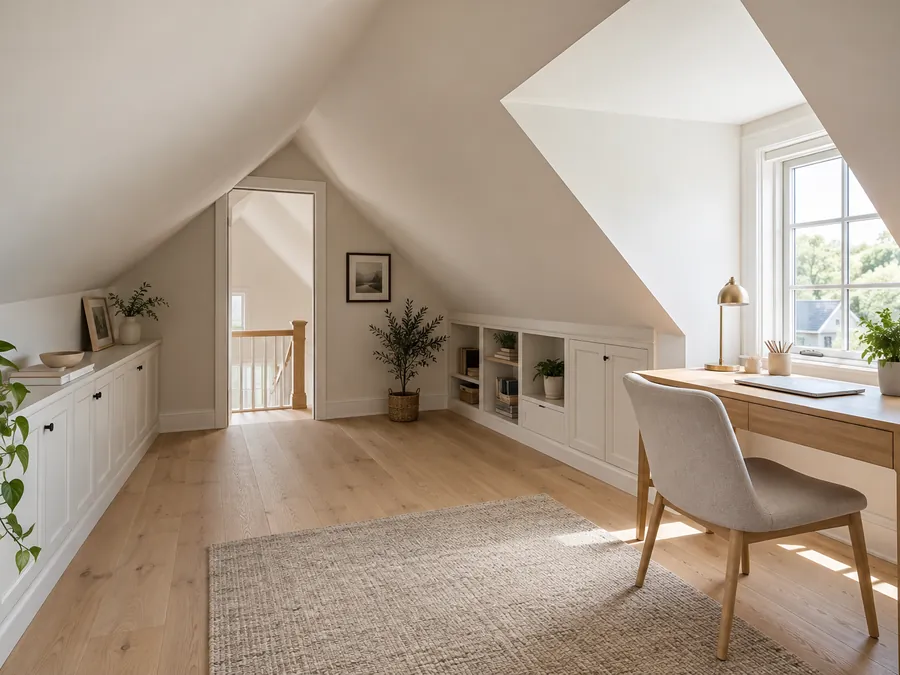 Scandinavian
Attic Home Office
Light oak flooring and white walls brighten an attic with a sloped ceiling. A compact desk uses the dormer light while low storage fits beneath the roofline.
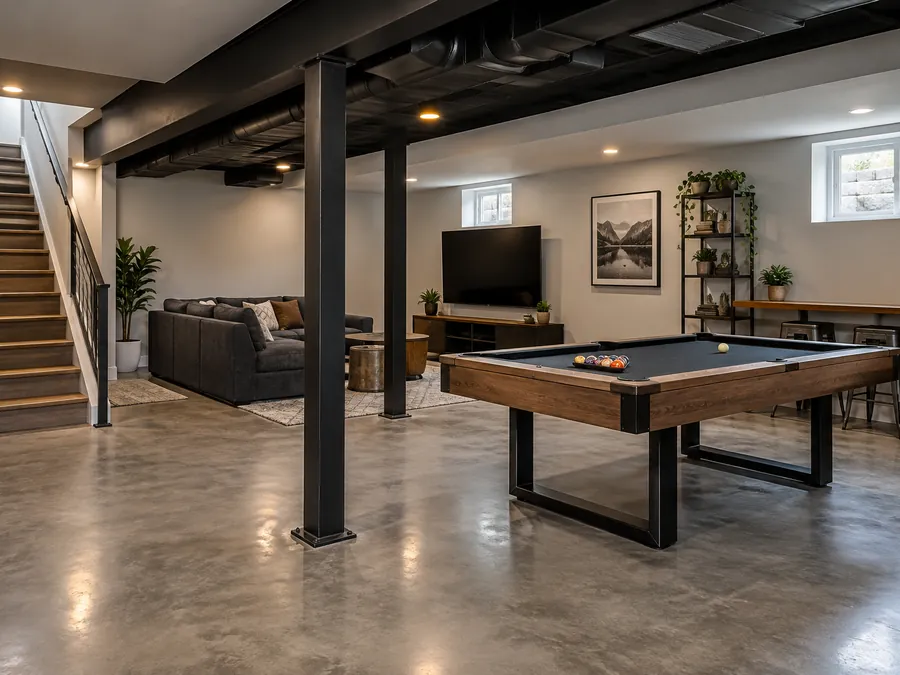 Industrial
Basement Game Room
A polished floor and dark exposed ceiling give this basement game room an informal finish. Seating and a pool table sit between existing posts with access left clear.
Exterior Home Remodel Visualizer Ideas
An exterior home remodel app can preview siding, trim, roofing material, doors, lights and planting. Choose a palette that suits the existing architecture; the concept is instructed to retain the roofline and openings.
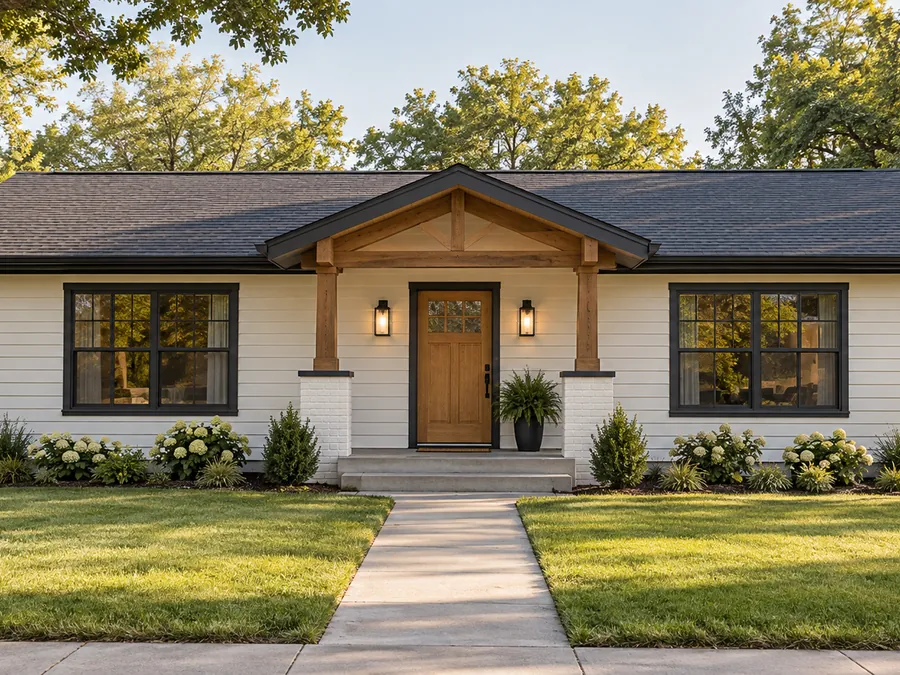 Modern Farmhouse
Farmhouse Ranch Facelift
Warm white siding, dark trim and a timber porch accent give this ranch a coherent facelift. Low foundation planting adds softness without competing with the broad horizontal roof.
 Coastal
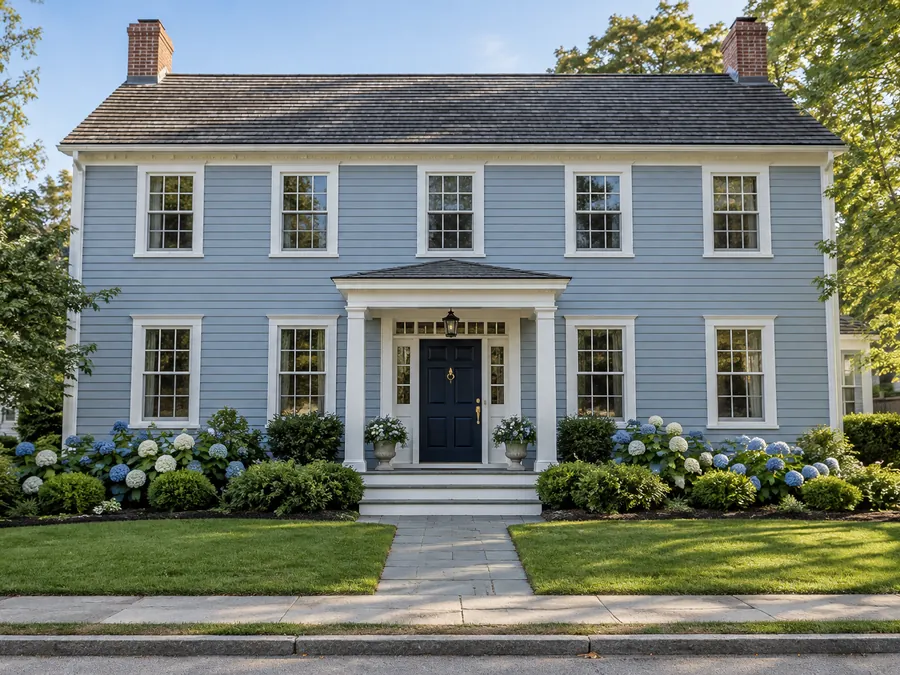
Coastal Colonial Update
Soft blue siding and crisp white trim emphasize the balanced colonial facade. A darker front door creates a focal point, with low shrubs keeping the windows open.
 Organic Modern
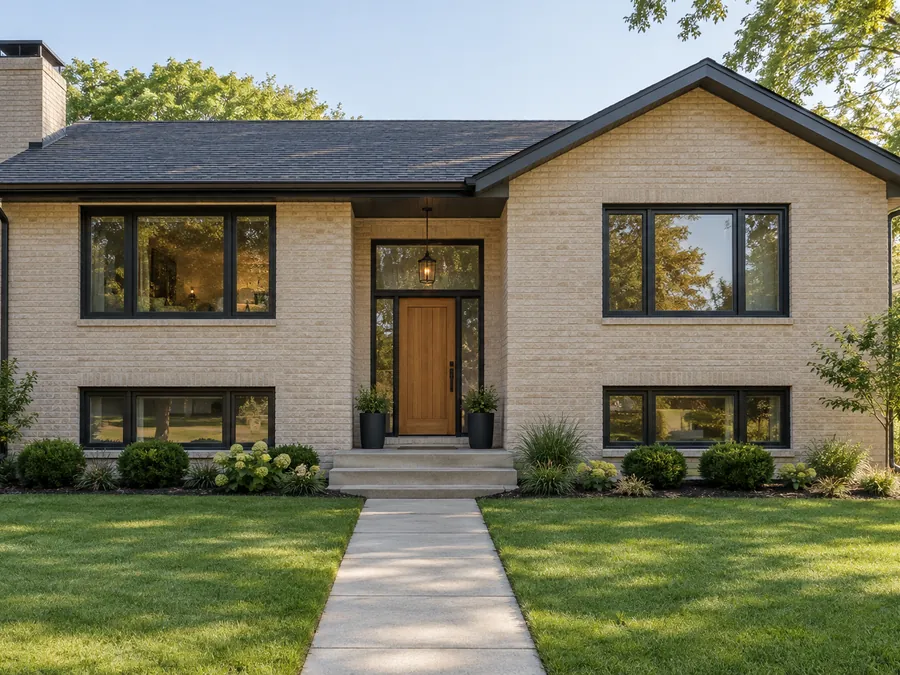
Modern Brick Exterior
Pale brick, charcoal window trim and a wood door update the split-level exterior. Repeated dark accents connect the openings while restrained foundation planting leaves the masonry visible.
Living Space AI Room Remodel Ideas
A cosmetic refresh changes paint, lighting and decor while retaining floors and cabinets. A full room remodel explores new flooring, built-ins and furnishings too, so choose the project that matches the work you intend.
 Transitional
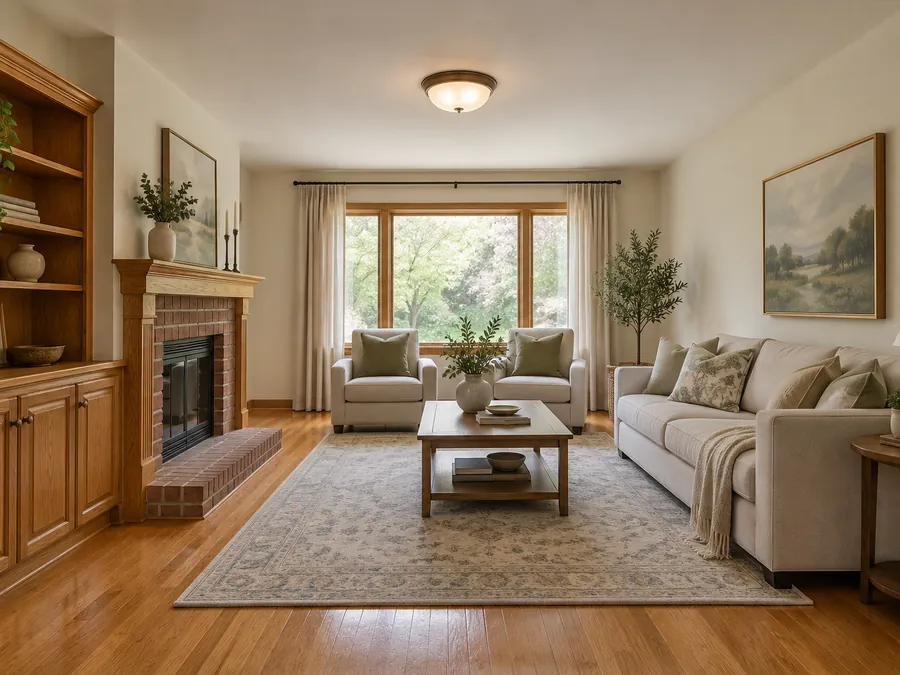
Living Room Cosmetic Refresh
Cream wall paint, soft curtains and updated lighting refresh the living room around its existing wood floor. Simple textiles lighten the space while the fireplace remains prominent.
 Organic Modern
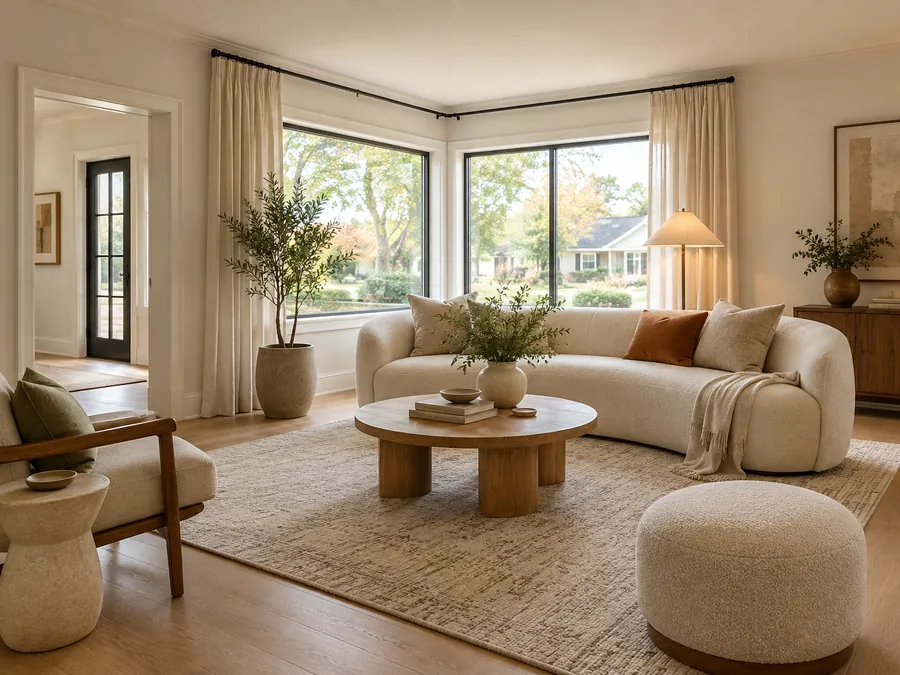
Family Room Full Remodel
Light oak flooring, warm white walls and rounded furniture create a softer family room. Layered lamps and a large rug define a comfortable seating area beside the windows.
 Traditional
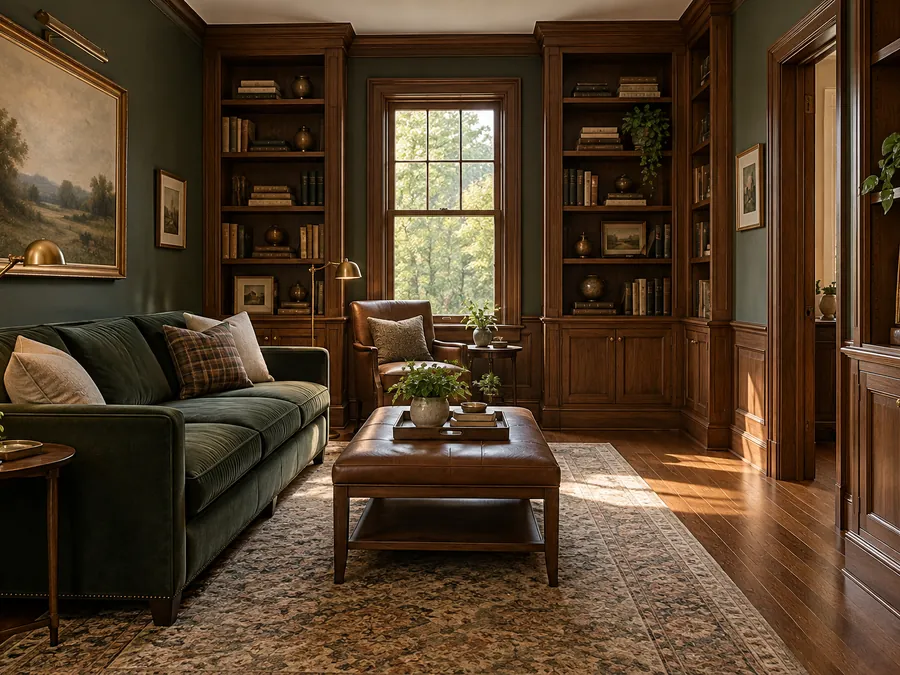
Traditional Den Remodel
Walnut built-ins, deep green walls and classic upholstery give this den a richer finish. Warm lamps and a patterned rug balance the darker surfaces around the existing doorway.
All gallery images are AI-generated illustrations, not completed projects. Your photo determines the result and small details can shift.
A Home Renovation Designer for Real Photos
Explore finishes and repair ideas while checking each concept against the original.
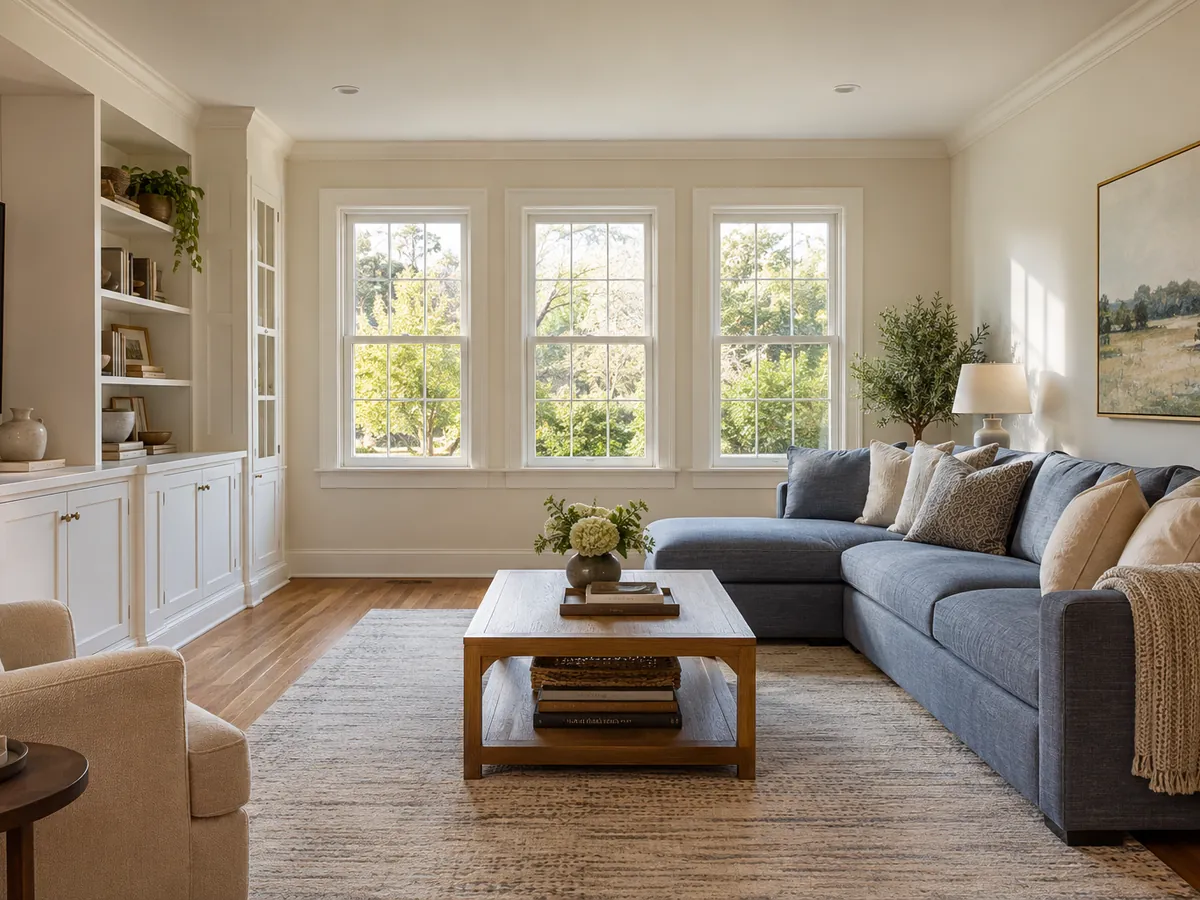
Same Walls, New Finishes
The room remodel design tool is instructed to keep the footprint, walls, openings, ceiling and camera. A full remodel can change flooring, wall finishes, built-ins, lighting and furniture; a cosmetic refresh keeps floors and cabinets too. Compare the result with the original.
AI room design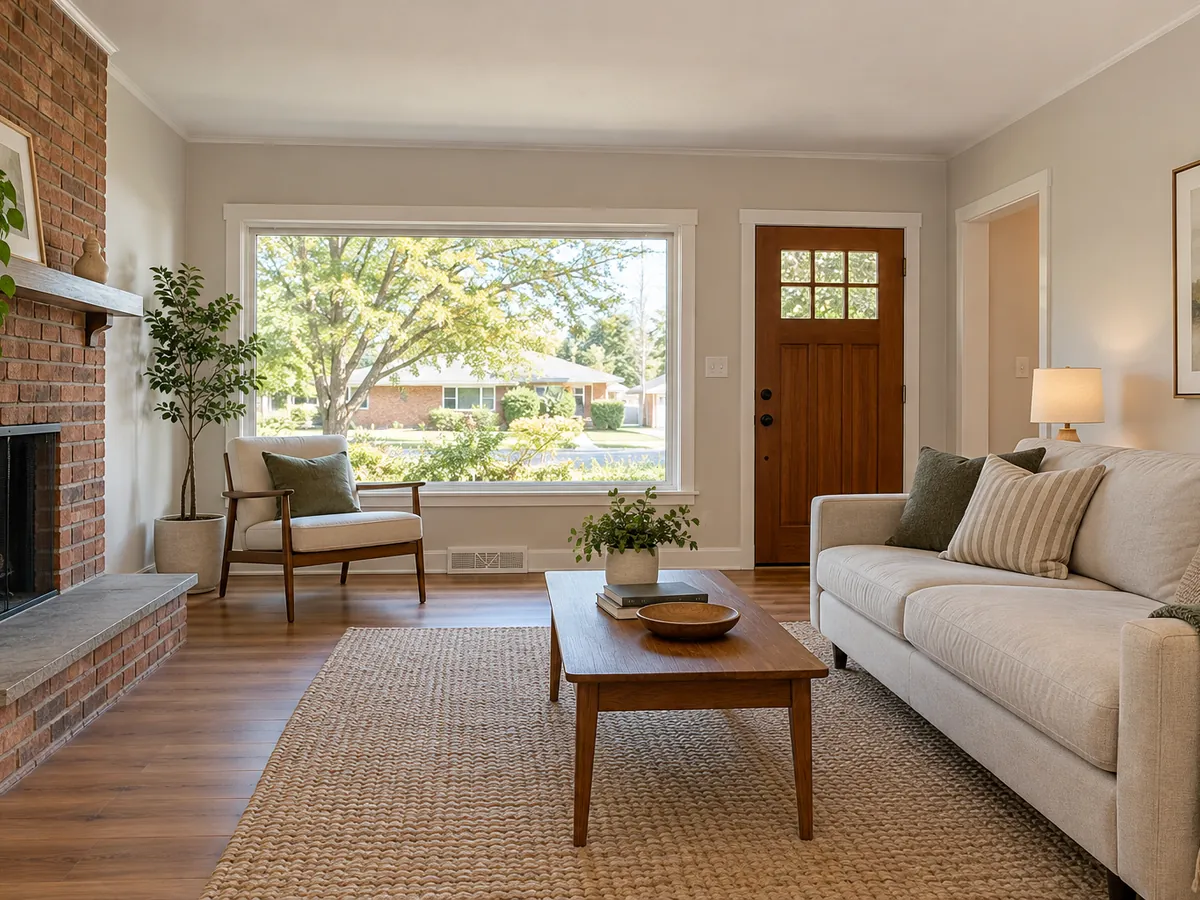
Plan a Fixer-Upper Before You Buy
Picture patched walls, repaired trim and replacement of worn flooring in a neutral, move-in-ready finish. The image cannot diagnose hidden damage or estimate cost; discuss real work with an inspector or contractor.
Real estate photo editor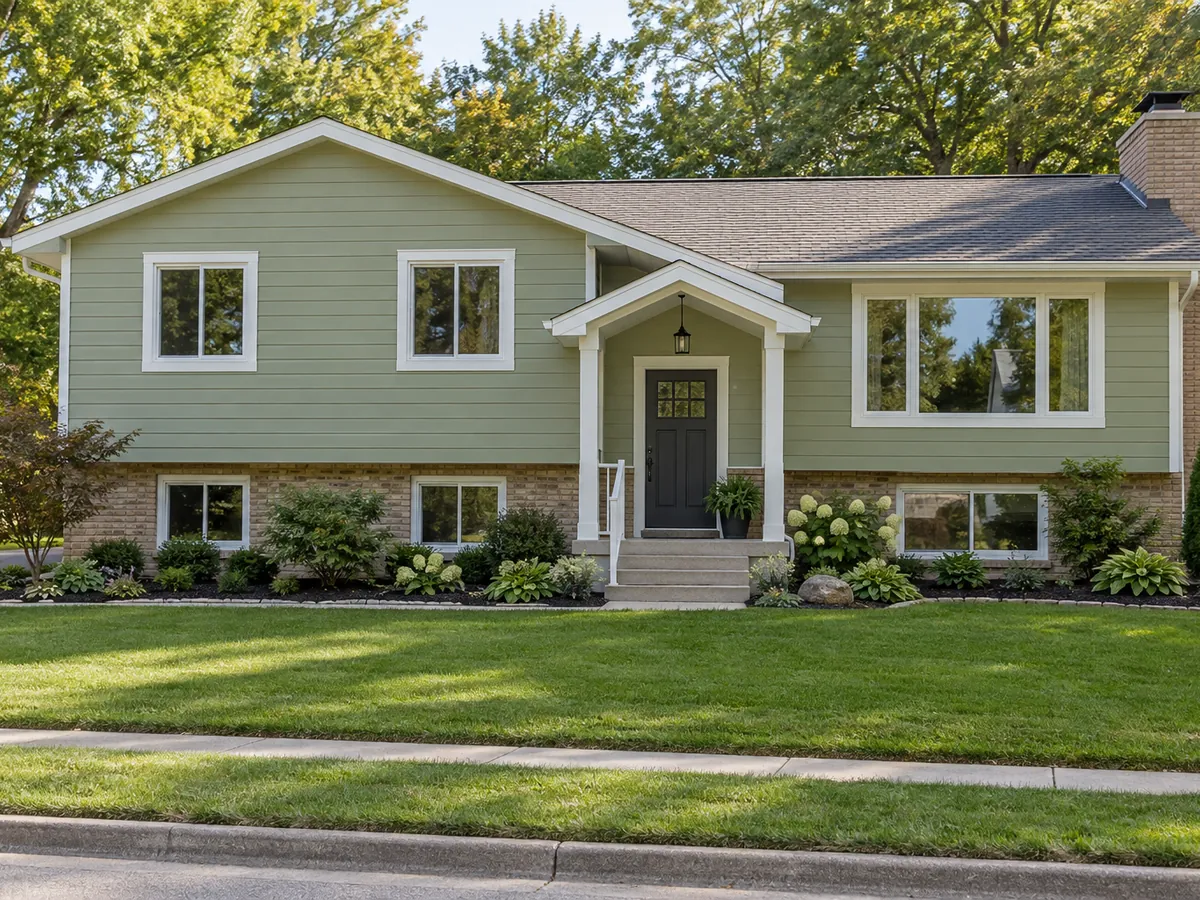
Exterior Home Remodel Visualizer
An exterior home remodel visualizer can test siding, roofing material, trim, doors, lights and foundation planting. The prompt keeps massing, roofline, openings, porch size, lot and camera. Use the concept to compare materials and colors before discussing actual work with a professional.
AI exterior design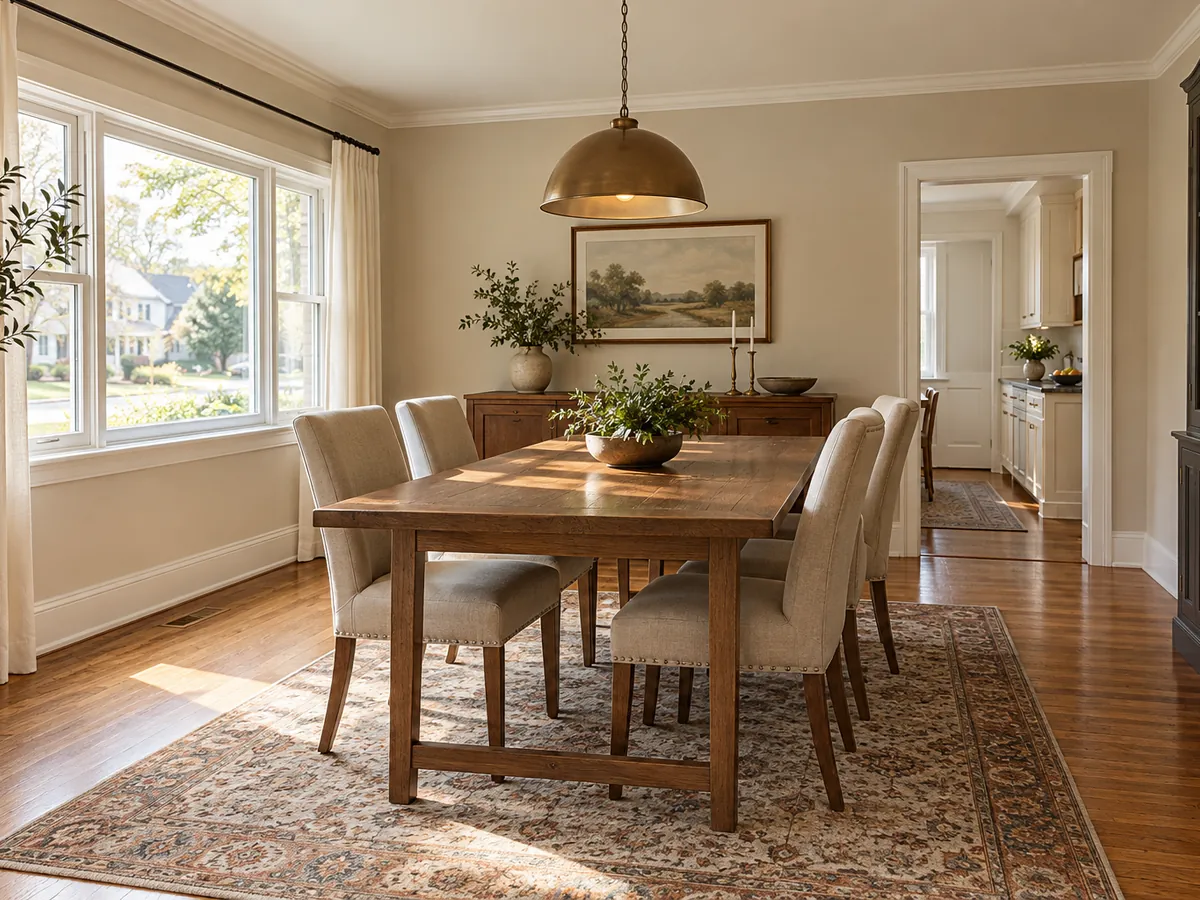
Compare Renovation Ideas Side by Side
Save separate runs of the same photo to compare a cosmetic refresh with a full remodel or two finishes. Each run uses one project and one style. A home remodel simulator image helps narrow taste; real work requires measurements and a budget.
Preview My RenovationWho Uses a Virtual Renovation Preview?
Use one photo to discuss a direction, then validate the work with measurements and trades.
Home Buyers and Flippers
Explore a fixer-upper or dated kitchen before making a renovation commitment. An AI house remodel preview can frame questions for an inspection, but cannot reveal hidden defects or estimate the repair scope.
DIY Renovators
Test floor and paint directions before collecting samples or booking trades. Use a focused visualizer when you want to compare one surface while keeping the rest of the room familiar.
Contractors and Designers
Show an early finish direction, then develop the actual scope, drawings and specifications separately.
Landlords
Preview a durable neutral refresh or facade color before requesting real samples and quotes.
AI Home Renovation Questions
This home renovation website is a photo-based concept tool. New accounts get free signup credits, and each generation costs 10 credits; sign in to generate, and free requests may wait in a queue. Results are concept images, not editable CAD or construction plans.
The output is a visual concept, not a cost estimate or bill of materials. A contractor needs site measurements, local prices and a defined scope to quote work. Use the image to clarify finishes before asking for a detailed estimate.
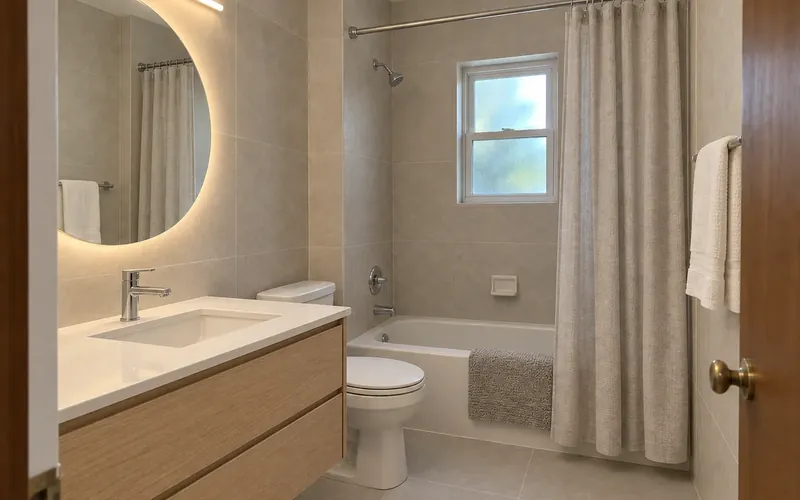
The generator is instructed to keep walls, openings, ceiling and camera. Kitchen projects keep the sink and range positions; bathroom projects keep the vanity, toilet and bathing position. Small details may shift, so compare with the original.
A general chat tool can help you discuss renovation ideas and, when image features are available, explore visual changes. This dedicated tool combines your photo with one project scope and style, then instructs the image edit to retain specified architecture. Compare any AI result with the original before acting on it.
Choose Exterior Facelift to compare siding, roofing materials, trim, doors, lights and foundation planting. The exterior home renovation app is instructed to retain massing, roofline, porch size, openings and lot. It provides a finish concept, so structural changes need a separate professional design.
Use a clear photo of a kitchen, bathroom, living room, bedroom, basement, attic or house exterior. Select the project scope that matches the work, then choose one style. Online home renovation design here means a visual preview; a house renovation designer still needs measurements and technical checks to turn it into a buildable proposal.
A renovation planner can organize budgets, schedules and tasks; drawing tools make measured plans. This home renovation visualizer explores finishes on a photo, helping you communicate a direction. Renovation apps serve different purposes, so choose according to the decisions you need to make.
It can provide an image to discuss with a renovation designer, but cannot verify dimensions, code, structure or permit needs. Compare every opening and fixed fixture with the source photo before using the idea. Bring the concept, measurements and material samples to the professional planning stage.
Keep the same source photo and generate each project or style separately. Download the concepts to compare finishes, noting any details that drift from the original. A home remodel simulator helps narrow the visual direction, while real scope and cost need independent checks.
See a Home Renovation Concept on Your Photo
Choose a project and style, upload a clear photo and compare the concept with the original. New accounts get free signup credits; free requests may wait in a queue.
Preview My Renovation- 10 credits per generation
- PNG, JPG or WebP up to 10MB
- One project and one style per run